Participating Frequently
January 4, 2017
Answered

How do I do animation in current version of photoshop?

  • January 4, 2017
  • 3 replies
  • 1494 views

How do I get animation to work on the current version of photoshop?  I suppose I need to buy something else?

    This topic has been closed for replies.
    Correct answer c.pfaffenbichler


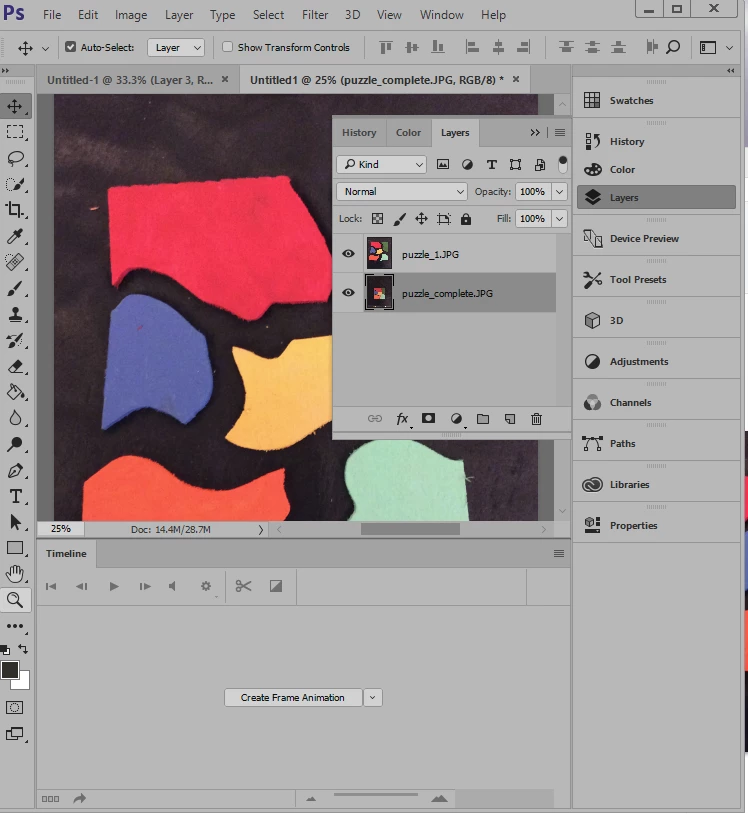
    The Animation Panel is open, so hit the »Create Frame Animation« button already.

    3 replies

    melissapiccone
    Community Expert
    Community Expert
    January 4, 2017

    You can do animation in the timeline. What is your end result? Animate might be a better Solution. PS is good for gif animations.

    Melissa Piccone | Adobe Trainer | Online Courses Author | Fine Artist
    Participating Frequently
    January 5, 2017

    my image doesn't show up in the timeline.  How do I get my image into the timeline?  I have googled by the way everything says something about Photoshop Extended which is old.  I have the newest photoshop CS6 I believe.

    \

    c.pfaffenbichler
    Community Expert
    Community Expert
    January 5, 2017
    I have the newest photoshop CS6 I believe.

    Photoshop CS6 is obsolete.

    Is there a Timeline Panel (Window > Timeline)?

    c.pfaffenbichler
    Community Expert
    Community Expert
    January 4, 2017

    Have you tried searching the Help? (Not to mention Google or Youtube …)

    Photoshop video and animation overview

    JJMack
    Community Expert
    Community Expert
    January 4, 2017

    Photoshop supports Frame animation an Video animations and 3d objects can be animated. These features are found in Photoshop CS6 and newer Photoshop version in Photoshop's Timeline palette.

    JJMack
    Participant
    September 6, 2022

    You can look at youtube and follow This video

    Gather the images you want in a separate folder. To upload them into Photoshop, click File > Scripts > Load Files Into Stack.