

lflegg
Inspiring
April 27, 2018
Answered

How do I get hex codes for colours?

  • April 27, 2018
  • 2 replies
  • 8858 views

Hello,

I just want to copy the hex code from an image in Photoshop so I can use it elsewhere.

I can't see how to do this anymore. It used to be easy in Photoshop.

I can't find any tutorial on Youtube either.

Thanks
    This topic has been closed for replies.
    Correct answer Semaphoric

    2 replies

    Semaphoric
    SemaphoricCorrect answer
    Community Expert
    April 27, 2018

    angie_taylor
    Brainiac
    April 27, 2018

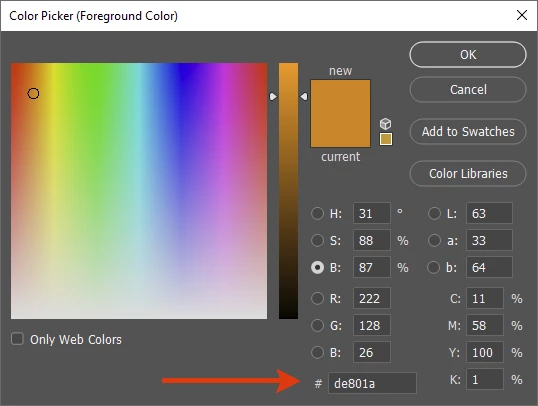
    Have you checked in the color picker? If you double click on a color swatch after sampling a color, at the bottom should be the Hex code

    lflegg
    lfleggAuthor
    Inspiring
    April 27, 2018

    Thanks but that's not what I get when I double click on a colour swatch - unless I'm doing it wrong?Apr 28, 2018 12:33 AM.webm - Google Drive

    ^ screen recording

    Semaphoric
    Community Expert
    April 28, 2018

    davescm  wrote

    Hex codes are meaningless. They are just numbers in base 16 representing RGB colors.

    Right. But how do you convince someone that #6f5ed5 is not really a color, but whatever you want it to be?

    "Hexadecimal" has all the trappings of computer lingo. We all know that computers can calculate the square root of {Σ=©/$} in a nanosecond, and you're telling me it can't pinpoint a color down to exact spectral wavelength? Alan Turing would turn in his grave.

    I think this is why hex has survived to this day. It sounds seductively accurate - but in reality it's just RGB in geek's clothing.

    Punching hex codes:


    Hex code do have the advantage that you can copy and paste their values in one step, rather than three separate ones for R, G, and B.