Participant
August 9, 2020
Question

How do I get my brush strokes to stack on top of each other?

  • August 9, 2020
  • 2 replies
  • 1897 views

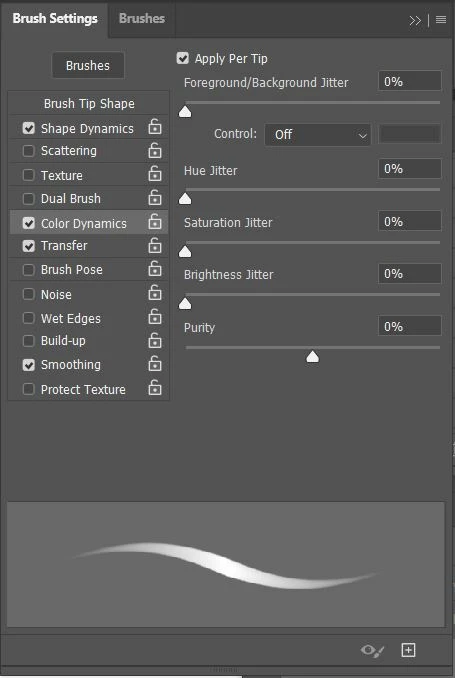
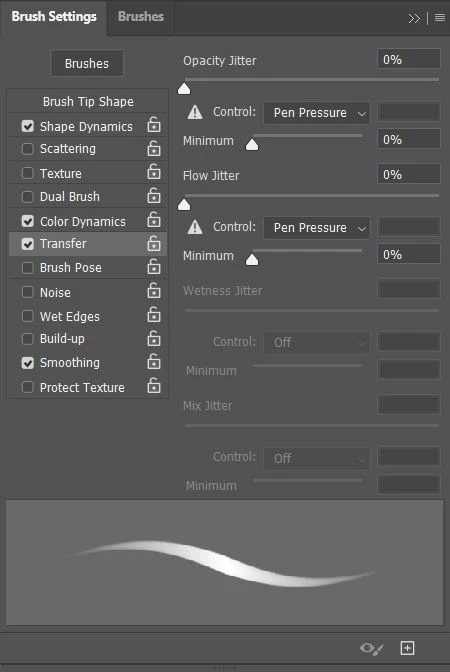
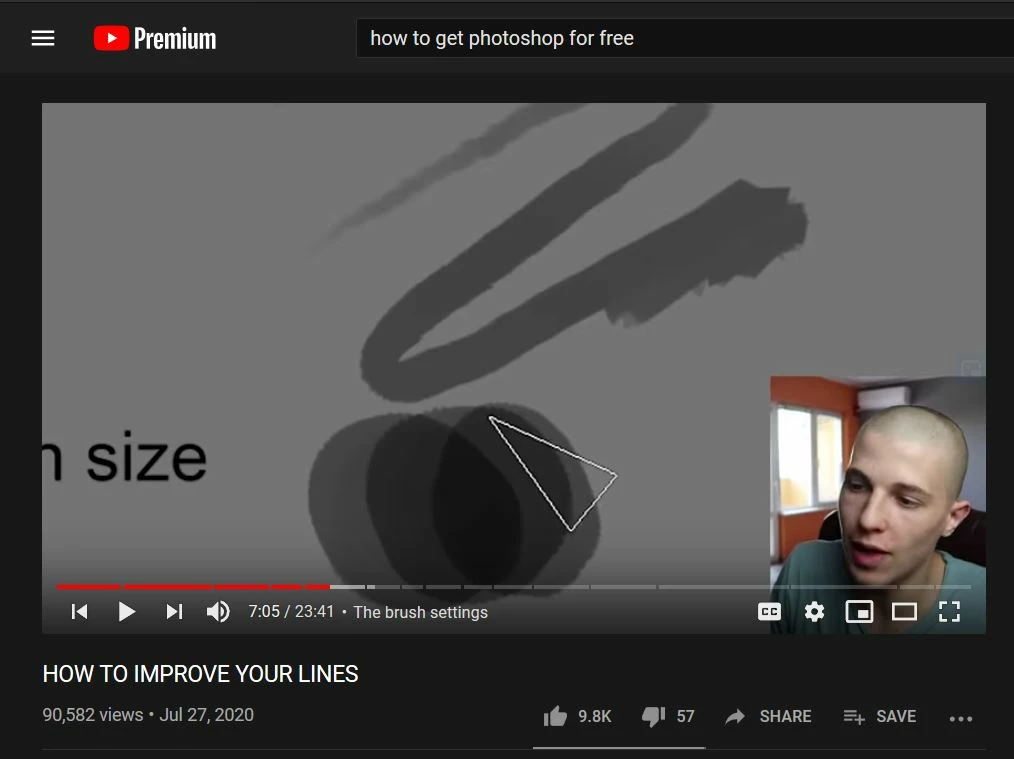
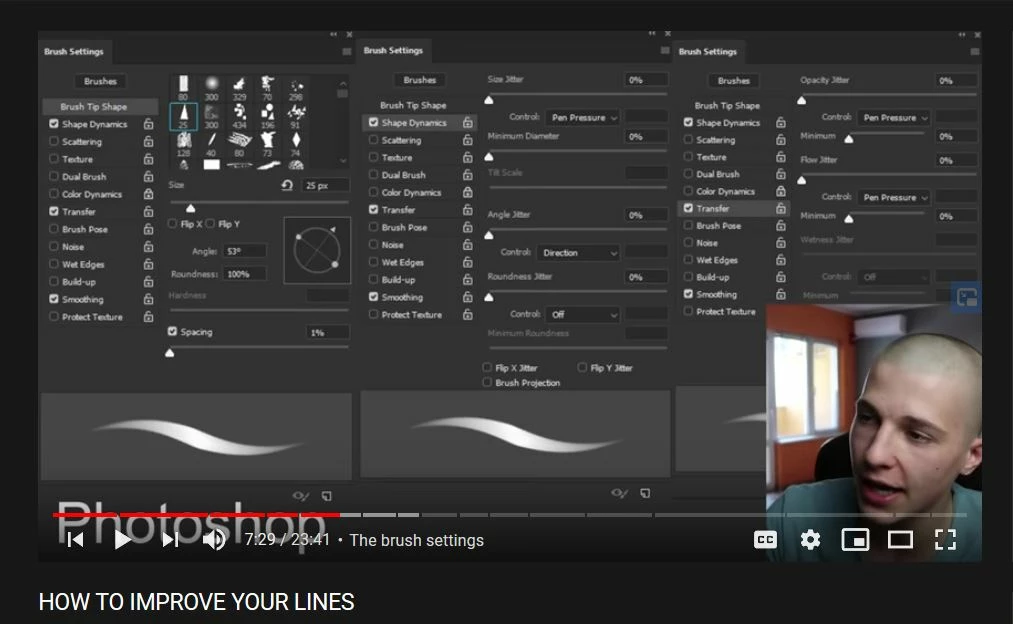
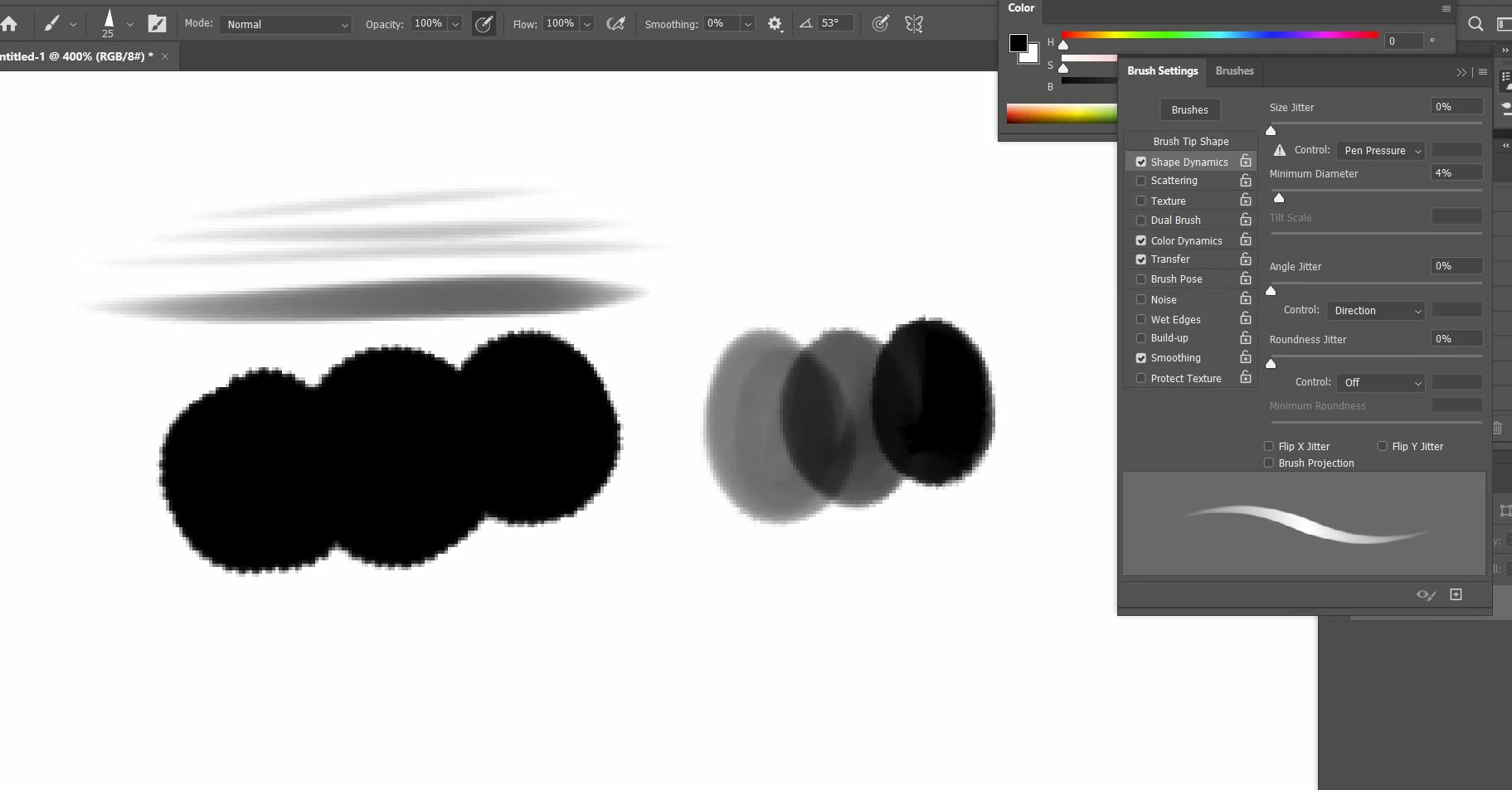
Hi, I wanna know how to make it so that even when I press down all the way on my pen tablet that my brush strokes don't reach 100% opacity. I recently downloaded some brushes from the artist, Angel Ganev and in his video where he goes over his settings he said, " Even when I press the hardest I still don't get 100% black, and this allows me to stack my brush strokes." *Note that in Angel's video he has opacity and flow set to 100%. I've changed all of my settings accordingly, but still have this issue, the only way I can kinda mimic this is if I press lightly and layer over top. I even emailed Angel, and he has no clue why it isn't working for me.

Here's a link to the video: https://www.youtube.com/watch?v=rLqG78V1rx0&list=PLz4l1wAU1EfMFogxi5k9dbs6nOLPdUIoO&index=3&t=450s


What it's supposed to look like:
His Settings:
What I have:
This topic has been closed for replies.

2 replies

Participant
August 16, 2022

Hey! I hope it's not too late, but I'll tell you what worked for me anyway. So, in the tool bar go to Brush Tool, right-click on it and select Mixer Brush Tool. This made my brushes mix the colors naturally in stead of stacking on top of each other. Hope this helps! 

@mj
Community Expert
Community Expert
August 9, 2020

Hi VinnyT12,


If you look at your What I have caoture, take a look at the top of the toolbar.


You have size enabled but not opcacity. It's the second icon from the right. The concentric circles with a pencil in it.


That should sort it.


Also, consider setting up your wacom using the wacom control panel.


Here is a resource that is helpful.


https://www.thebeginningartist.com/wacom-tablet-and-photoshop-settings/


Happy artmaiking

mj

@mj
Community Expert
Community Expert
August 10, 2020

Did it work for you @VinnyT12?