Exit
  • Global community
    • Language:
      • Deutsch
      • English
      • Español
      • Français
      • Português
  • 日本語コミュニティ
  • 한국 커뮤니티
0

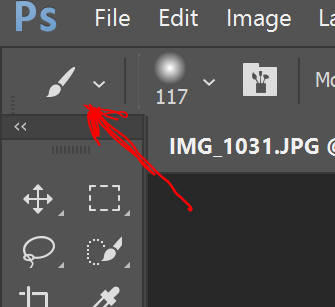
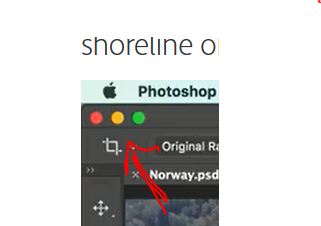
how do i get the 3-color selection panel to appear above the tool selection ribbon?

New Here ,
Aug 04, 2017 Aug 04, 2017

SHOULD BE

How do I change this? All I get to show is the current tool.

240
Translate
Report
Community guidelines
Be kind and respectful, give credit to the original source of content, and search for duplicates before posting. Learn more
community guidelines

correct answers 1 Correct answer

Community Expert , Aug 04, 2017 Aug 04, 2017

Are you on a Mac or Windows? Those are part of the Mac operating system.

The red circle will close the file, the yellow button minimizes the file to the dock, and the green one makes the document window larger or smaller. The corresponding buttons on Windows are on the top right:

VMware Fusionss_001.png

Translate
Adobe
Community Expert ,
Aug 04, 2017 Aug 04, 2017

Are you on a Mac or Windows? Those are part of the Mac operating system.

The red circle will close the file, the yellow button minimizes the file to the dock, and the green one makes the document window larger or smaller. The corresponding buttons on Windows are on the top right:

VMware Fusionss_001.png

Translate
Report
Community guidelines
Be kind and respectful, give credit to the original source of content, and search for duplicates before posting. Learn more
community guidelines
New Here ,
Aug 04, 2017 Aug 04, 2017
LATEST

Thanks. The way she was moving through it. I thought that a color selection box.

Translate
Report
Community guidelines
Be kind and respectful, give credit to the original source of content, and search for duplicates before posting. Learn more
community guidelines