Participant
October 11, 2025
Answered

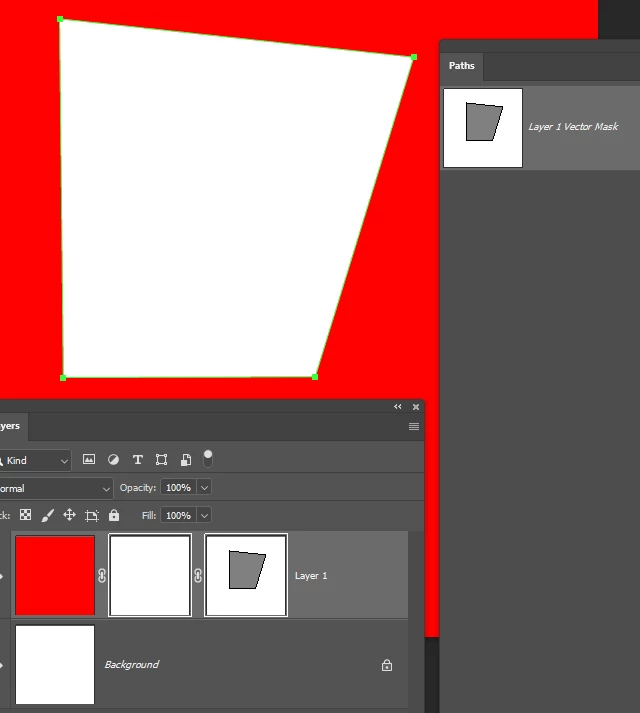
How do I invert my Vector mask in a layer mask?

  • October 11, 2025
  • 1 reply
  • 1073 views

I'm trying to invert my Vector mask (The right one) while it's inside of my Layer mask (the middle one). I can't seem to invert. 
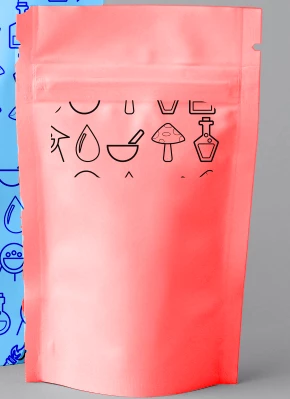
I want to invert this patter. I want the rounded recatangle be blank and the outside to have the pattern.
 

Correct answer Trevor.Dennis

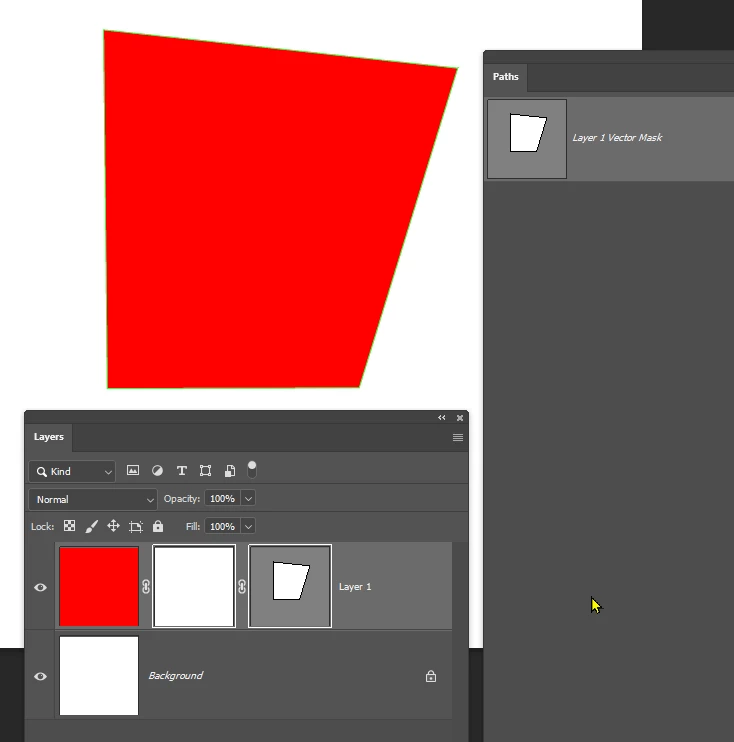
Select the mask in the Paths panel.


Select the Direct Selection tool (white arrow) and drag a window around the path so that all points become solid.

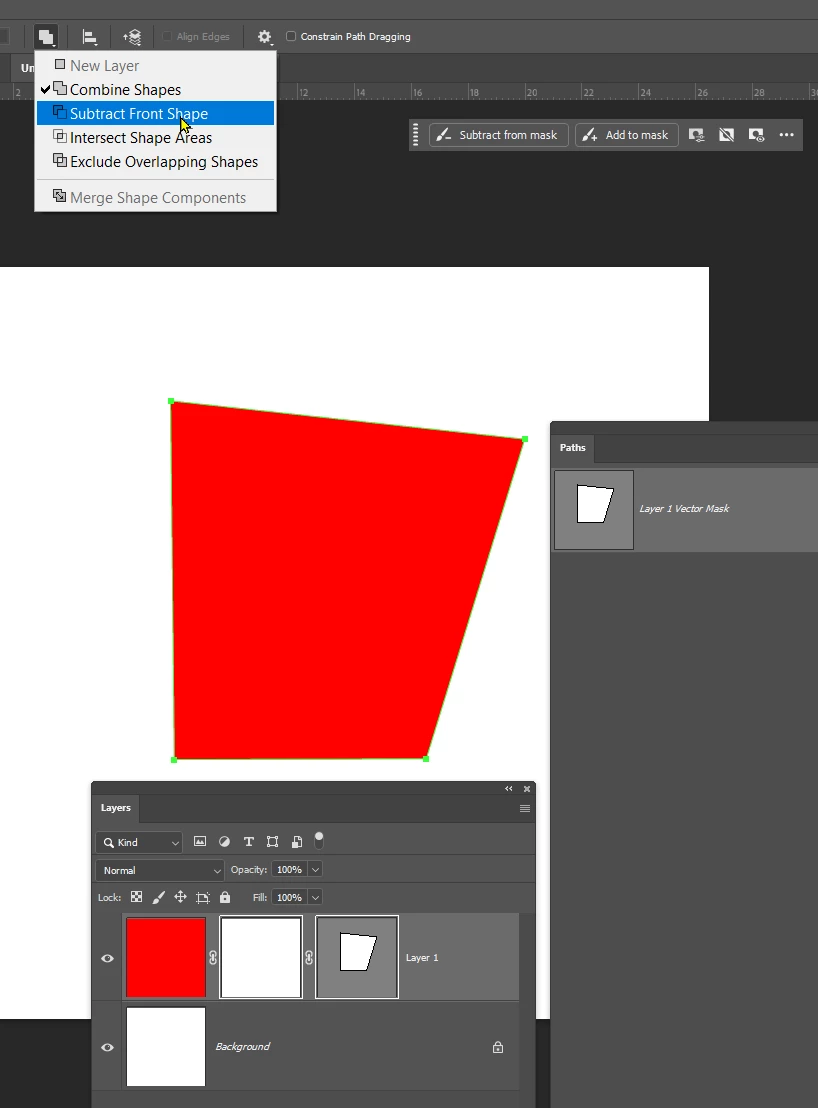
Then use the Path Operations drop down in the Options bar, and select Subtract Front Shape.

The mask will be inverted.


1 reply

Trevor.Dennis
Community Expert
Trevor.DennisCommunity ExpertCorrect answer
Community Expert
October 12, 2025

Select the mask in the Paths panel.


Select the Direct Selection tool (white arrow) and drag a window around the path so that all points become solid.

Then use the Path Operations drop down in the Options bar, and select Subtract Front Shape.

The mask will be inverted.


rayek.elfin
Legend
October 12, 2025

This is one of those Photoshop 'moments' where it becomes quite obvious that certain functions in Photoshop plainly show their age through obscurity and legacy limitations in core functionality.


To compare, PhotoLine allows the user to check a simple invert switch to control the vector mask's path(s) effect on masking. 

Also, Photoshop's frustrating inability to apply more than one vector layer mask (without the use of awkward clipping masks) once more showcases how little Photoshop's core layer functionality has changed in the past 25 years. Competitors allow for multiple layer masks and vector masks, and clipping masks are not the answer depending on the context. (PhotoLine doesn't differentiate between clipping mask layers or layer mask layers, for example.)


PhotoLine turns this into an easy to use feature, and therefore a feature that is regularly used by myself in comping.


 Of course, other software such as Krita and Affinity Photo also do not limit the layer masking the way Photoshop does.


It would be great if the Photoshop devs would finally update the layer stack functionality and push it into the 21st century 😄

Trevor.Dennis
Community Expert
Community Expert
October 13, 2025

It really isn't a problem. Just use nested Smart Objects.