Participant
March 28, 2023
Answered

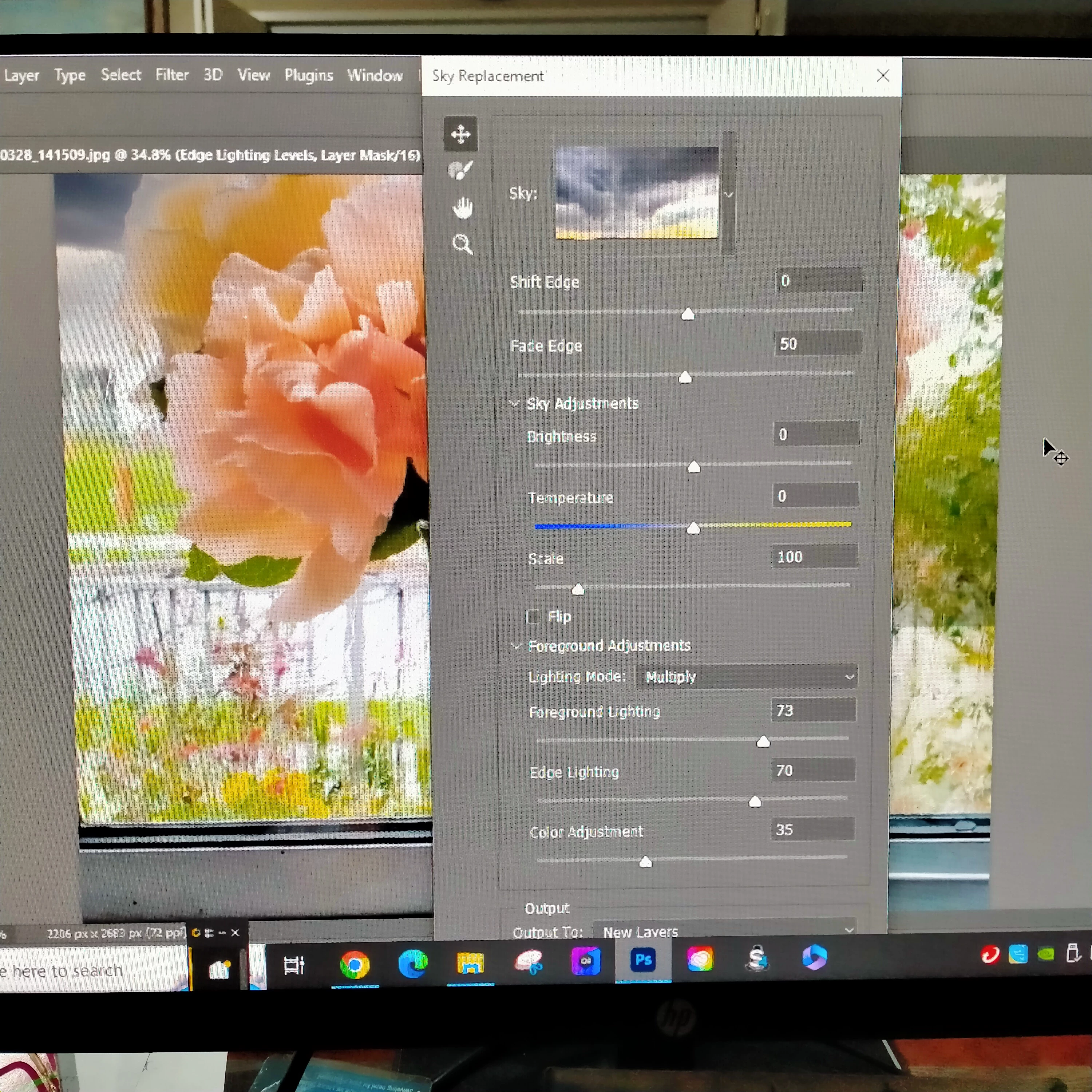
How do I make the 'Sky Replacement' box smaller?

  • March 28, 2023
  • 4 replies
  • 1305 views

The  Sky replacement' box is too big for my screen so I cannot see the bottom of it which means I cannot click on Ok to save the adjustment to my image. How do I make it smaller please?

This topic has been closed for replies.
Correct answer Bojan Živković11378569

Try to click on arrow before (on the left of) Foreground Adjustments to collapse that section.

4 replies

OlympiadAuthor
Participant
March 28, 2023
Thank you for that - I could do all that but I could not get to the 'OK' to
save my adjustment because the 'box' was too long.
Someone has told me to click on the arrow beside the Foreground Adjustments
section to collapse that part and there it is. Magic!
Trevor.Dennis
Community Expert
Community Expert
March 28, 2023

Michelle is onto what your issue is, and I am thinking that the UI and fonts are looking reasonably large, so check Preferences > Interface, and if  UI Scaling is currently set to Auto or 100% change it to 200% and UI Font Size to Large


I have never worked out exactly what Scale UI To Font does.  Does anyone have a good answer for that?

Bojan Živković11378569
Community Expert
Community Expert
March 28, 2023

On Windows scaling is done thorugh Windows settings not from Preferences, from what I know. It is probably set to 200 or even higher.

Trevor.Dennis
Community Expert
Community Expert
March 28, 2023

Thanks Bojan

mglush
Community Expert
Community Expert
March 28, 2023

Hi!

What resolution is your monitor? If you change the resolution to a higher number of pixels, the program window shold shrink in size. The dialog boxes are a set size and cannot be changed, but you can try changing your monitor resolution to see if that helps.

Michelle

Bojan Živković11378569
Community Expert
Community Expert
March 28, 2023

Try to click on arrow before (on the left of) Foreground Adjustments to collapse that section.

OlympiadAuthor
Participant
March 28, 2023
You are a genius! Thank you a zillion times! I wasted a whole afternoon
trying to figure it out! Whew! - Colleen Linnell