Answered
How do I not show ALL images when I open Photoshop? I just want photshop to blank when I open it
How do I not show ALL images when I open Photoshop? I just want a photshop to blank when I open it and not show all my previous images.

How do I not show ALL images when I open Photoshop? I just want a photshop to blank when I open it and not show all my previous images.
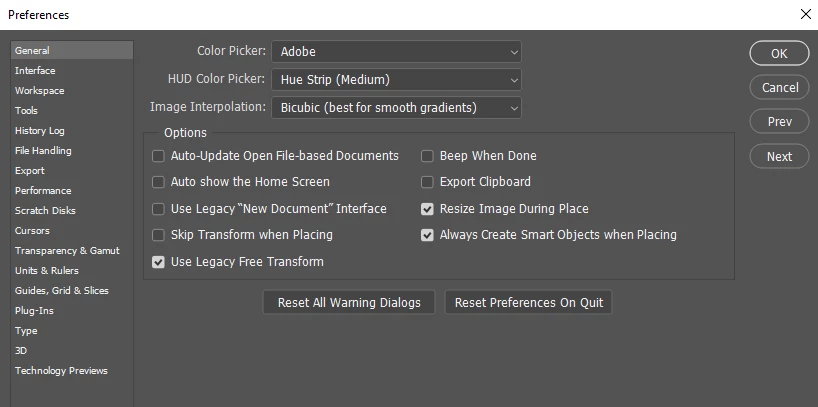
You can use preference not to show the home screen automatically when you start Photoshop. Then toggle the home screen off. After that when you close and open Photoshop the home screen will be toggled off. You would need to click the home icon in the tool option bar to toggle it back on.
Already have an account? Login
Enter your E-mail address. We'll send you an e-mail with instructions to reset your password.
 AdChoices