Participating Frequently
August 30, 2022
Question

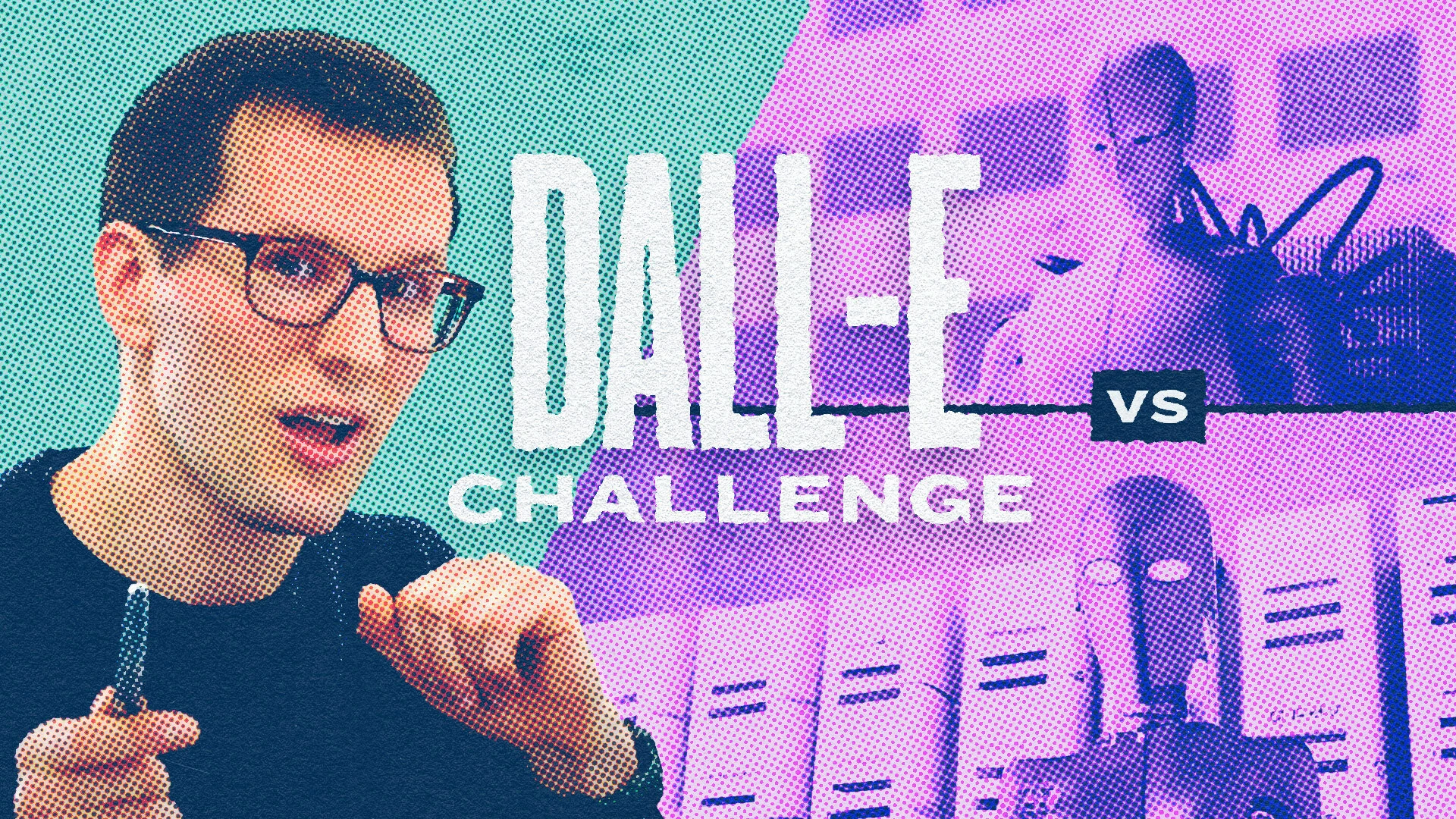
How do I put dot grain over an image?

  • August 30, 2022
  • 3 replies
  • 1135 views

How do I put dot grain over an image? I want the dots to match the color behind it. Exactly like the image below! See images below! 

This topic has been closed for replies.

3 replies

didiermazier
Community Expert
Community Expert
August 30, 2022

My colleagues solutions are accurate, but I would rather apply filter > Pixelate> Color halftone screen to a smart object


Participating Frequently
August 30, 2022

That isn't exactly what I'm looking for but thanks!

Legend
August 30, 2022

The regular pattern isn't grain. It's a "halftone" for sure. That's what you need to study. 

Stephen Marsh
Community Expert
Community Expert
August 30, 2022

I use the following Action when I need to mock-up a CMYK halftone, it becomes tedious so an Action can reduce the repetition:


https://shared-assets.adobe.com/link/82f62d49-70f2-44da-58eb-9e4b0a3e619e


It works on a copy of the original image, it is lossy and may take some trial and error for you to decide on the appropriate resolution and halftone settings for your project.


It can always be blended over an original contone image for effect.


It was not made for your specific scenario, so it may or may not help, YMMV. 

Participating Frequently
August 30, 2022

Thank you! Will this do the exact thing in my original image? By the dots matching the color behind it? 

Earth Oliver
Legend
August 30, 2022

just try it and see?

c.pfaffenbichler
Community Expert
Community Expert
August 30, 2022

A Hard Mix-Layer at reduced Opacity might provide one option. 


edit: The advantage of using a Pattern Layer instead of one of the halftone screen filters as a Smart Filter is that one can easily add Adjustment Layers beneath the Pattern Layer and doesn’t have to edit within a Smart Object. 

Participating Frequently
August 30, 2022

Thanks! Will this do the exact thing in my original image? By the dots matching the color behind it? 

c.pfaffenbichler
Community Expert
Community Expert
August 30, 2022

I posted a screenshot, if that is not clear please test the approach yourself. 


Edit: