jgilbreath
Participating Frequently
October 3, 2019
Resuelto

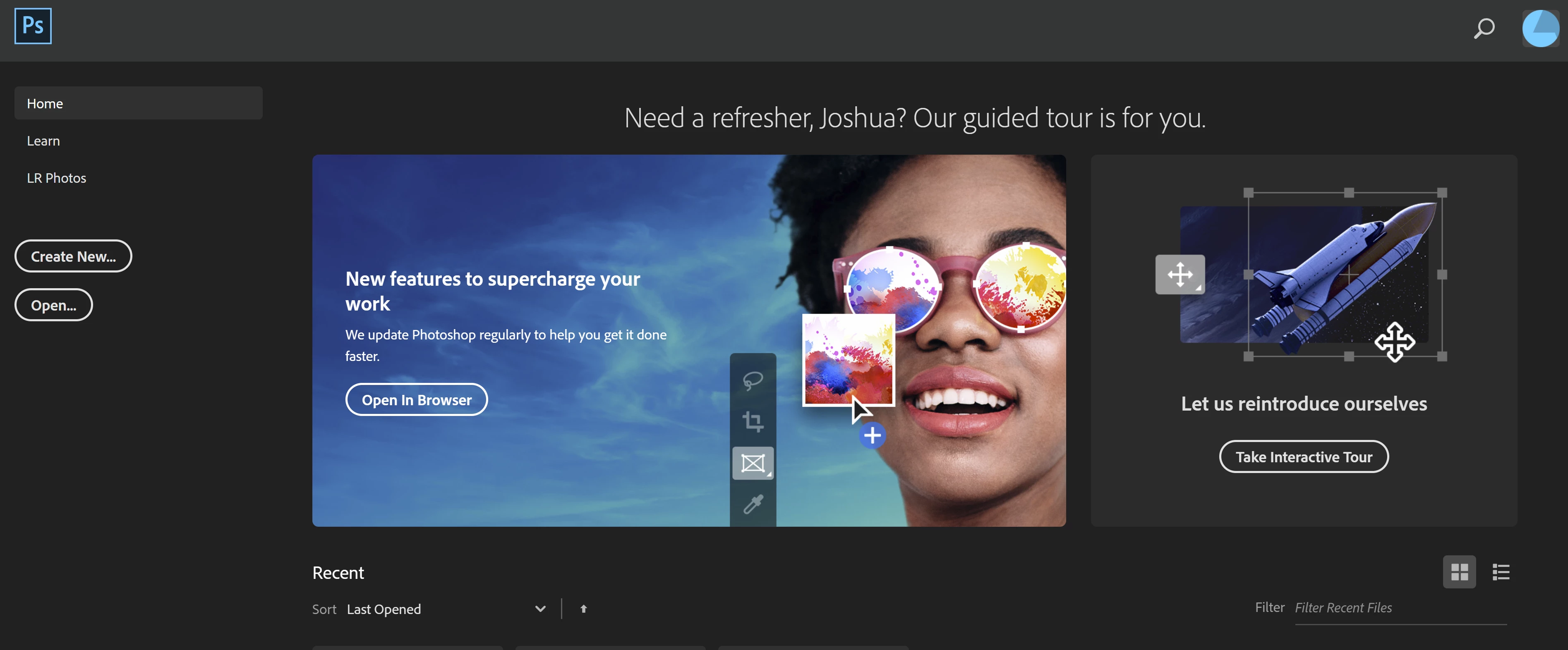
How do I remove the banner from the homepage?

  • October 3, 2019
  • 1 respuesta
  • 1372 visualizaciones

Can someone please explain to me how to remove the extremely large banner from the home page? This banner isn't present in any other locations I have PS installed. 


Thank you!
    Este tema ha sido cerrado para respuestas.
    Mejor respuesta de lambiloon

    Hi in preferences then general > disable homescreen tick that option to turn it off.


    Regards

    1 respuesta

    lambiloon
    Community Expert
    lambiloonCommunity ExpertRespuesta
    Community Expert
    October 3, 2019

    Hi in preferences then general > disable homescreen tick that option to turn it off.


    Regards

    Ali Sajjad / Graphic Design Trainer / Freelancer / Adobe Certified Professional
    jgilbreath
    Participating Frequently
    October 3, 2019
    Hi thanks for replying @lambiloon, I want the homescreen to remain, so I can see my recent documents. I just don't want 3/4 of my screen covered by information I do not need.
    lambiloon
    Community Expert
    Community Expert
    October 3, 2019
    Hmm, I disabled the home screen, opened some documents and closed them. Restarted photoshop, opened some more, closed the docs. Closed photoshop, reopened it. Still no show recents documents showing up on the home page. Am I missunderstanding you? Thanks you.
    enable home screen again then open old files for few minutes to put Photoshop that in recent.
    Ali Sajjad / Graphic Design Trainer / Freelancer / Adobe Certified Professional