Known Participant
September 14, 2017
Answered

how do I reset count tool?

  • September 14, 2017
  • 1 reply
  • 2845 views

Green user!

Tried Image > Analysis > Count Tool...

I clicked on an image and a cyan number appears where I clicked. The number increments. How do I start over?

This topic has been closed for replies.
Correct answer Barb Binder

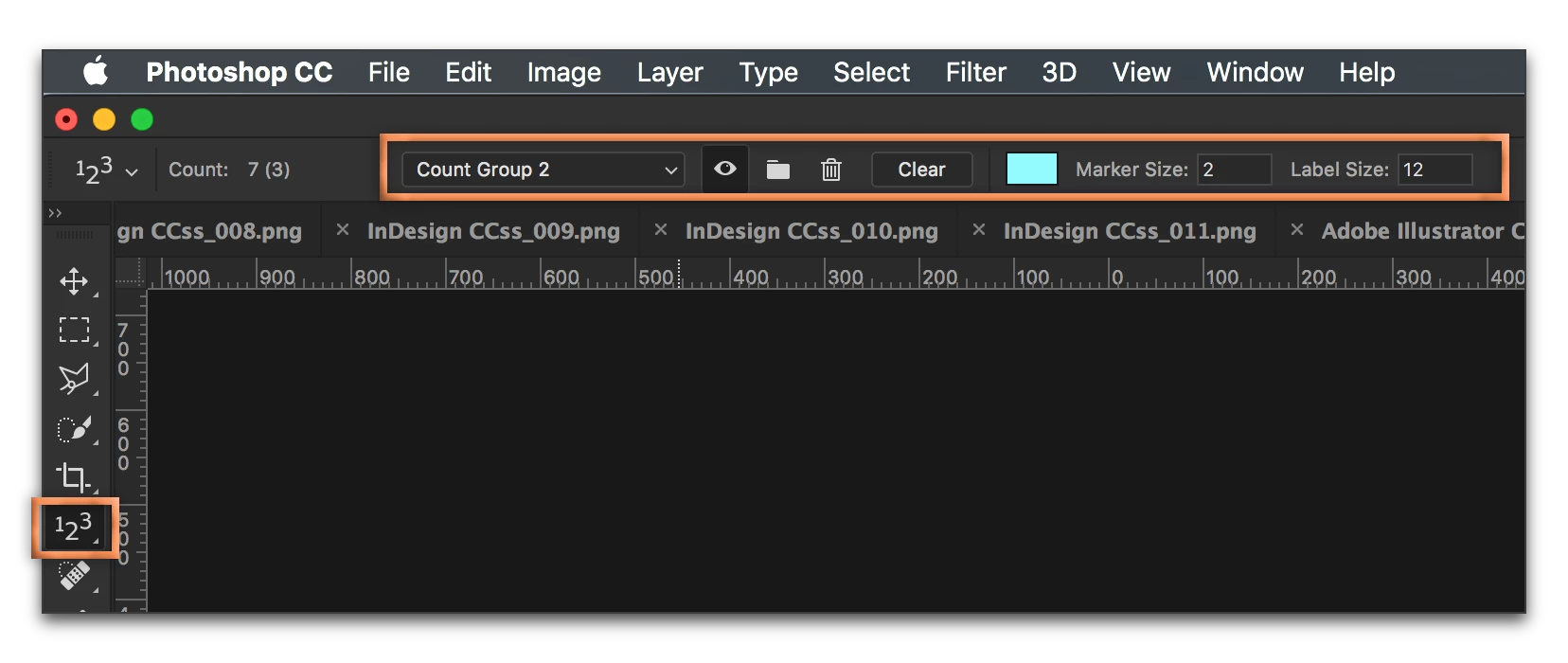
With the Count tool active, click Clear in the Options bar to start the count over. If you need multiple counts on a single image, use the folder icon to save the current count, and then it starts over automatically.
Everything you want to know about the Count tool here:

Count objects in an image in Adobe Photoshop

1 reply

Barb Binder
Community Expert
Barb BinderCommunity ExpertCorrect answer
Community Expert
September 14, 2017

With the Count tool active, click Clear in the Options bar to start the count over. If you need multiple counts on a single image, use the folder icon to save the current count, and then it starts over automatically.

Everything you want to know about the Count tool here:

Count objects in an image in Adobe Photoshop

~Barb at Rocky Mountain Training
Known Participant
September 15, 2017

Thank you. Easy to follow your suggestions. The link was good also.

Barb Binder
Community Expert
Community Expert
September 16, 2017

Please take these comments as constructive criticism, but not necessarily of you. It's unclear who was the author of that page.

In working through your link, "Count objects in an image in Adobe Photoshop"

I notice a few small omissions that might trip up novices.

In several places there are instructions like these:

  • "...Choose Analysis > Record Measurements..."
  • "Choose Analysis > Select Data Points > Custom."

In all cases like this, I think "Analysis" should be "Image > Analysis..."

Smart novices can detect this trap, but not everybody is a smart novice [anymore]. ;-)


I'm a user like you and a volunteer on this forum. I don't work for Adobe.

The link I posted is to a Helpx page—this is Adobe's official online help system, and they are responsible for the content.

If you have any other questions on the Count tool, feel free to ask.

~Barb at Rocky Mountain Training