
Mr. Mendelli
Known Participant
July 6, 2019
Answered

How do I save a document as a preset?

  • July 6, 2019
  • 1 reply
  • 5486 views

I am working on making my workflow more efficient in Photoshop, and one thing I can't quite figure out is how to save a template or document as a preset. In the example below, I would like to save the following for my preset:

  • Document name
  • Measurement grid
  • Color fill layer

Now, saving the dimensions is easy enough, but I can't seem to get the rest to stick. I am attempting to save this by creating a new document > set desired document under 'Preset'  > Save Preset... > Name preset. Is this possible? Is there something I'm missing?
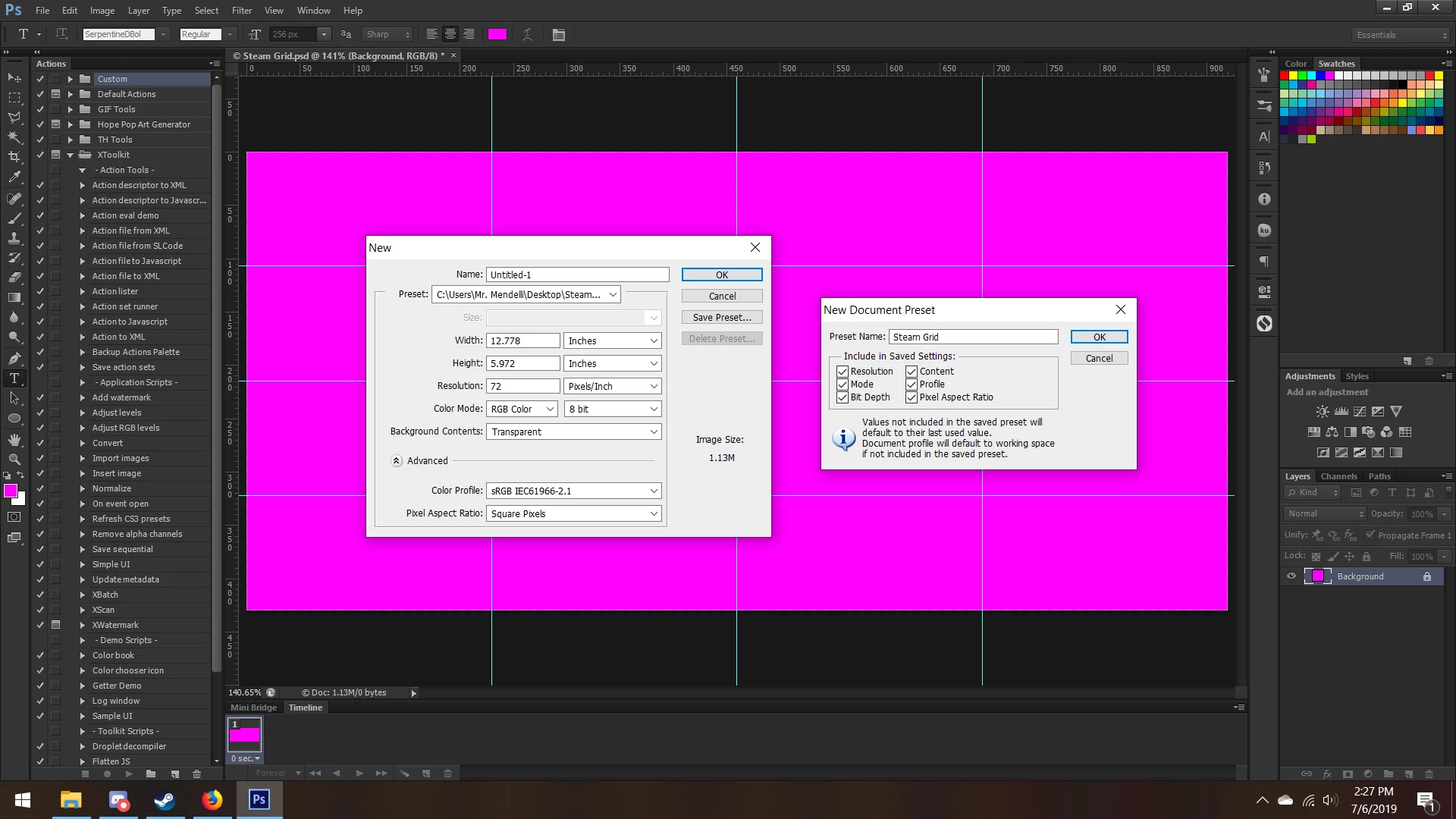
I am using Adobe Photoshop CS6 to do this.
This topic has been closed for replies.
Correct answer Jeff Arola

I am happy with CS6 and have no plans on upgrading.


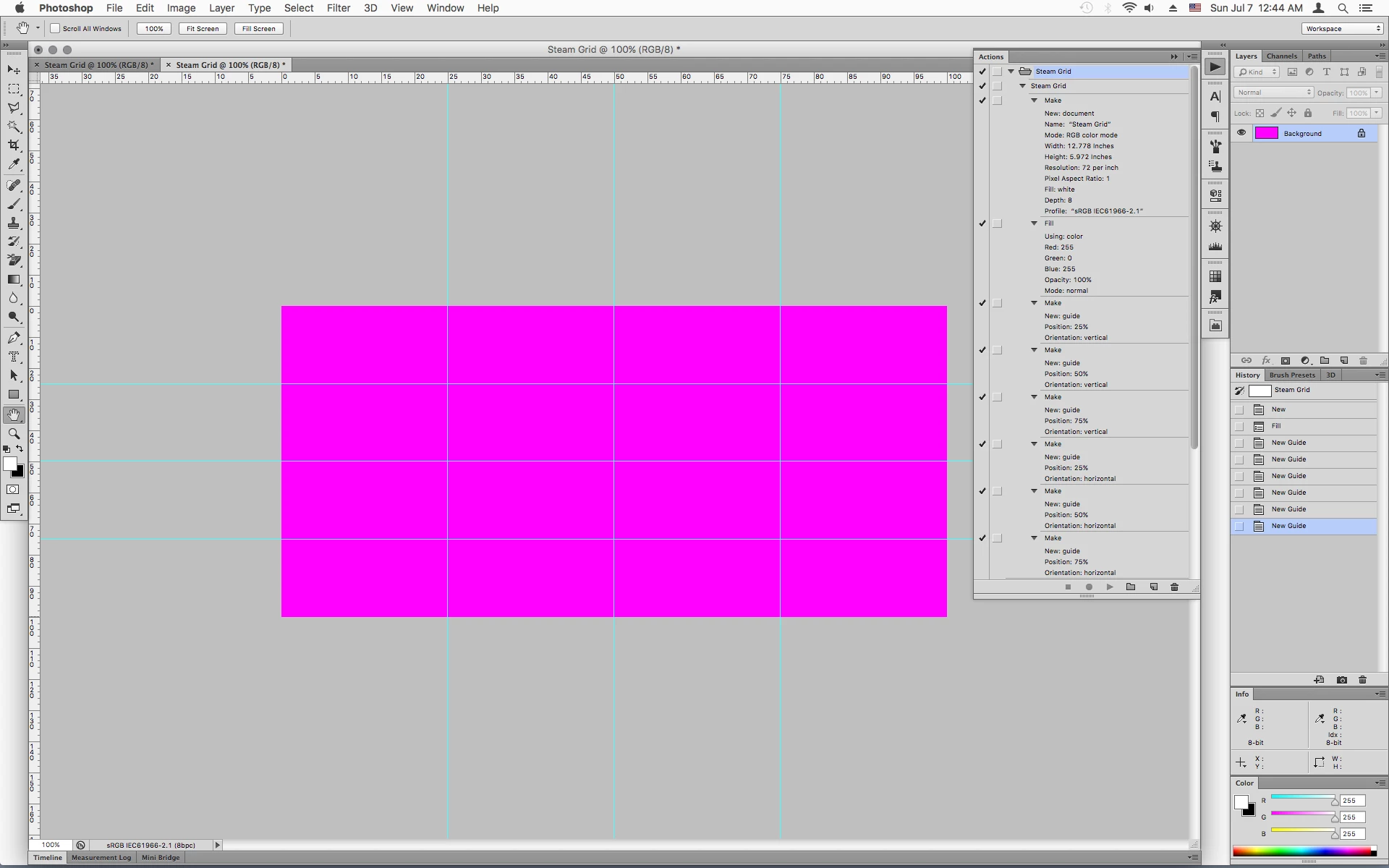
You could record an action.

1 reply

Michael Bullo
Community Expert
Community Expert
July 6, 2019

Only a limited number of settings can be contained within a Preset. The best option might be to save a "Master" document which you open and immediately do a Save As on.

Mr. Mendelli
Known Participant
July 6, 2019

This is what I have been doing, it is unfortunate that I cannot make a preset in the manner that I want. It would be so much quicker to make a new document followed by selecting a preset. Thank you for the reply.

Mr. Mendelli
Known Participant
July 7, 2019

Have you tried just saving as .psdt which is the template format?

Dave


This sounds like an interesting proposition, is this something I can do with CS6? I don't have an option in my save as dialog when I go through the list. Furthermore, is there a folder I would place these files to quickly load them?