

Chris  P.  Bacon
Inspiring
September 14, 2022
Answered

How do I transform .psd effects into effects that I can store in my PhotoShop menu?

  • September 14, 2022
  • 3 replies
  • 2432 views

Lots of effects come in .psd format, and I am expected to change the demo imaga in the layer.

But that often results in a small image like this:
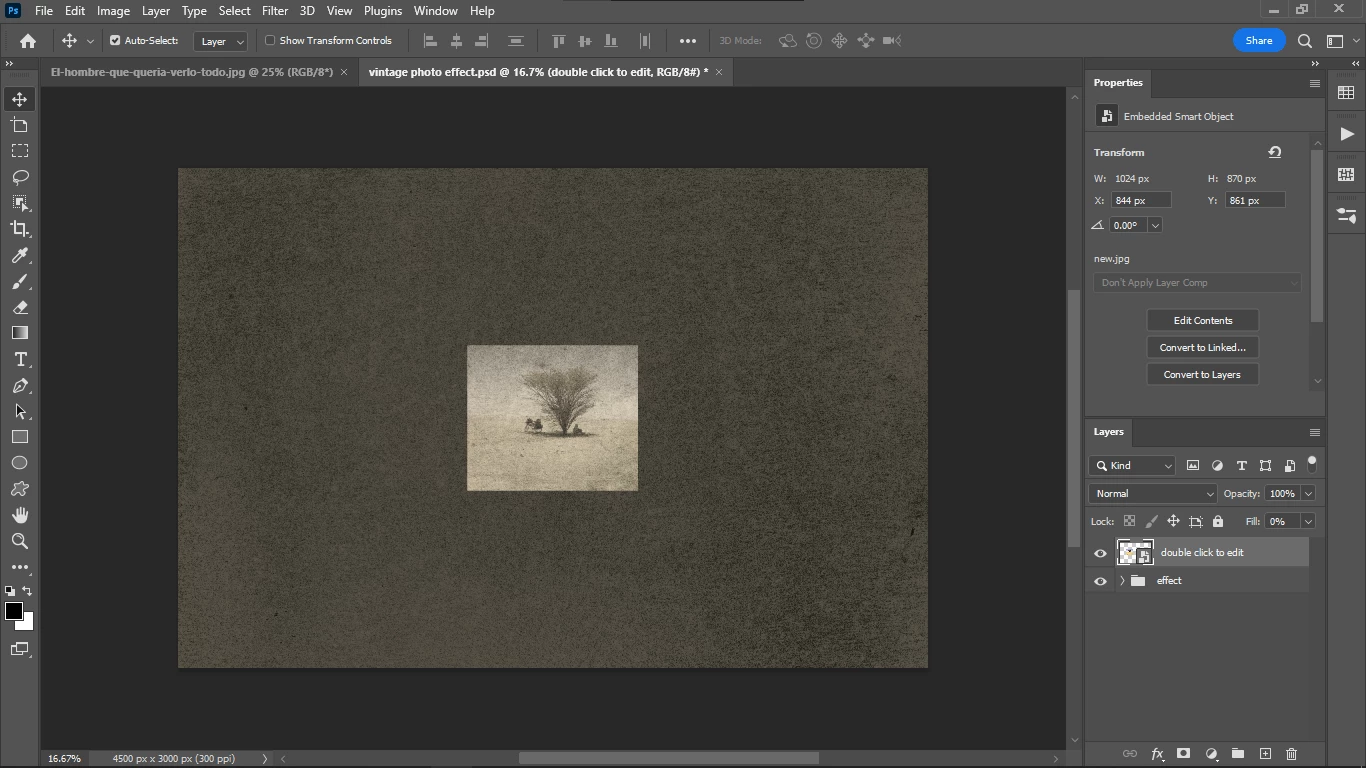
Even though the image is not small.

I don't want to open PSD-s and change the image, I don't think that is the logical way to do this.

How do I save this effect so that I can apply it to any image that is already opened?

This topic has been closed for replies.
Correct answer Chris P. Bacon

You do that by recording the effect as an action, and then run the action whenever you need it.

3 replies

Chris  P.  Bacon
Chris P. BaconAuthorCorrect answer
Inspiring
September 15, 2022

You do that by recording the effect as an action, and then run the action whenever you need it.

Earth Oliver
Legend
September 15, 2022

You can't change the way Ps works just because you don't want to take the time to learn it.

What you're asking for isn't possible. Perhaps a mobile app is more what you're looking for?

Chris  P.  Bacon
Inspiring
September 15, 2022

You have talked loads of crap already in this feed, you still didn't tell the man how to actually use this overlay, since the instructions of it are a crap?

Why are you filling the asnwers fields if you don't actually provide a usable answer?

Get out of here,if you are off topic.

melissapiccone
Community Expert
Community Expert
September 15, 2022

He isn't talking loads of crap - you are being very childish and rude. We come here volunteering our time to answer questions. It's very clear that you don't know PS very well and think your question has a simple answer and it does not. Just because you think something should work a certain way doesn't mean it does. I suggest you either use this as is or take the time to actually learn how to use PS. Take it down a notch... 

Melissa Piccone | Adobe Trainer | Online Courses Author | Fine Artist
melissapiccone
Community Expert
Community Expert
September 14, 2022

I can't tell what you are doing from your screenshot - you have a smart object and a folder - what are in there creating the effect / style? You can save effects / styles as your own presets, my preferred way to save is to add them to a library. If you are not actually using PS effects and it's layers, you can also save those layers to a library. If you are using actual styles from the fx menu, you can click on the plus sign at the bottom of a library to add it. 


Melissa Piccone | Adobe Trainer | Online Courses Author | Fine Artist
Chris  P.  Bacon
Inspiring
September 14, 2022

Then why aren't effects provided as libraries?

Why as .psd files?

Is it because I am supposed to save the effect as a library?


Chris  P.  Bacon
Inspiring
September 15, 2022

Actually yes this is the "proper way" to use overlays.  A texture overlay is not a layer style or any combination of effects that could be saved as one. It is a layer. And by the way,  and the others in here are all busy professionals on deadlines who have taken the time to try to help you. So maybe avoid statements such as your "Do not suggest "solutions" that I already said that I don't want to use."

-edit typo


That's false because it should be possible to record it as an action, for example.

And I am sure that there are ways to integrating this overlay as a simple one click effect from the PhotoShop menu.

Just because you don't know or don't want to tell, it doesn't mean that the solution doesn't exist.