

How do you copy paste an adjustment layer mask to the above layer?
Hi, sorry about the old question, but I did search and the answer didn't work for me.
I need to apply two different adjustment layers to the same selection, here in the screenshot I linked them in case it's necessary.
I control clicked on the mask in the first layer from the bottom, the one already applied, and the menu doesn't give any "copy"-
My next adjustment layer is ready on the top and I need to bring the same black mask in the white layer
The correct answer I found is "double tap mask, select all and copy. Double tap on destination mask and paste".
In my case, if I double tap the black mask, I open up "Properties".
Could someone specify which keys exactly to press for copyng and pasting on a mac?
PS. Could someone precise if I am in the correct forum? if not, which is the old "general discussion"?
thanks 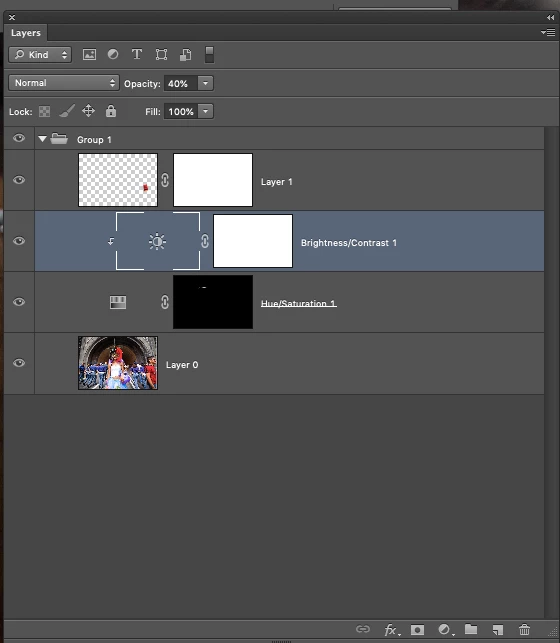
 AdChoices