
Participant
May 3, 2017
Answered

How do you make this effect?

  • May 3, 2017
  • 4 replies
  • 564 views

Im trying to recreate this artwork but I have no idea how to do it, does anyone know how they made this?

Metallica_Hardwired..._To_Self-Destruct_2016.jpeg

I tried to just take a bunch of photos and use some blending options, it sort of works but it also looks kinda crappy
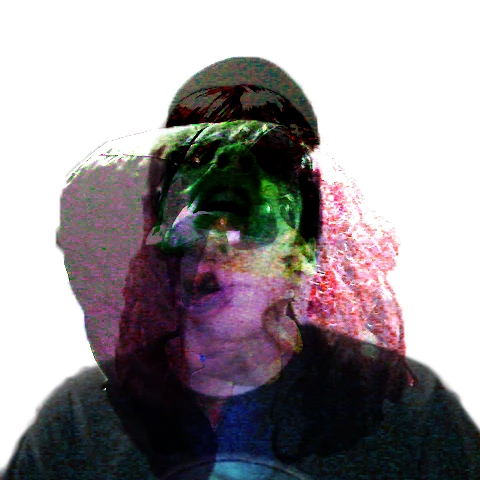
If anyone can help me out thatd be awesome

This topic has been closed for replies.
Correct answer SJRiegel

Position the images where you want them (all full opacity and Normal blending). Then carefully mask out the parts of each image you want to hide. with soft edges to help them blend together. Top it off with hand-painted colors on a new layer - this is the only layer that you need the blending modes on - experiment with it until you get the effect you want.

Post your end result here - I'd be interested to see it.

4 replies

Trevor.Dennis
Community Expert
Community Expert
May 11, 2017

I'm seeing fire or an explosion in the colouring.  So I add an explosion effect (Alien Skin Eye Candy 7 obviously Terri ) copied it and set one to Multiply and the other to Overlay.  It didn't matter which way round.   Using Gradient black to Transparent lets you take multiple layers of gradient to build the effect.  You probably can't see it, but I went a bit crazy with Liquify as well )

Participant
May 10, 2017

Well Im no expert but I tried, it definitely looks better though, thanks.

Randy Hufford
Community Expert
Community Expert
May 3, 2017

This looks like4 different photos composited together using layers and layer masks. Here are some video tutorials from Colin Smith that will help.

http://photoshopcafe.com/tutorials/blend/blend.html

How to do a photo composite in Photoshop, full walk through. Free Photoshop tutorial - PhotoshopCAFE

check out his site for lots of great tutorials. www.photoshopcafe.com

SJRiegelCorrect answer
Legend
May 3, 2017

Position the images where you want them (all full opacity and Normal blending). Then carefully mask out the parts of each image you want to hide. with soft edges to help them blend together. Top it off with hand-painted colors on a new layer - this is the only layer that you need the blending modes on - experiment with it until you get the effect you want.

Post your end result here - I'd be interested to see it.