Participant
August 25, 2021
Answered

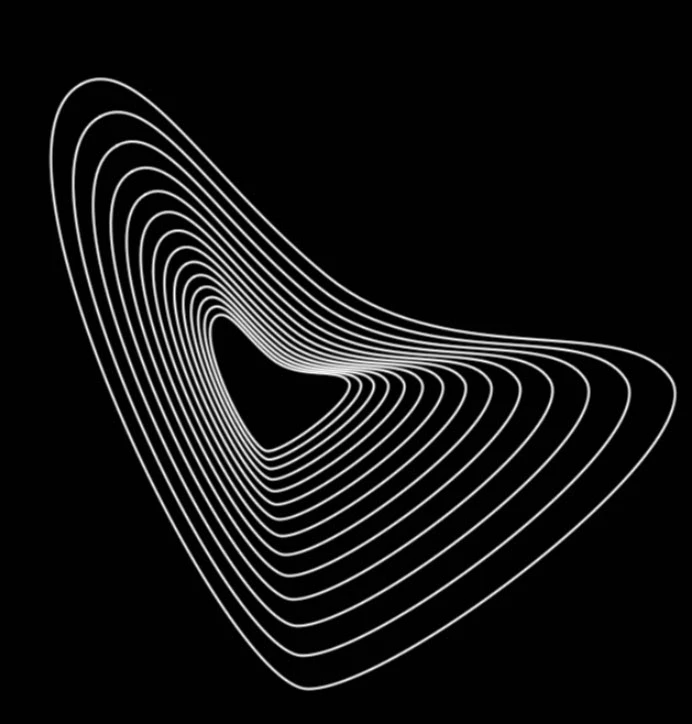
How do you make this pattern

  • August 25, 2021
  • 2 replies
  • 387 views

I saw this on the internet while looking for isnpiration and i saw this image and the back ground is amazing i have no idea how he did those patterns pls help


This topic has been closed for replies.
Correct answer davescm

I would make that in Illustrator. However you could do something similar in Photoshop by :

1. Making a path, with the pen tool, in the shape you want

2. Using Alt+Ctrl+T to make a copy of the path and transform it

 

3. Use Shift+Ctrl+Alt+T multiple times to repeat the copy and transform of the path

 

Stroke the paths with a brush in white onto a new layer
 

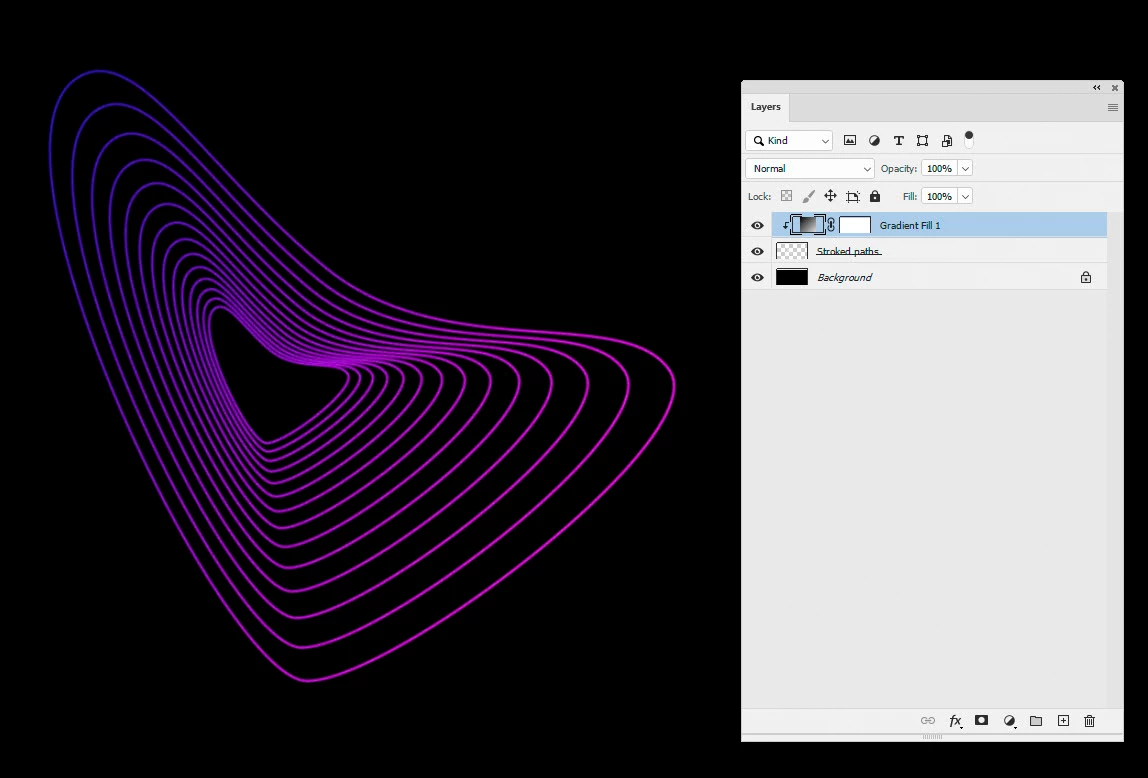
Add colour with a gradient fill layer clipped to the stroked path layer


I hope that gets you started


Dave

2 replies

davescm
Community Expert
davescmCommunity ExpertCorrect answer
Community Expert
August 25, 2021

I would make that in Illustrator. However you could do something similar in Photoshop by :

1. Making a path, with the pen tool, in the shape you want

2. Using Alt+Ctrl+T to make a copy of the path and transform it


3. Use Shift+Ctrl+Alt+T multiple times to repeat the copy and transform of the path


Stroke the paths with a brush in white onto a new layer


Add colour with a gradient fill layer clipped to the stroked path layer


I hope that gets you started


Dave

Participant
August 26, 2021

Thank you so much guys for replies, that will work saved me right there thank you 😄

davescm
Community Expert
Community Expert
August 26, 2021

You're welcome 🙂

Dave

Myra Ferguson
Community Expert
Community Expert
August 25, 2021

You can make that sort of pattern in Illustrator with a blend and then bring it into Photoshop.


In Illustrator, you would make the larger shape, copy it, scale it down, and place the small one where you want it. Then use the Blend tool to select the one shape and then the other. In the Blend tool options, you can set the number of steps (the lines in between). You can set the stroke to a gradient on each.


Then you can place it in Photoshop.


Here's more information on making blends in Illustrator:

Blend objects


And here's information on placing Illustrator files in Photoshop:

Place files