melissat18494021
Participant
May 20, 2017
Answered

How might I twist a stroke?

  • May 20, 2017
  • 3 replies
  • 1674 views

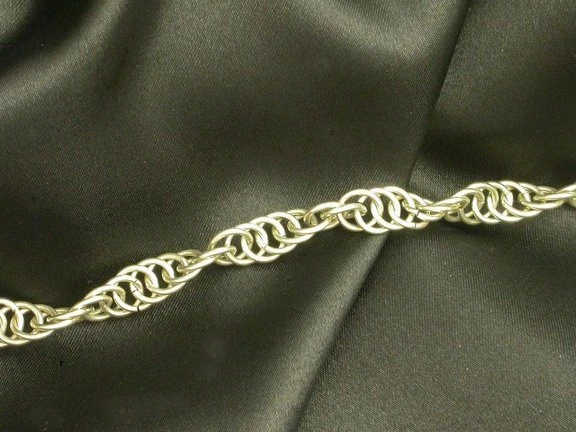
I created this chain by making a custom brushstroke. I want it to appear twisted like the chain in the image below. I cannot for the life of me figure out how to do this. Can anyone help?

    This topic has been closed for replies.
    Correct answer davescm

    Mylenium is right - Photoshop is not the right tool for this.

    However this has been bugging me since I read it and just so we don't admit defeat and to prove we can think outside the box:

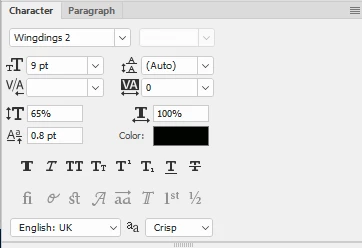
    A chain made out of Wingding circle text characters, stroked to a path with spaces in between,
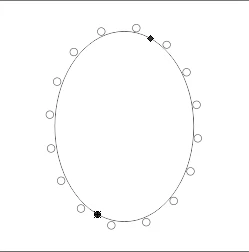
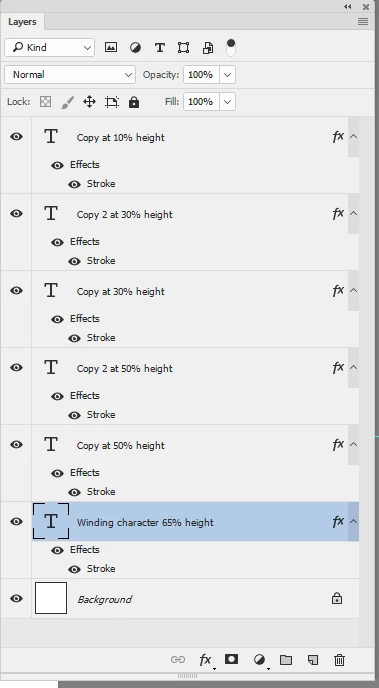
    Then duplicated. For each duplicate the height and offset was adjusted in the characters panel and then moved along the path. Finally the layers stroked with 1 pixel stroke, in layer styles just to thicken them.
    Dave

    3 replies

    Silkrooster
    Legend
    May 21, 2017

    I have not tried it, but one would think it would be possible to do in 3D. This would have to assume each link remains a separate entity. So you can rotate each object along an axis.

    davescm
    Community Expert
    Community Expert
    May 21, 2017

    You can do it in 3D , duplicating totating and then grouping the objects. I have made chains before that way but, after rendering, you will end up with a pixel image rather than vector. Melissa, if you want to do it that way, let me know and I'll post some steps.

    Dave

    Mylenium
    Legend
    May 20, 2017

    PS is the wrong tool. This is typical stuff you do in Illustrator using custom-built art brushes representing one of the twisted segments.

    Mylenium

    melissat18494021
    Participant
    May 20, 2017

    Thank you for your reply! I'm happy to try it in illustrator. Could you elaborate a little on the process or perhaps point me to an on-line tutorial? I'm pretty new to CC and am trying to learn.

    Trevor.Dennis
    Community Expert
    Community Expert
    May 20, 2017

    Not with brush dynamics I'm thinking.  Not an easy thing to do at all.  The best idea I can think of is to build it as a frame animation using half a dozen hand crafted layers.  Progress the layers on a straight line, then copy and reverse to complete one full twist.  The select all the frames and copy again use the Move > Align tools to space them.  Then use the Free Transform > Warp options to make half an arch, and repeat the arch and flip it. 

    A lot of work, and someone might come up with a clever idea.  I did try using Roundness Jitter, but it doesn't work because the lines become thin through the simulated twist.

    melissat18494021
    Participant
    May 20, 2017

    Thank you so much for your reply! I'll play around and see if I can get that to work for me.
