Answered
HOW TO...a colored and Black & White photo in one??
I saw a photo online from this years school photos, and I really like this technique and wanted to know if someone can help me achieve this. See photo attached:
Thanks
Tina

I saw a photo online from this years school photos, and I really like this technique and wanted to know if someone can help me achieve this. See photo attached:
Thanks
Tina
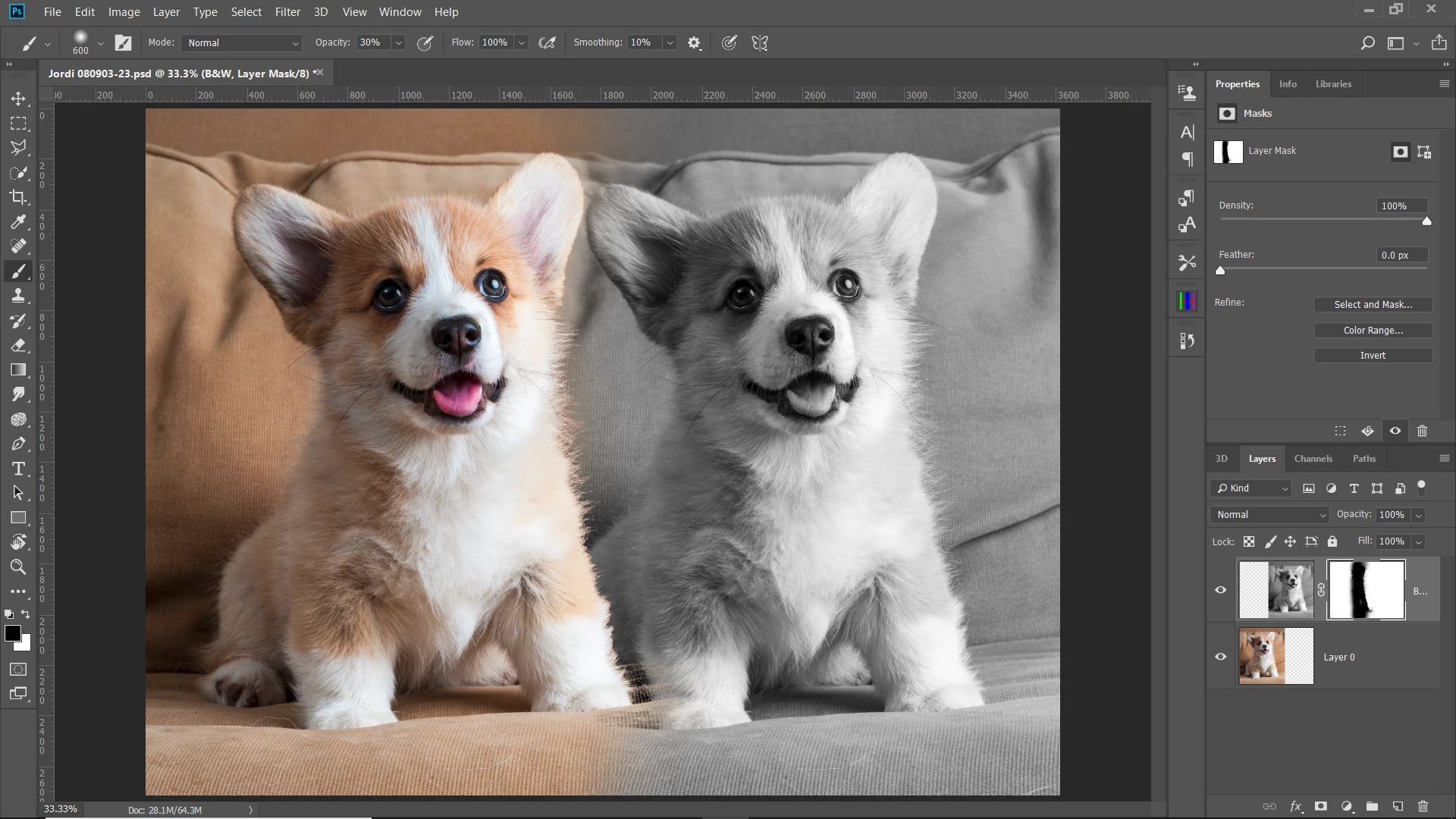
I'm using the same photo, just for example. If your image that you want isn't B&W, convert it so it is by using a B&W layer mask or desaturating. I positioned the B&W over the color layer and added a layer mask to it.
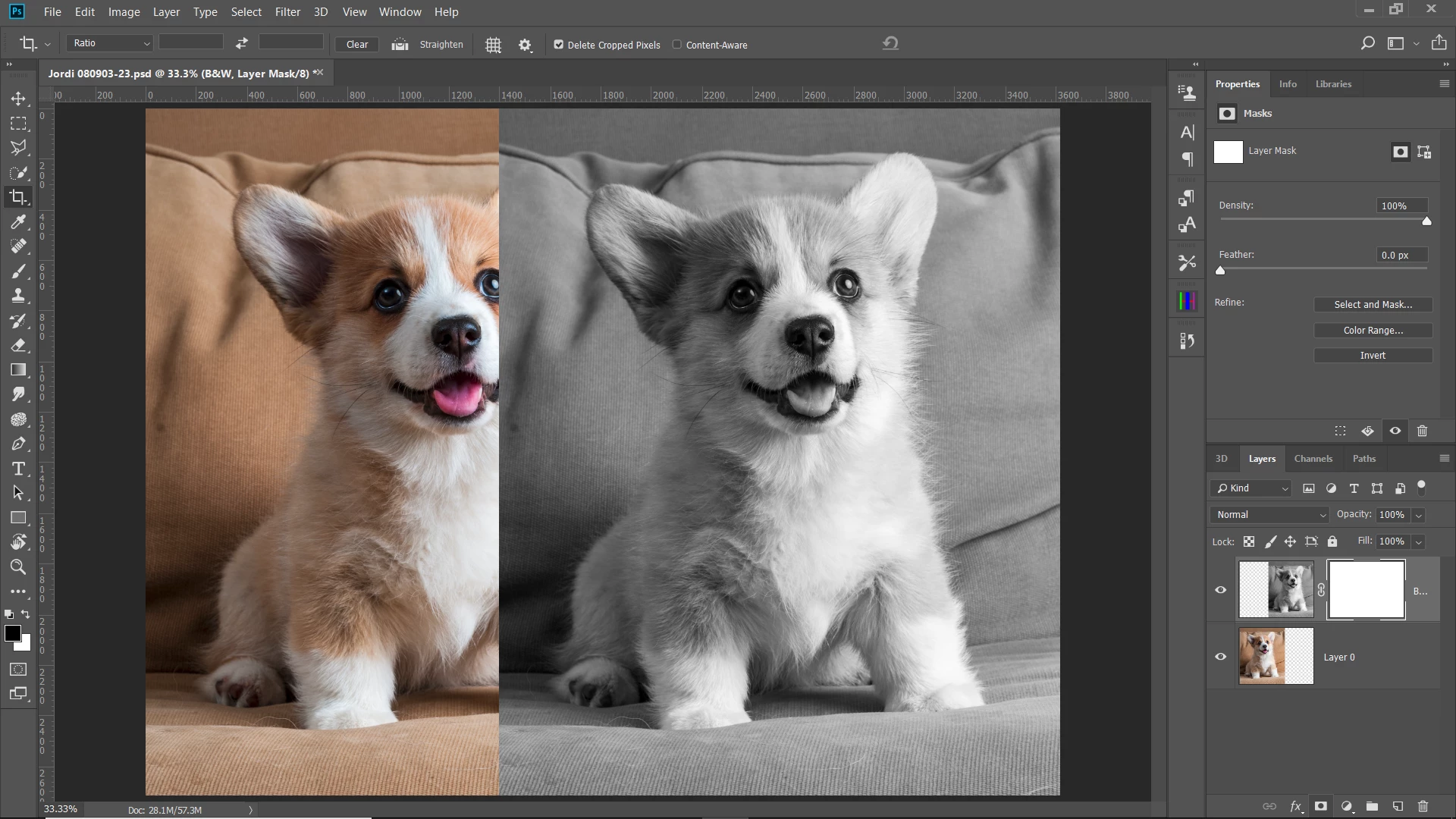
You need to make a selection of your color subject. This will vary depending upon your subject. For mine, I used the blue channel as it offers the most contrast between the dog and the couch. I duplicated the blue layer:

Using Levels, I increased the contrast to make a good selection between the dog and the couch.
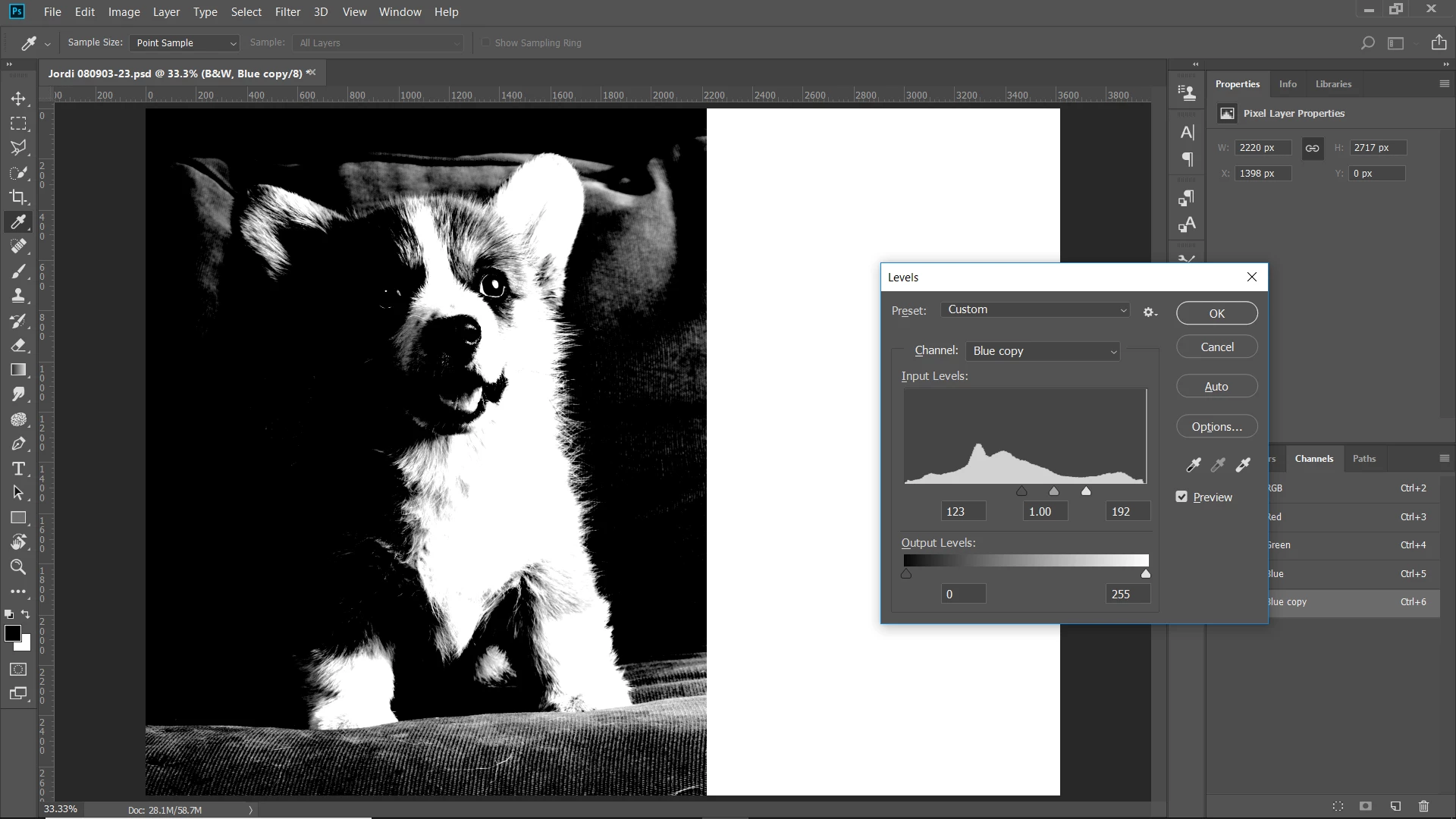
Clicking on the channel thumbnail while pressing ctrl, made a selection of the channel:
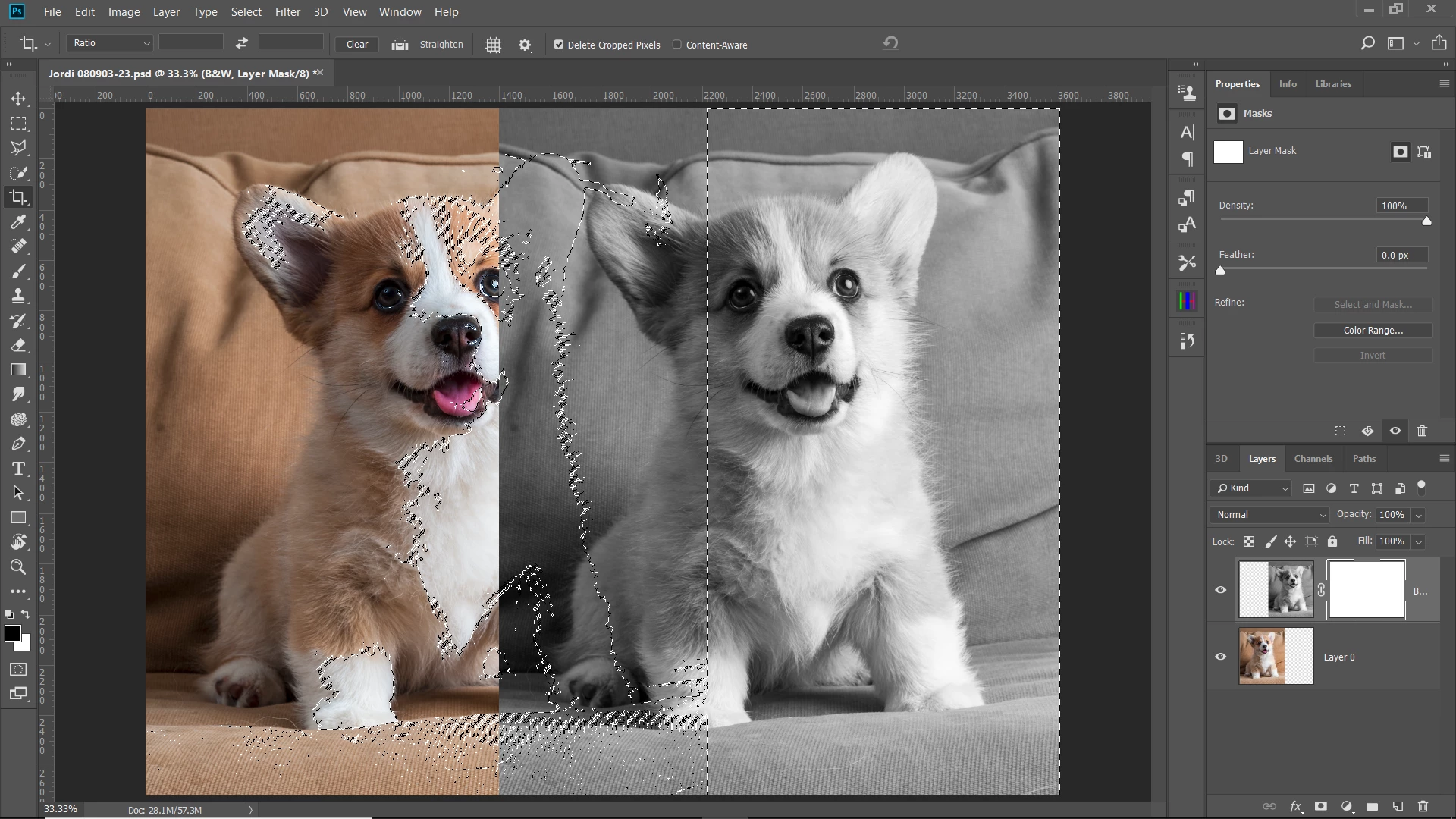
Now using a black brush with the layer mask selected, I paint out the area of the color dog:
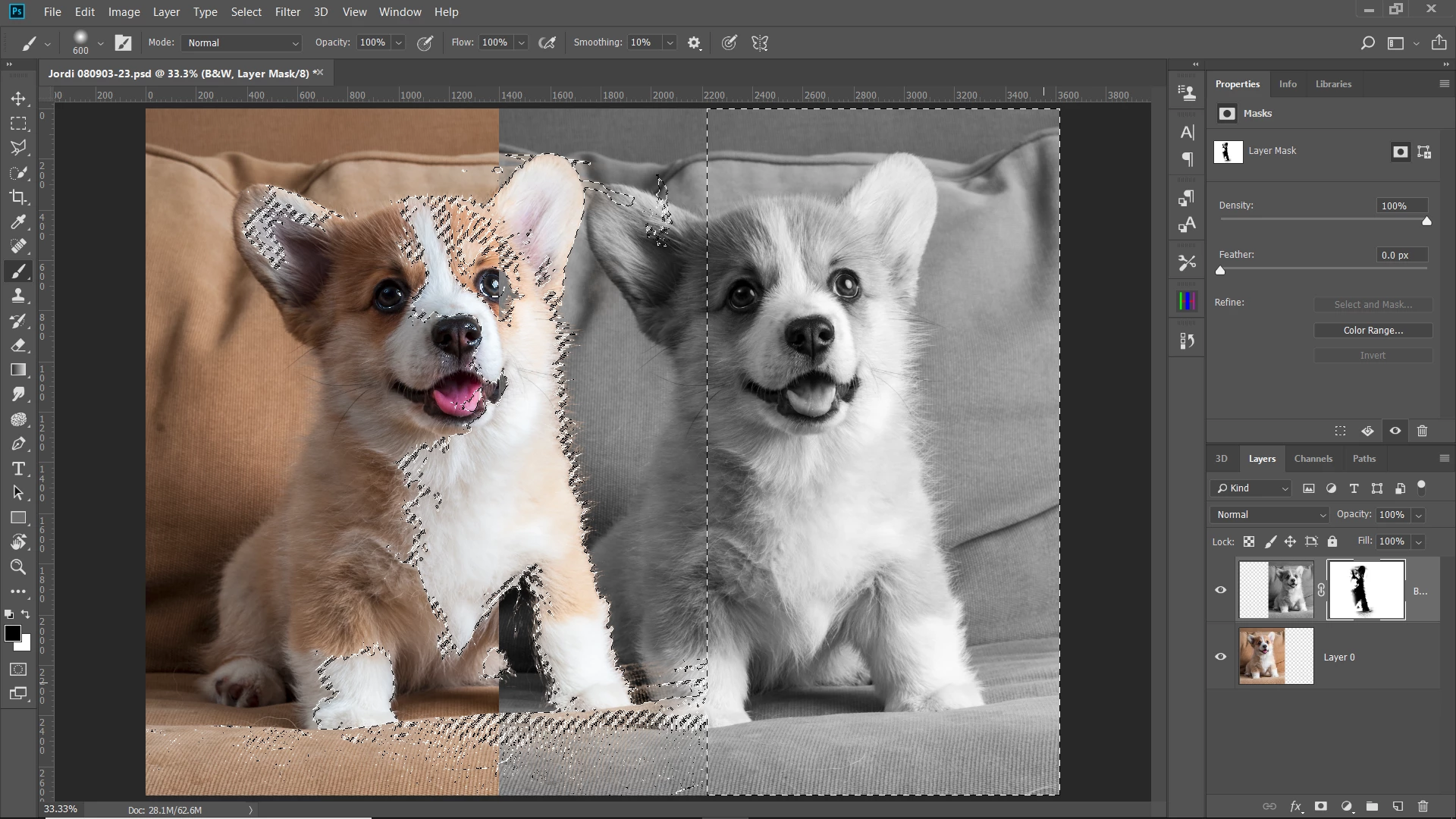
Now deselect the selection ctrl-D and use a brush to feather the B&W image into the color image.
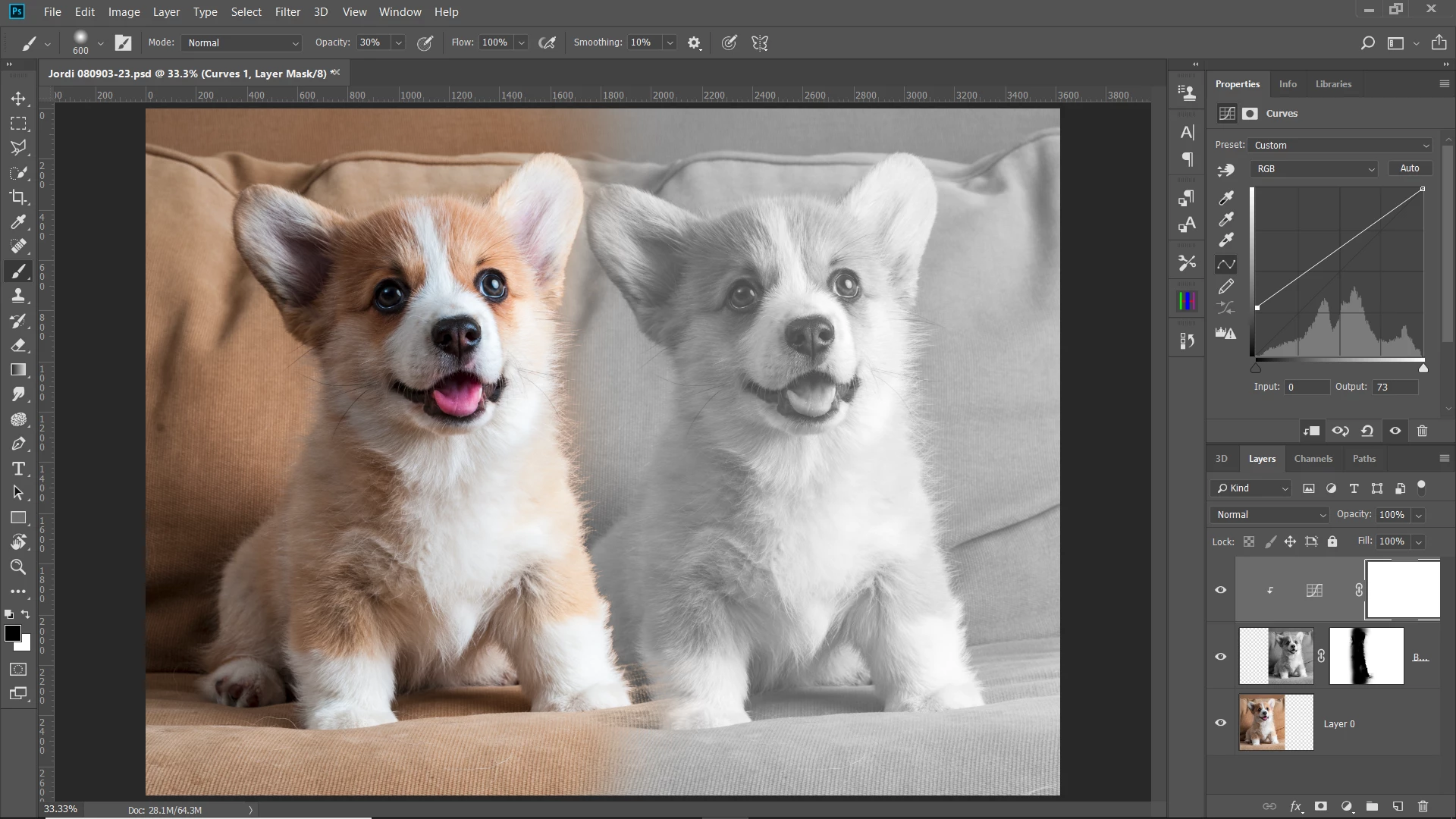
To lighten the B&W, make a curves adjustment layer and clip it to the B&W layer by clicking between the adjustment layer and the B&W layer in the layer panel while holding the alt key. Then grab the shadow end point of the curve line and raise it to lighten the blacks.
Already have an account? Login
Enter your E-mail address. We'll send you an e-mail with instructions to reset your password.
 AdChoices