

Question
How to access and use the Neural Filters in Photoshop 2021
1. Select the Layer that you intend to edit
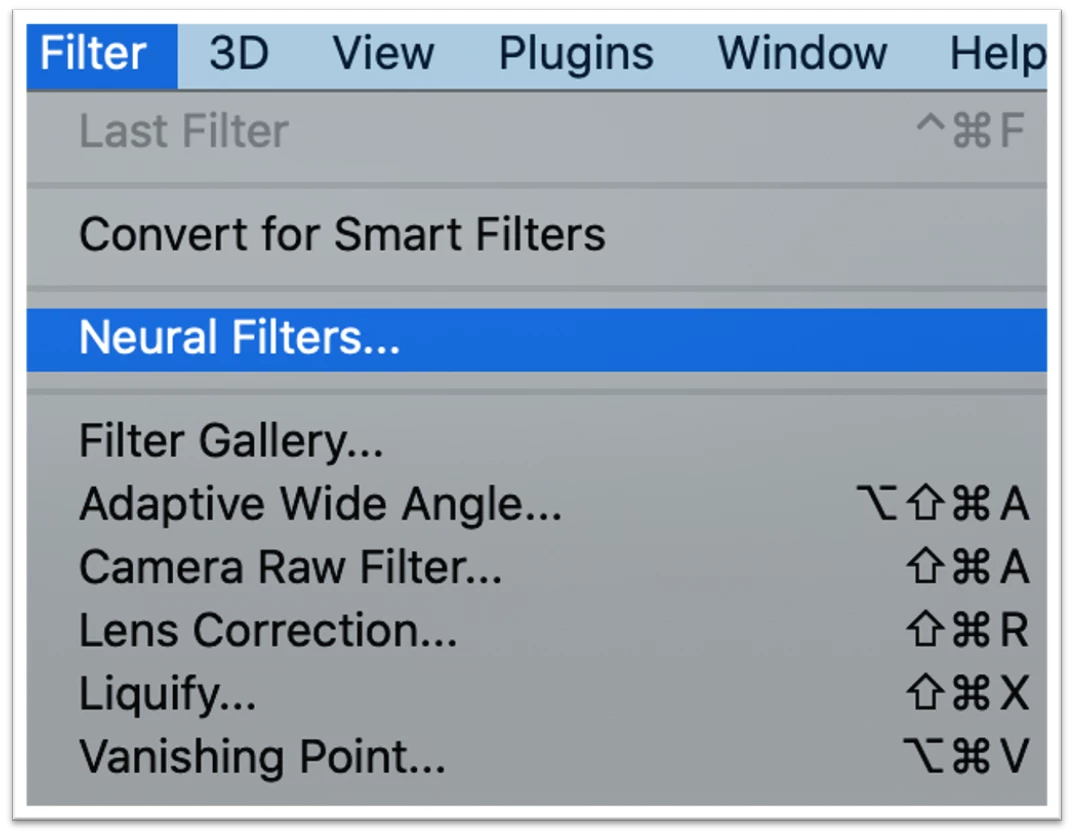
2. Locate the Menu bar at the top of the workspace
3. Locate the Filter Menu
4. Select the Filter Menu
5. From the drop-down menu select, Neural Filters. This will open a new workspace.
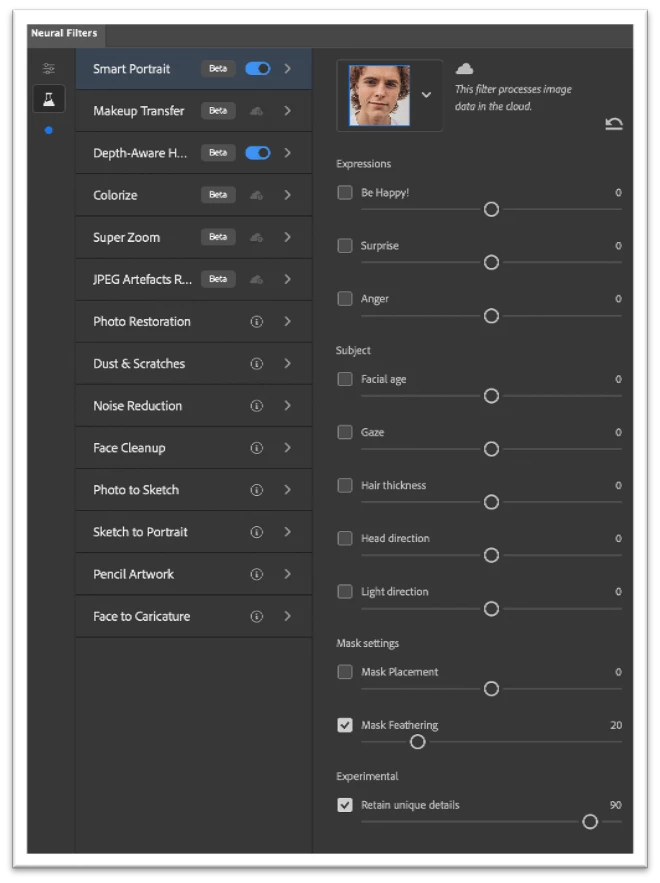
6. Locate to the properties panel. This will be to the right of the workspace.
7. Using the sliders provided adjust the image according to your project
 AdChoices