
How to achieve woven displacement effect
Hi,
I want to replicate a woven effect of socks in photoshop. But not only with importing a texture and putting my design on top, I want the actual design to be displaced (see my refernce image) like it would in real life, due to the stitch.
This is how the design looks like on the socks:
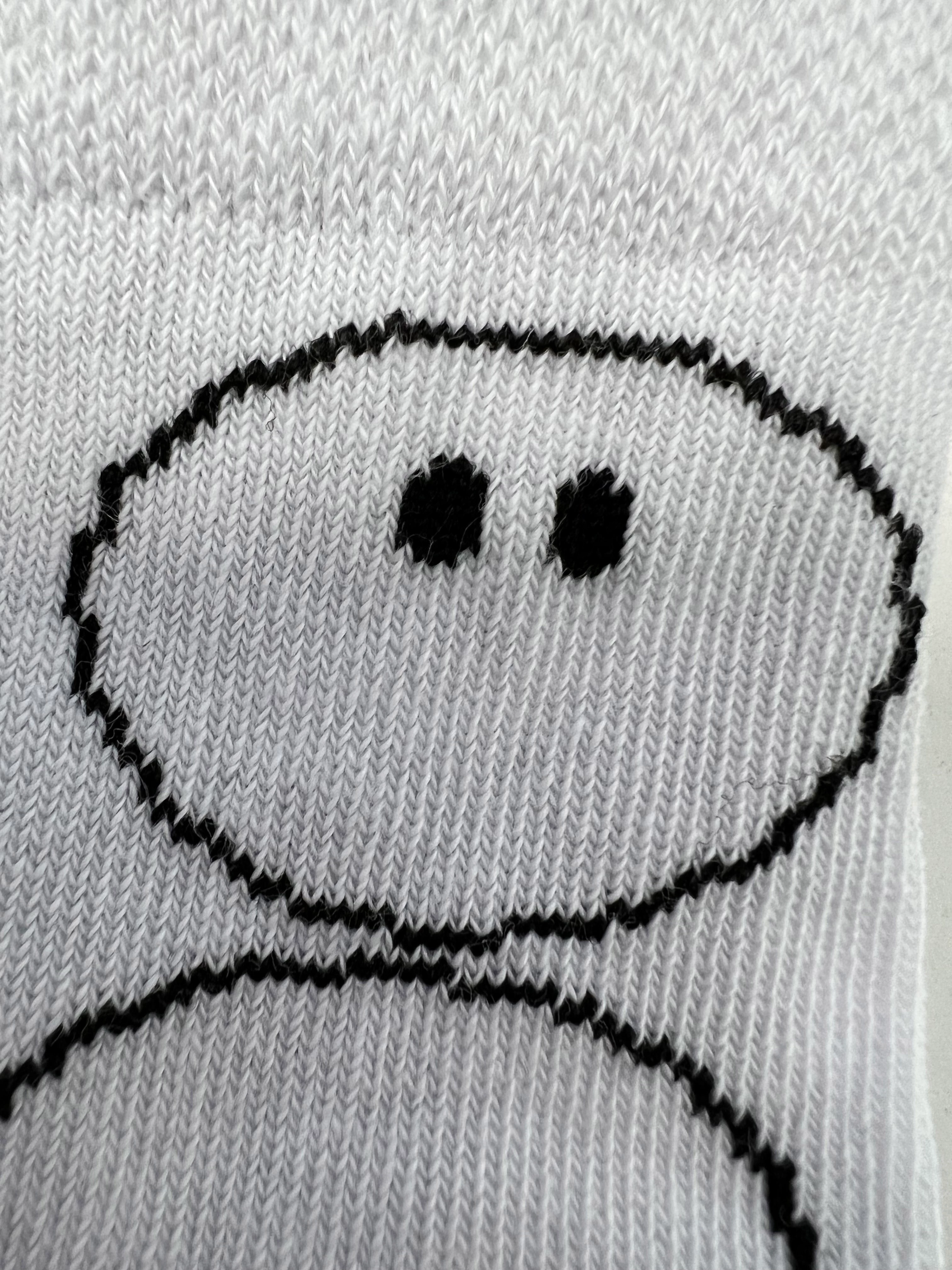
And this is my current state by using the mosaic filter:

There are a few problems with it: It's just pixelated and it doesn't follow the real structure of my stitch. But thats no so much of a problem when looking from a distance. The bigger problem is that the color isn't exact black anymore and my design now has half transparent pixels (which is not possible on a sock obviously).
Also coloring it on top is no option, because there will be multicolored design in the future, this is just an example.
I tried to use a displacement map, but had no luck with it (anyway I think it's the wrong approach).
So what do you have an idea how I can get close to the real woven effect? I couldn't find any tutorials about this topic.
Important for me is, that it should work on a smartobject, so I can exchange the design without any big adjustments. So an action would be possible if there is no other way, but I think an action can lead to more errors because I have to keep imagesizes etc. in mind.
Thank you very much.
 AdChoices