

mohamedh78426672
Known Participant
February 20, 2023
Question

how to adjust selection with magnetic lazo tool?
  • February 20, 2023
  • 2 replies
  • 2441 views


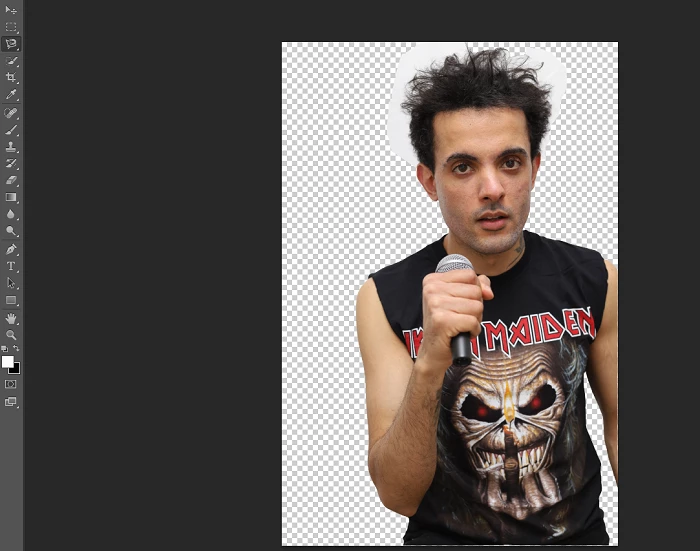
lets say that after using the magnetic lazo tool i want to improve the selection moving the dots in or out without having to do it all over again, what's the easiest way to do this?

Also, if i leave the hairs for later, what tool can allow me to select hairs without selecting the entire figure again? thank you

This topic has been closed for replies.

2 replies

Myra Ferguson
Community Expert
Community Expert
February 21, 2023

Because you're using CS6 which doesn't have all the newest Photoshop selection options, you might instead try using Adobe Express which has a quick action to Remove Background (https://express.adobe.com/sp/tools/remove-background). Then you can bring that resulting image back into Photoshop for additional editing.

mohamedh78426672
Known Participant
February 21, 2023

OMG! Can't believe it's that quick!

Earth Oliver
Legend
February 20, 2023

use Layer Masks and then Select and Mask for the hair. Also, do yourself a favor and use Select Subject, not the Mag Lasso.

mohamedh78426672
Known Participant
February 20, 2023

i don't see the Select Subject option!

jane-e
Community Expert
Community Expert
February 20, 2023

@mohamedh78426672 


If you are using the Magnetic lasso, there are two tricks:

  • Backspace to remove segments
  • Click instead of drag to place point where you want them

But don't use it if you have a recent version of Photoshop, as Select Subject and the Object Selection tool are so much better. 


What version of Photoshop do you have?


Jane