
na2999
Participant
January 10, 2021
Question

How to alter text typed in a circle

  • January 10, 2021
  • 2 replies
  • 343 views

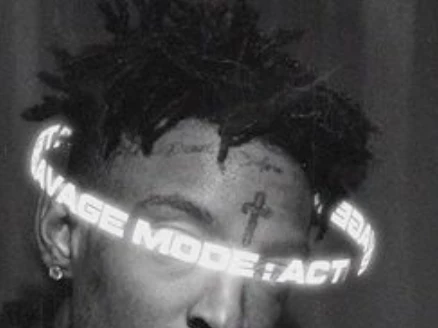
So I understand that you can use the ellipse tool to draw a path and then just add text to that path. Still, this method doesn't produce the look I was going for so does anyone know how to recreate the following look (the text specifically).
This topic has been closed for replies.

2 replies

Semaphoric
Community Expert
Community Expert
January 10, 2021

You could divide your text into front and back halves on separate layers; upper is the front, and lower is the rear. Set the text with Vertical Scaling in the character panel to 200% or 300% or so. The stretch will be undone in a later step. Flip the rear left to right.


Transform > Warp the front using Arch, with a Bend of -100%. Similarly Warp the rear using Arch and +100%. Select both, and scale vertically down, to make it look oblique. This will undo the stretched type.. Use masking to hide where the rear text goes behind the subject.

na2999
na2999Author
Participant
January 10, 2021

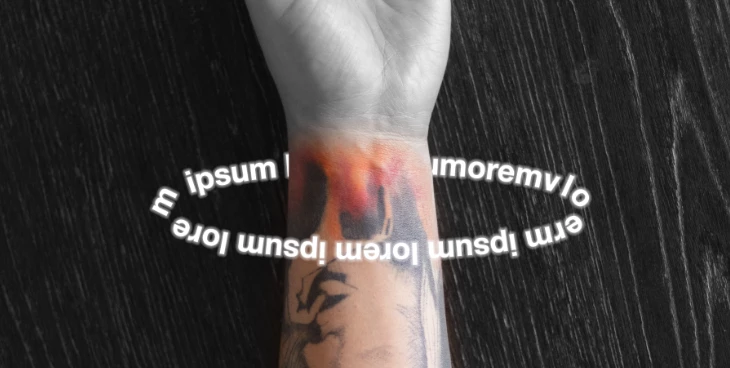
Thank you for the tip! Clearly my attempt did not result exactly like the image you provided so let me know if theres someting I missed based on the images I attatched.

Semaphoric
Community Expert
Community Expert
January 10, 2021

You need to use Arch, not Arc. Very easy to mix them up.

thatsmauri
Community Expert
Community Expert
January 10, 2021

In case you have access to Illustrator (which is likely more suited for this kind of effect):
https://community.adobe.com/t5/illustrator/text-in-3d-ring/td-p/11030718?page=1

na2999
na2999Author
Participant
January 10, 2021

Thank you! I read through the article and for illustrator it was exactly what I was hoping to achieve.