

Participant
June 25, 2021
Answered
How to apply gaussian blur on the entire image except for the edge?
- June 25, 2021
- 3 replies
- 9447 views
Dear Community,
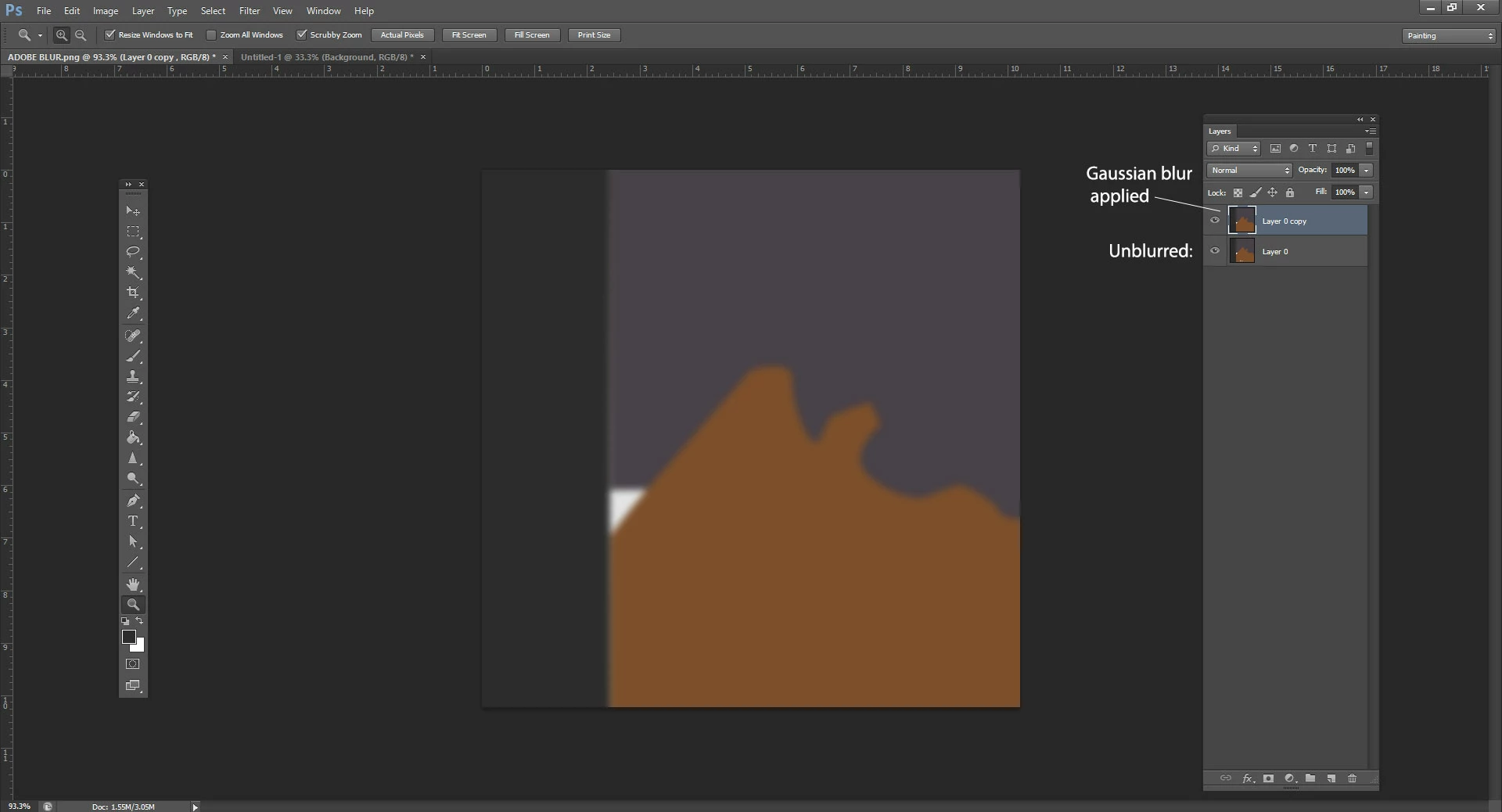
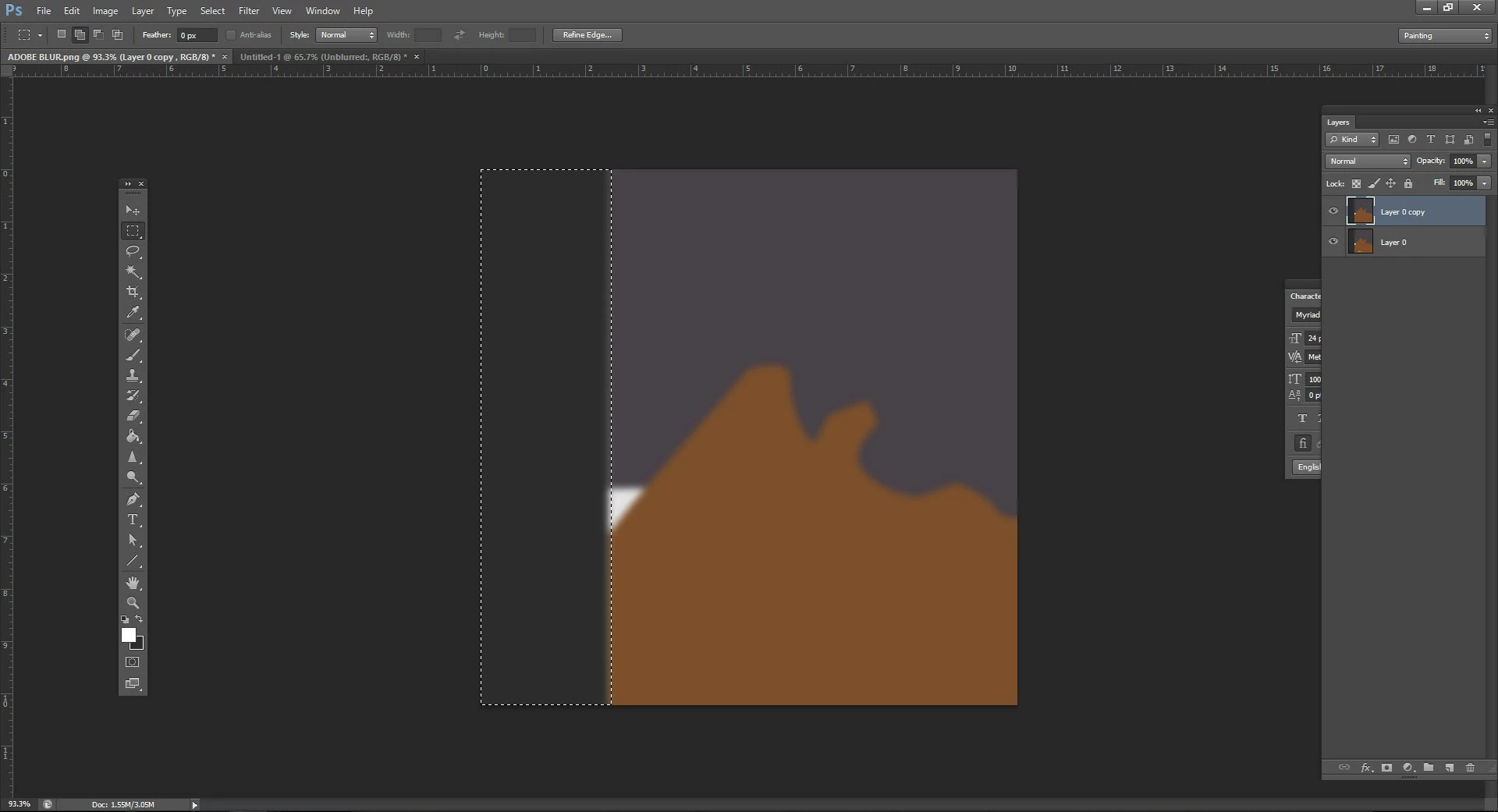
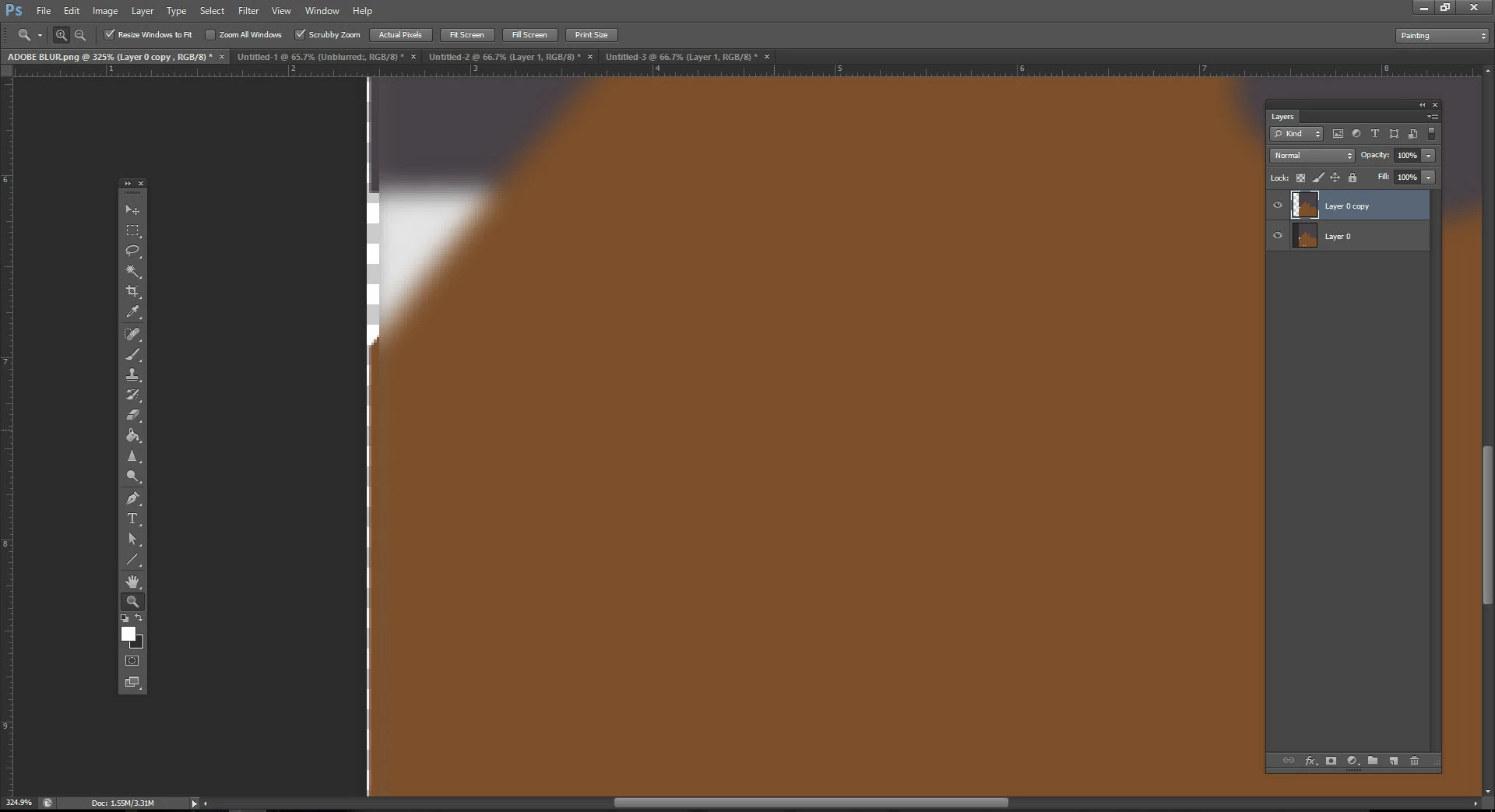
I have a (seemingly) very easy task to do: apply gaussian blur to an entire image - except for the edge of the image. The edge needs to be sharp, not blurred. However, I don't seem to find a way to do so. Every time I try the image becomes semi-transparent on the edges too (like a blurred frame). I don't want to crop my image to get rid of the "blurred frame". Does anyone have advice to solve it otherwise?
I attached pictures of the issue.
Thank you in advance!
 AdChoices