
How to apply Puppet Warp programmatically(via Photoshop Scripting or C++ plugins)?
Hello Everyone,
I would like to know how can we apply Puppet Warp programmatically on TIFF images. I'd prefer Photoshop Scripting(Javascript) but also open to C++ plugin.
My requirement is to apply the Puppet Warp as Smart Filters on the selected art layer which is already converted to Smart Object. (Please refer to attached image.)
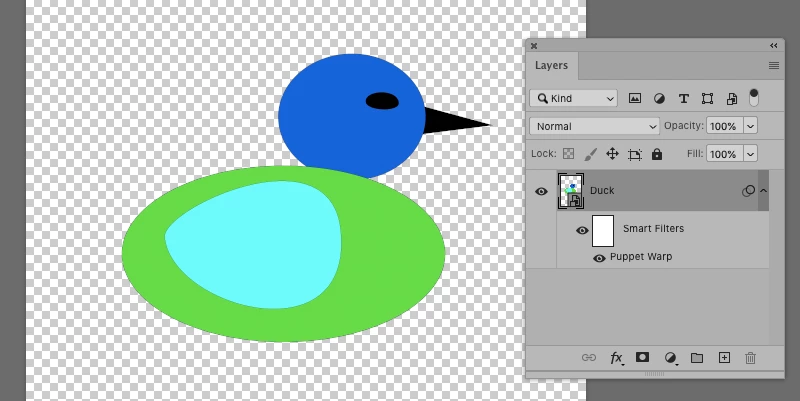
In other words I want to automate the following manual process:
1. User selects Puppet Warp menu item in Edit menu.
2. Modify Puppet Warp parameters by changing Density to More Points, Expansion to 20 px.
3. Placing some anchor points.
4. Pressing Enter key or clicking check button to commit the Puppet Warp.
This way user has option to enable the Puppet Warp mesh and anchor points again by just double clicking the Puppet Warp in Smart Filters in Photoshop's Layers panel. (Please refer to attached image.)
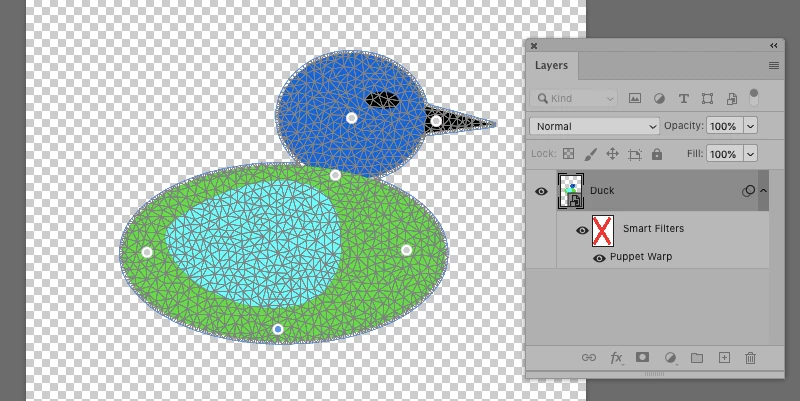
I've tried to achieve this using Photoshop's Actions and also using Photoshop Javascript Listener plugin.
Using Photoshop's Actions, I recorded the action to apply Puppet Warp(creation of mesh and placing some anchor pins) on the selected art layer but the limitation of this is I cannot play this action on other image/layer. And I think the reason for this is the data generated for the various vertices of mesh and anchor pins are specific to the non transparent image pixel data of the selected art layer at the time of recording.
Using Javascript Listener plugin, a gigantic code is generated(approximately 60K LOC) in my case which is extremely difficult to decipher and reverse engineer to make it usable for my purpose. And executing the same generated code has the same limitation as I described here above in case with using Photoshop's Actions.
Any idea/suggestion/solution is highly appreciated. Also let me know if need some more details or something is unclear. And my duck design is copyright protected :).
Thanks and Regards,
Manish S.
 AdChoices