Answered

This topic has been closed for replies.
Thanks! This has been really helpful.
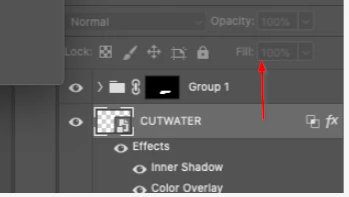
However I'm running into another issue, the color is not changing even when I chose the color I wanted in the "Color Overlay". Do you know what I might be doing wrong?
Your Layer Style settings are OK (opacity 100% and blend mode Normal)
Try moving the SO layer to the top of the layer stack (Cmd ] that's a closed square bracket btw). Or you can drag it with the mouse.
Sign up
Already have an account? Login
To post, reply, or follow discussions, please sign in with your Adobe ID.
Sign inSign in to Adobe Community
To post, reply, or follow discussions, please sign in with your Adobe ID.
Sign inEnter your E-mail address. We'll send you an e-mail with instructions to reset your password.
 AdChoices