Italgraphica
Known Participant
April 21, 2022
Answered

How to convert CMYK Black to 100 Black

  • April 21, 2022
  • 2 replies
  • 16924 views

Hi,

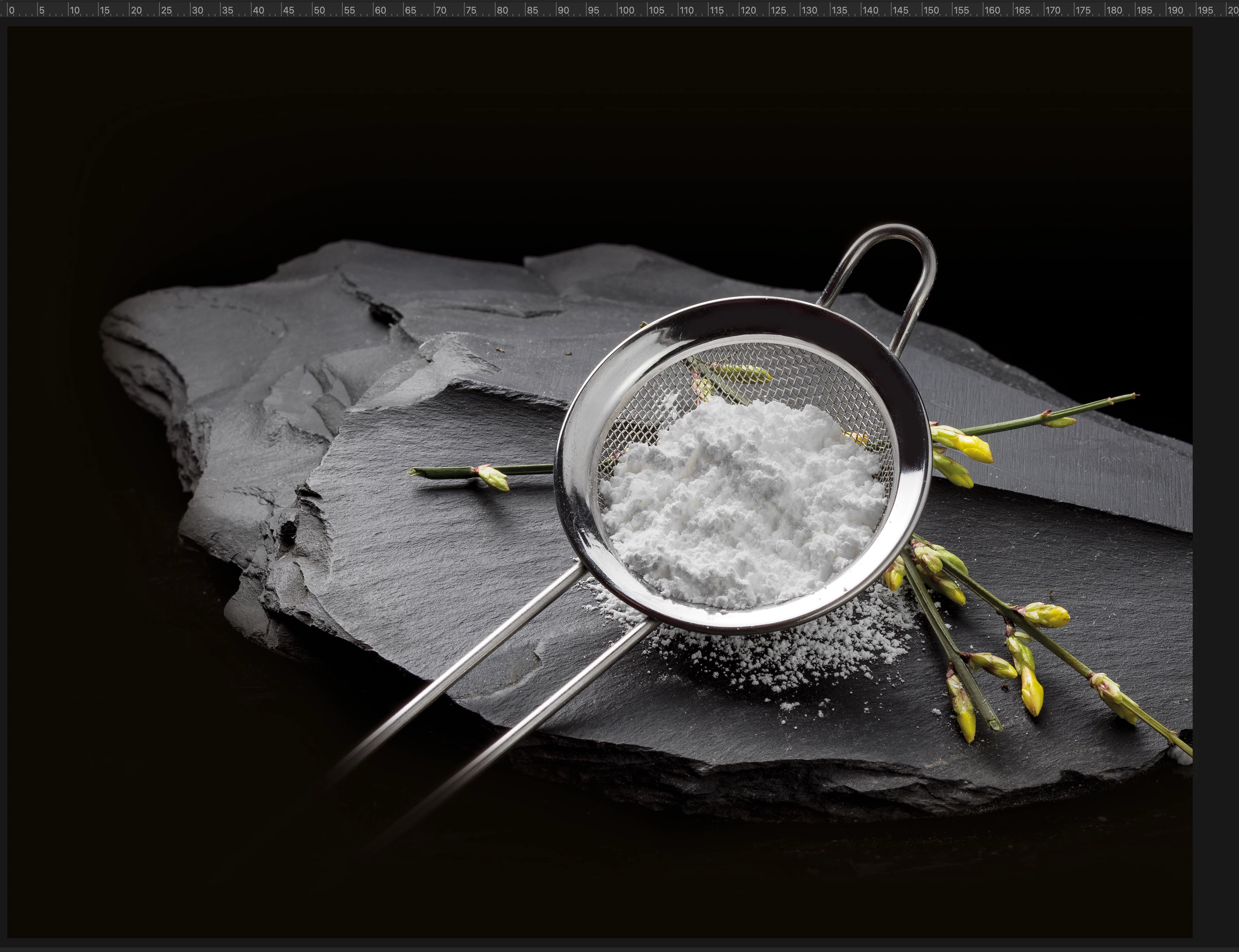
there is a way to convert this cmyk black background to only 100 black?

Thank you for help


Correct answer Stephen Marsh

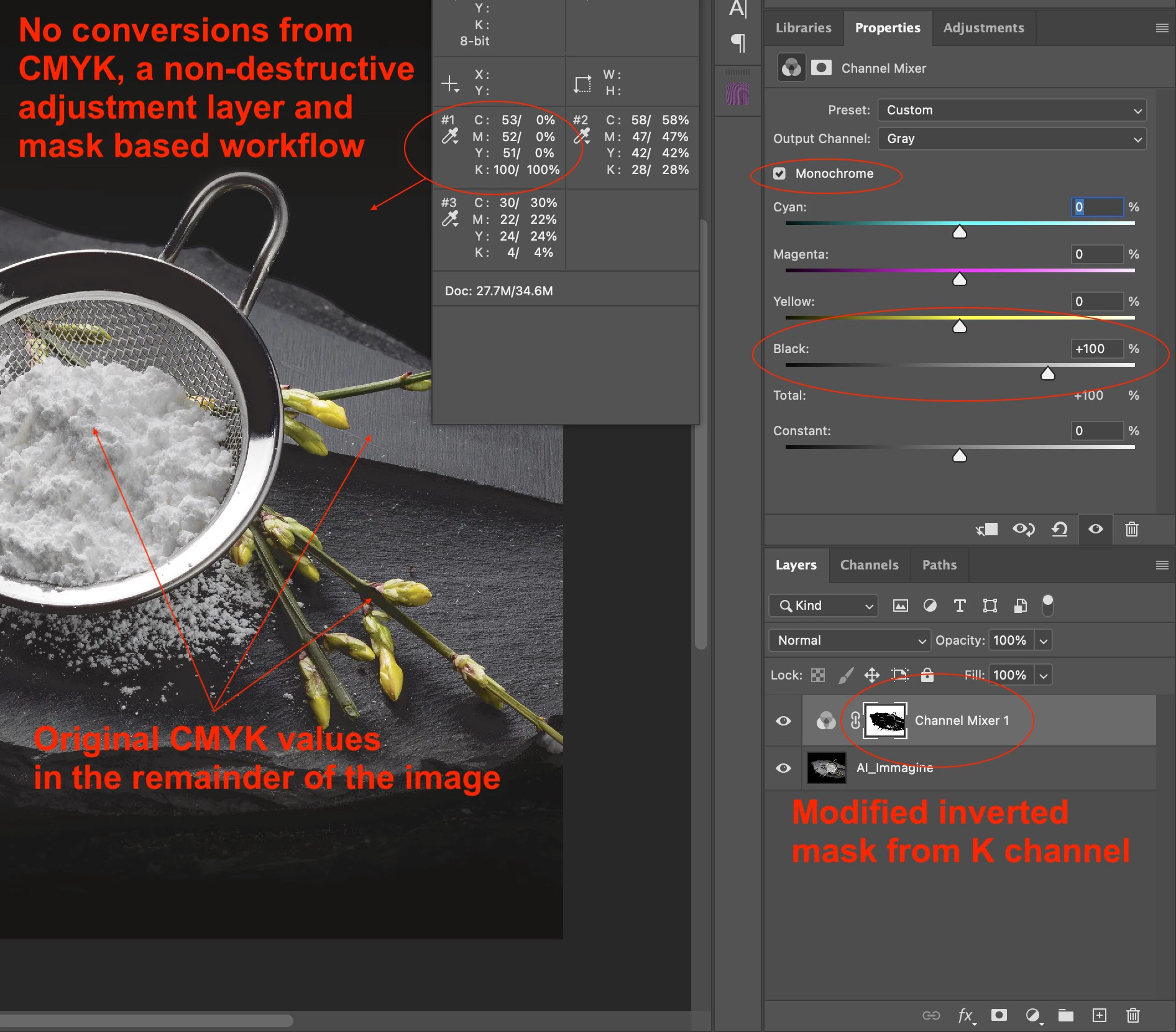
I am reluctant to post this without knowing the project details, however, as you just wish to change the background and the foreground and transition from background to hero image does not appear to be a concern... Here is an annotated screenshot of one possible method:
 

2 replies

Stephen Marsh
Community Expert
Stephen MarshCommunity ExpertCorrect answer
Community Expert
April 21, 2022

I am reluctant to post this without knowing the project details, however, as you just wish to change the background and the foreground and transition from background to hero image does not appear to be a concern... Here is an annotated screenshot of one possible method:


c.pfaffenbichler
Community Expert
Community Expert
April 21, 2022

I wonder how dense any Pantone Black can actually be in, for example, offset printing. 

Lots of open questions … 

NB, colourmanagement
Community Expert
Community Expert
April 22, 2022

Yeah c.p,  intriguing, I suppose if the Pantone "special" Black really is a "rich black" it must be made up of coloured inks as well as black (when mixed).

So this is not a 5 colour print run, I understand (am I right) that the standard CMYK black is being replaced by "Pantone Rich Black" in this scenario. I wonder if that’s a nice black for text?

And the press can take 100% too! Surprising.


I hope this helps
neil barstow, colourmanagement net :: adobe forum volunteer:: co-author: 'getting colour right'
google me "neil barstow colourmanagement" for lots of free articles on colour management

Stephen Marsh
Community Expert
Community Expert
April 21, 2022

Image quality will suffer. So yes, but why? Some CMY is desirable, for increased density and registration on press.


The sample provided above is RGB and PNG (PNG does not support CMYK).


What file format is the original (TIFF, PSD, JPG etc).


What CMYK ICC profile?


How will the file be printed?

Italgraphica
Known Participant
April 21, 2022

This is the original one

Thank you

Italgraphica
Known Participant
April 21, 2022

@Italgraphica wrote:

Can you send me back the file you just modified?

I have to try, thank you


My advice is free, my professional services are not 🙂


Edit: I'll meet you halfway... Attached is a low-resolution version, you can drag the adjustment layers to the high-resolution original, but it is up to you to create your own channel mixer mask. I did mine from an inverted copy of the black channel which was edited with curves.


Note: I set a minimum highlight dot and I have just noticed that there are some funky shadow reversals inside the hero image that would need to be fixed.


It works!

Thank you again for help, very appreciated!!