Italgraphica
Known Participant
April 21, 2022
Answered

How to convert CMYK Black to 100 Black

  • April 21, 2022
  • 2 replies
  • 16856 views

Hi,

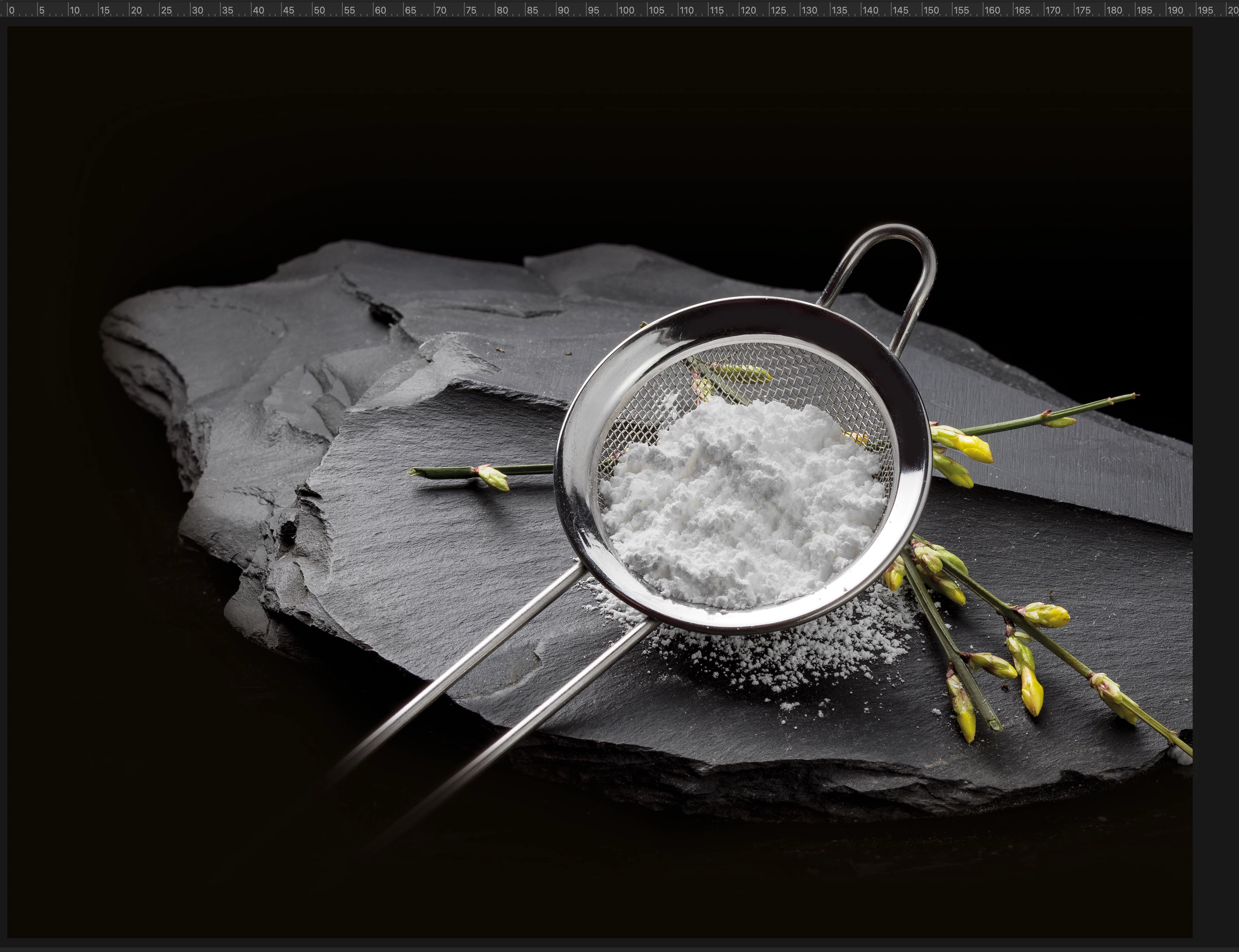
there is a way to convert this cmyk black background to only 100 black?

Thank you for help


Correct answer Stephen Marsh

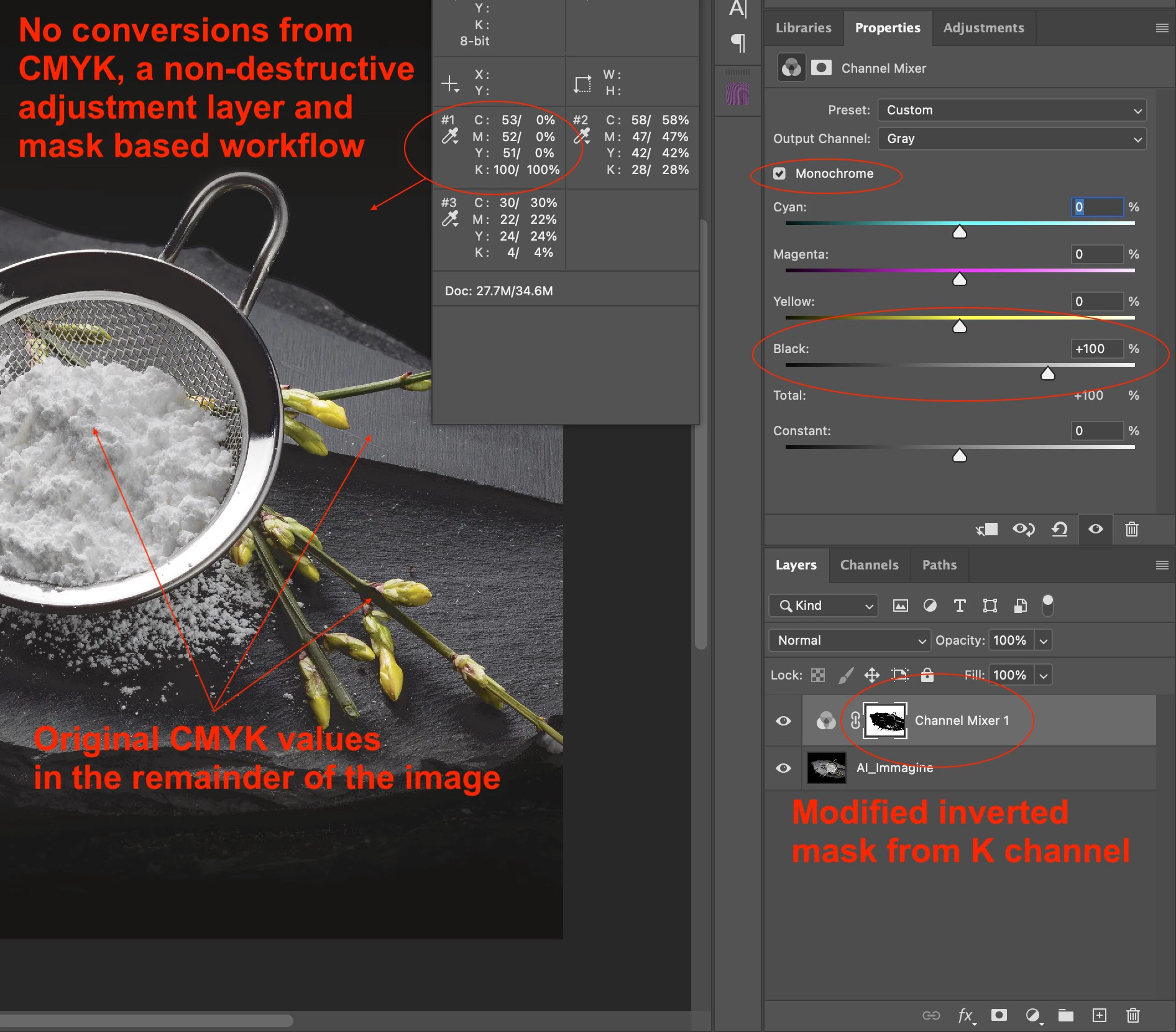
I am reluctant to post this without knowing the project details, however, as you just wish to change the background and the foreground and transition from background to hero image does not appear to be a concern... Here is an annotated screenshot of one possible method:
 

2 replies

Stephen Marsh
Community Expert
Stephen MarshCommunity ExpertCorrect answer
Community Expert
April 21, 2022

I am reluctant to post this without knowing the project details, however, as you just wish to change the background and the foreground and transition from background to hero image does not appear to be a concern... Here is an annotated screenshot of one possible method:


c.pfaffenbichler
Community Expert
Community Expert
April 21, 2022

I wonder how dense any Pantone Black can actually be in, for example, offset printing. 

Lots of open questions … 

NB, colourmanagement
Community Expert
Community Expert
April 22, 2022

The languange translation and terminology is confusing. I asked about this earlier in the topic. Rich black is generally meaning K + one or more supporting inks to build density over and above black only, but not as a standard CMYK build. I thought that you were adding spot colours under the black, but all you meant was that you are using a more dense black ink instead of a standard process black ink and or the press operator may be laying down a thicker film of ink for this special black (higher density).


Wouldn't this require lightening of the K in the rest of the image that has been separated using a standard black ink profile such as Fogra39, as otherwise, it would be too muddy with a different K ink?


"Wouldn't this require lightening of the K in the rest of the image that has been separated using a standard black ink profile such as Fogra39, as otherwise, it would be too muddy with a different K ink?"

Right, Stephen

Not only that, [and this is all theory from me - without doing tests], BUT how about the 'colour' that black imparts into the areas where GCR is used- A different "colour" of black will mean different ink mixes are required to attain the desired printed result. Especially in areas or image grey (printer 4C) I can see profile patches, some spectro time and a decent profile then, maybe, a colour server being needed, ideally.


neil barstow, colourmanagement net :: adobe forum volunteer:: co-author: 'getting colour right'
google me "neil barstow colourmanagement" for lots of free articles on colour management

Stephen Marsh
Community Expert
Community Expert
April 21, 2022

Image quality will suffer. So yes, but why? Some CMY is desirable, for increased density and registration on press.


The sample provided above is RGB and PNG (PNG does not support CMYK).


What file format is the original (TIFF, PSD, JPG etc).


What CMYK ICC profile?


How will the file be printed?

Italgraphica
Known Participant
April 21, 2022

In printing process I will use a rich black pantone, so I don't need a cmyk black.

Stephen Marsh
Community Expert
Community Expert
April 21, 2022

How will the rich black be created with the supporting spot colour plates?


Via a multi-channel profile conversion or manually?