Italgraphica
Known Participant
April 21, 2022
Answered

How to convert CMYK Black to 100 Black

  • April 21, 2022
  • 2 replies
  • 16863 views

Hi,

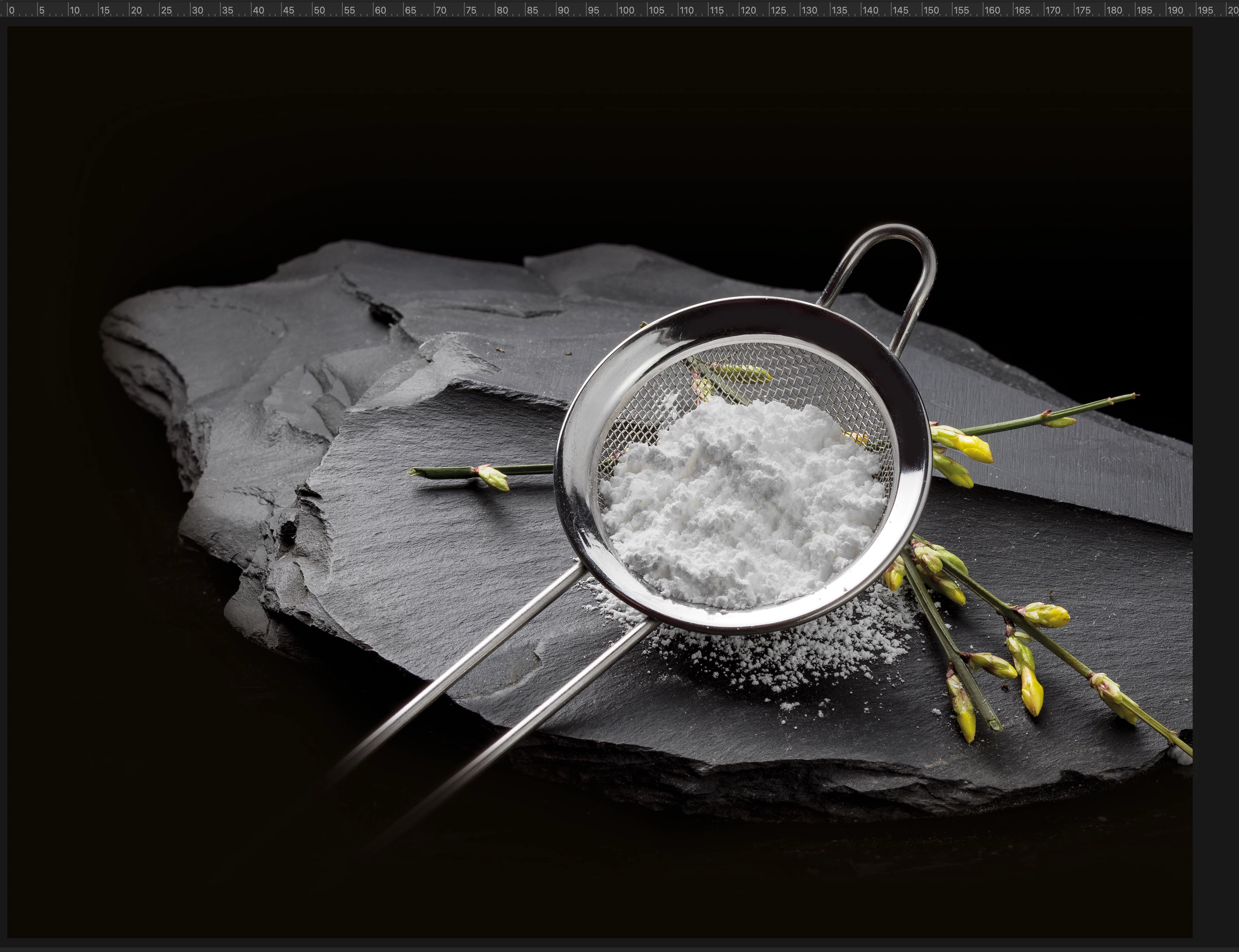
there is a way to convert this cmyk black background to only 100 black?

Thank you for help


Correct answer Stephen Marsh

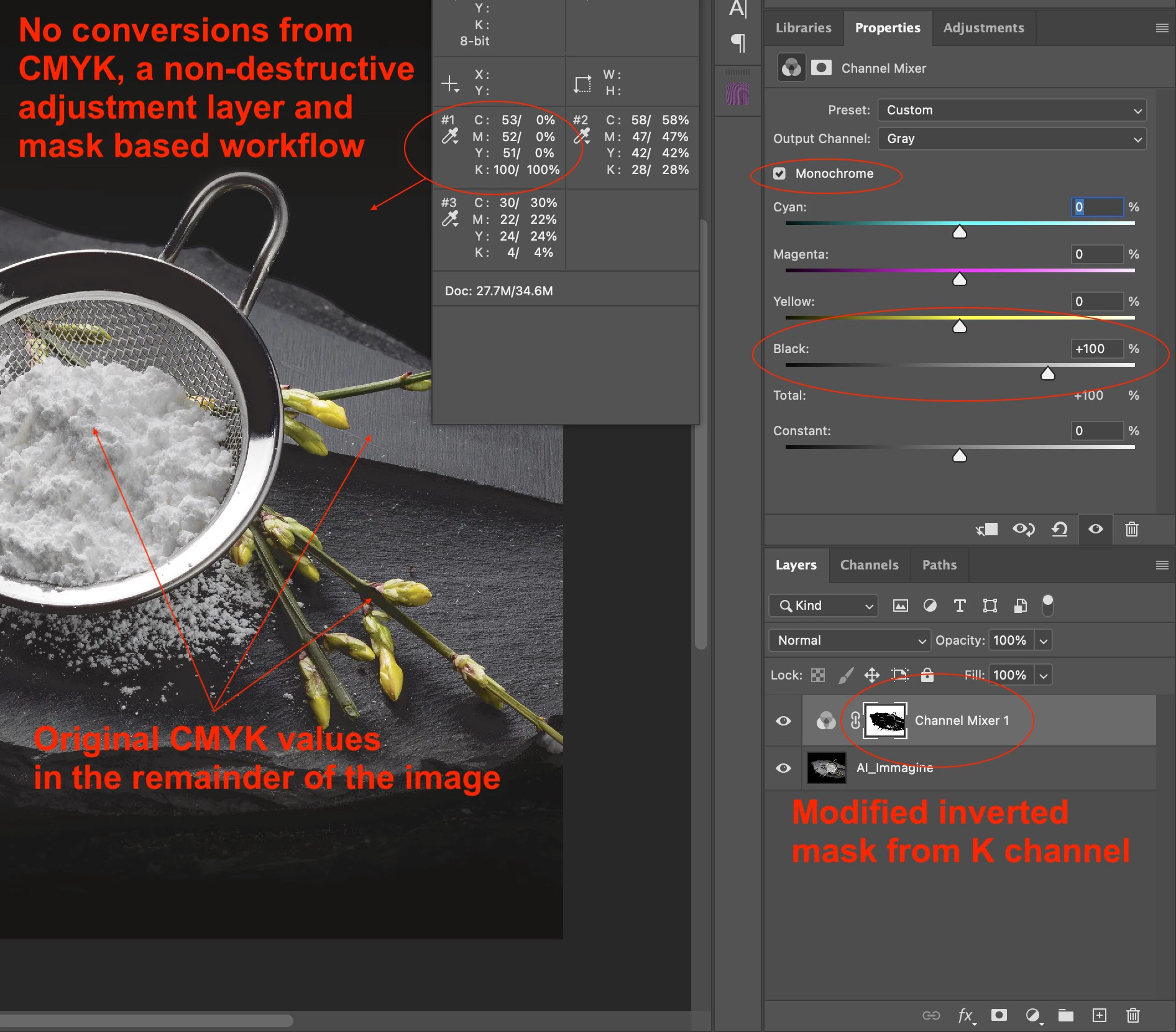
I am reluctant to post this without knowing the project details, however, as you just wish to change the background and the foreground and transition from background to hero image does not appear to be a concern... Here is an annotated screenshot of one possible method:
 

2 replies

Stephen Marsh
Community Expert
Stephen MarshCommunity ExpertCorrect answer
Community Expert
April 21, 2022

I am reluctant to post this without knowing the project details, however, as you just wish to change the background and the foreground and transition from background to hero image does not appear to be a concern... Here is an annotated screenshot of one possible method:


c.pfaffenbichler
Community Expert
Community Expert
April 21, 2022

I wonder how dense any Pantone Black can actually be in, for example, offset printing. 

Lots of open questions … 

Italgraphica
Known Participant
April 26, 2022

So, this is a 4 colour process, CMY + [Rich Pantone] K, right?

The Pantone "Rich" black seems interesting [not much on google, though] if, as you wrote, it has a better density and looks 'black'.

Of course, for imagery to attain accurate printed colour balance, it's important to have an accurate CMYK icc profile for the press and inks/ media.

I don't suppose that running with, say, a FOGRA 39L based icc for the separations is going to work with a different black.  Black underlies the neutral component [due to GCR] of many printed colours, so the "colour" of the black must remain consistent with the one used in the characterisation process (when the icc profile was made).

I wonder


I hope this helps
neil barstow, colourmanagement net :: adobe forum volunteer:: co-author: 'getting colour right'
google me "neil barstow colourmanagement" for lots of free articles on colour management


Yes you right, but when I have to obatin a rich black only using cmyk, I must add nearly a 40% of cyan in balck colour. Instead, using this rich black pantone, I can avoid this step.

As you said, using a different black can cause some inconsistency with our characterisation process, but visually, you can't nearly tell the difference.

Stephen Marsh
Community Expert
Community Expert
April 21, 2022

Image quality will suffer. So yes, but why? Some CMY is desirable, for increased density and registration on press.


The sample provided above is RGB and PNG (PNG does not support CMYK).


What file format is the original (TIFF, PSD, JPG etc).


What CMYK ICC profile?


How will the file be printed?

Italgraphica
Known Participant
April 21, 2022

In printing process I will use a rich black pantone, so I don't need a cmyk black.

Stephen Marsh
Community Expert
Community Expert
April 21, 2022

How will the rich black be created with the supporting spot colour plates?


Via a multi-channel profile conversion or manually?
