
January 4, 2024
Question

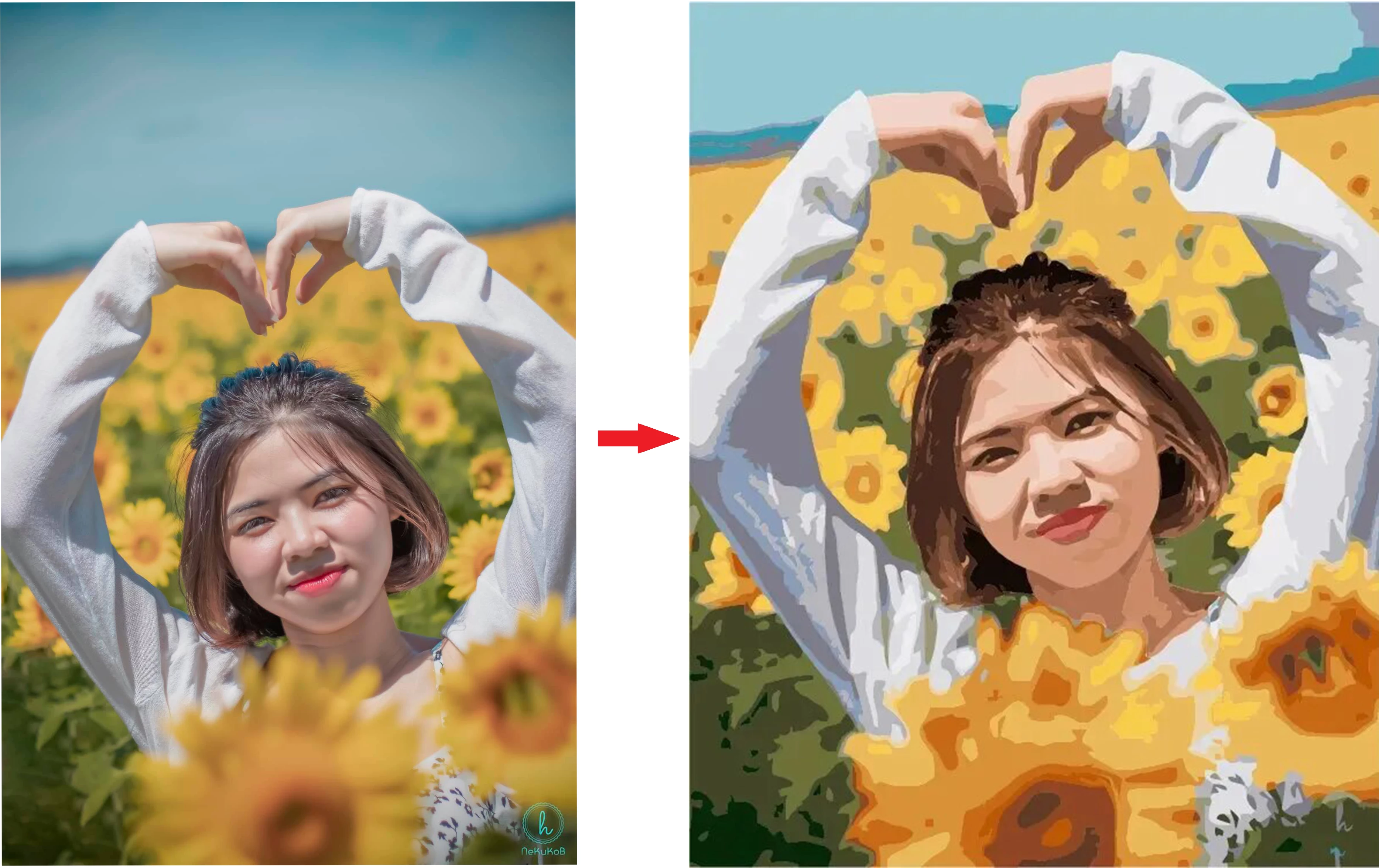
How to convert image to oil paint

  • January 4, 2024
  • 4 replies
  • 1772 views

Hi everyone 

Please help me how can i convert image to oil paint. i am trying use oil paint in filter but the result is not good. I have problem with Artistic of Filter Gallery, what the artistic i need to choose to make the result same the under picture. 
Thanks
This topic has been closed for replies.

4 replies

Trevor.Dennis
Community Expert
Community Expert
January 4, 2024

There's a new Oil Paint effect in Parametric Filters, and it is quite different from the older Oil Paint filter.


Your example looks more like Cutout or Posturize, as other posters have said.  There's no reason why you couldn't combine filters either by masking or blend mode.

January 5, 2024

thank you i will try it with other software

jane-e
Community Expert
Community Expert
January 4, 2024

@34507497 


You didn't ask, but make your layer a Smart Object first so you can edit the filter. If you don't, it will be destructive editing that can't be changed later.


Jane

didiermazier
Community Expert
Community Expert
January 4, 2024

yes Jane but Posterize do not seems to operate with smart object. Maybe have to open it and posterize the .psb

c.pfaffenbichler
Community Expert
Community Expert
January 5, 2024
quote

yes Jane but Posterize do not seems to operate with smart object. Maybe have to open it and posterize the .psb


By @didiermazier

I get no problems when applying Image > Adjustments > Posterize to a Smart Object. 

didiermazier
Community Expert
Community Expert
January 4, 2024


Go to Image >settings and reduce the numbers of colors with Posterize. Around 16 would be good…

it will make the oil filter behave much better; Also do not mark Light at the bottom…

But you will have to set the sky apart to avoid stripes

January 5, 2024

thank you, i think that picture don't make by photoshop

 
Kevin Stohlmeyer
Community Expert
Community Expert
January 4, 2024

@34507497 Check out this great tutorial by Russell Preston Brown:

https://vimeo.com/841048552

It covers how to use Generative Fill to create an oil painting (among other) effects.

January 5, 2024

thanks your share. I don't have photohop beta, but i will try it

Kevin Stohlmeyer
Community Expert
Community Expert
January 5, 2024

@34507497 this works on standard Photoshop as well - the tutorial was back when beta was needed.