Participant
October 18, 2020
Answered

How to convert shapes from illustrator into frames for pictures i ps

  • October 18, 2020
  • 1 reply
  • 5489 views

Hey,

I've tried to import vector shapes that only consists of strokes from illustrator to photoshop and convert them into frames so I can fill them with pictures, but I can't figure out how to do it.

Could anybody explain how in a way that a noob can understand? 🙂

regards
This topic has been closed for replies.
Correct answer Jeff Arola

Can you post an example of the vector shape as it appears in Illustrator?


Ideally you would copy the object in Illustrator to the clipboard then in photoshop paste (Edit>Paste) as a Shape layer and go to Layer>New>Convert to Frame, however, the vector from illustrator may be to complicated for photoshop to convert to a shape layer.

https://helpx.adobe.com/photoshop/using/place-image-frame-tool.html


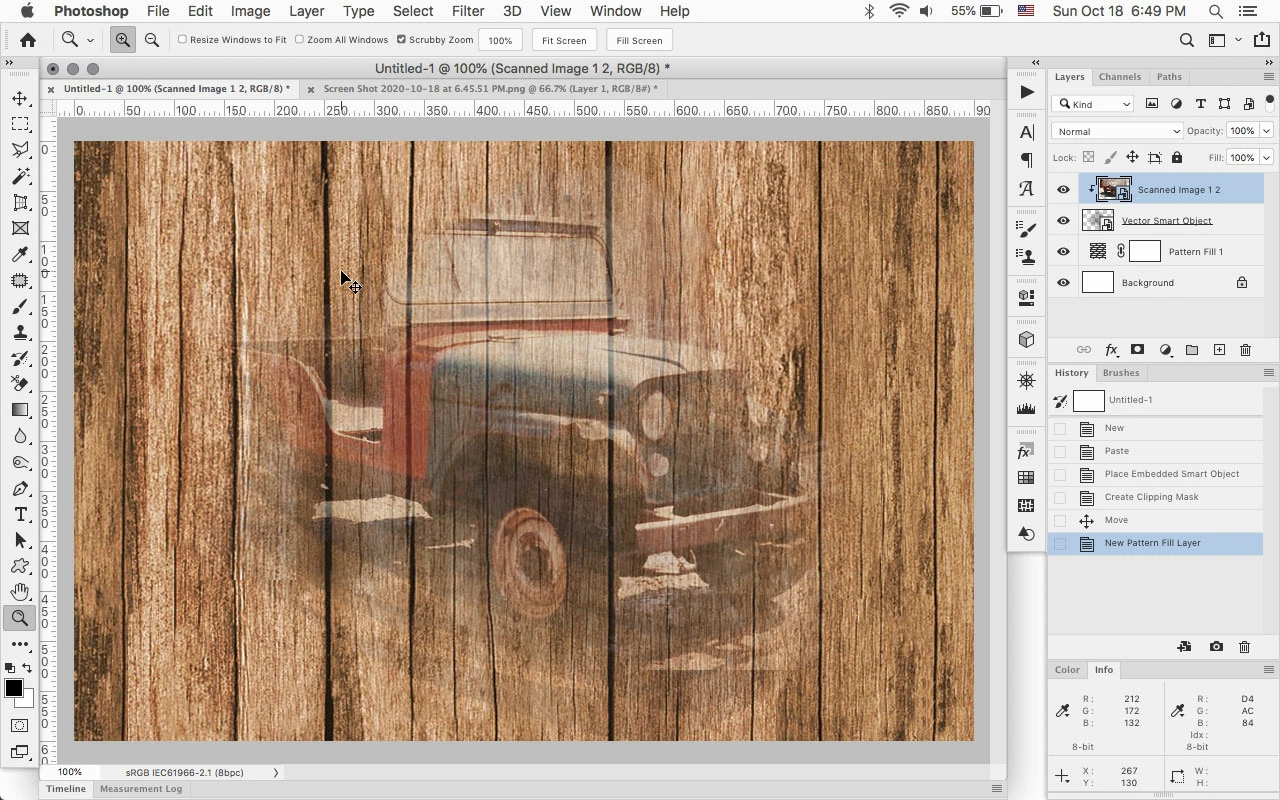
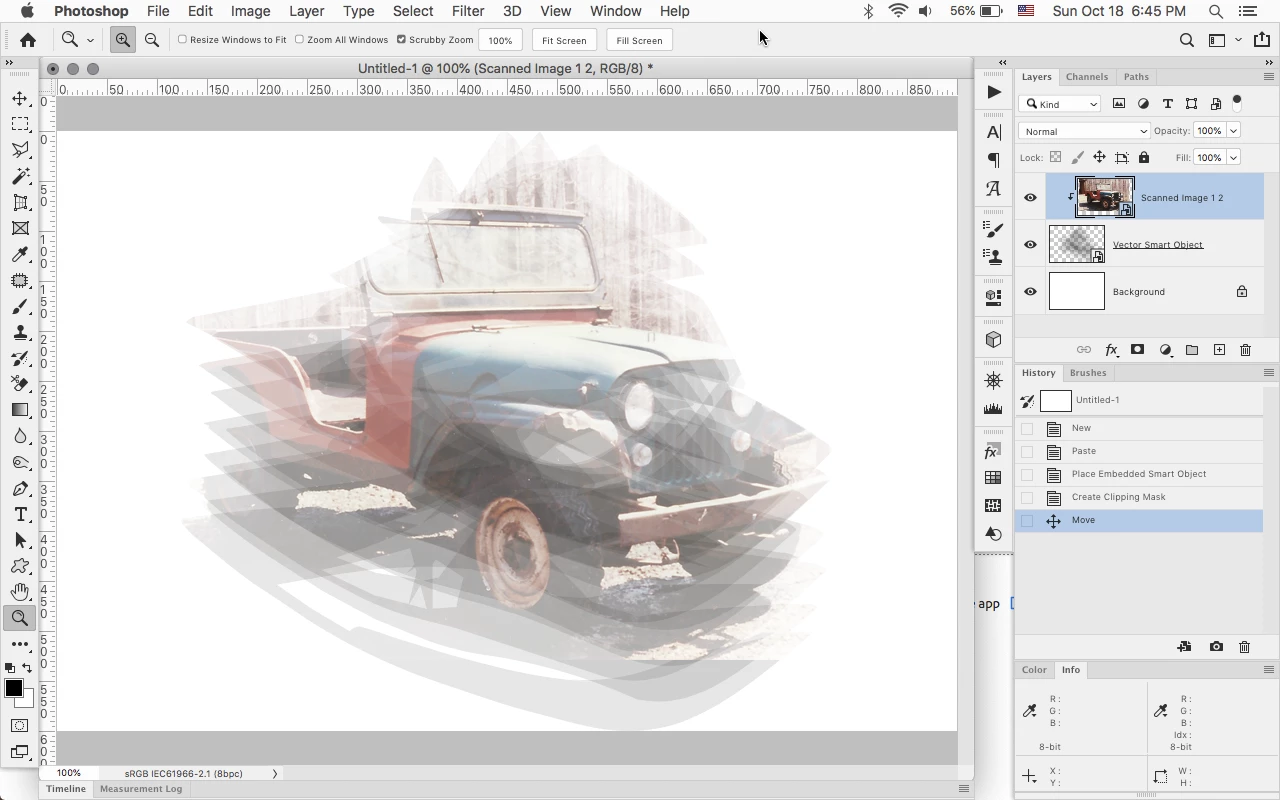
Another way instead of using frame layers is to paste your vector as a Smart Object, put the image in the layer above the smart object and then Create a clipping mask by going to Layer>Create Clipping Mask.


1 reply

Jeff Arola
Community Expert
Jeff ArolaCommunity ExpertCorrect answer
Community Expert
October 18, 2020

Can you post an example of the vector shape as it appears in Illustrator?


Ideally you would copy the object in Illustrator to the clipboard then in photoshop paste (Edit>Paste) as a Shape layer and go to Layer>New>Convert to Frame, however, the vector from illustrator may be to complicated for photoshop to convert to a shape layer.

https://helpx.adobe.com/photoshop/using/place-image-frame-tool.html


Another way instead of using frame layers is to paste your vector as a Smart Object, put the image in the layer above the smart object and then Create a clipping mask by going to Layer>Create Clipping Mask.


Participant
October 19, 2020

Thanks for your reply!

I was trying to do it with the first method you explain but it didn't work, altough my shape is really simple. I'm probably doing something wrong.

Anyway, the method with a smart object and a clipping mask works perfect!


best regards,

Martin