


New Participant
October 30, 2018
Answered

How to create a Gradient between two colors

  • October 30, 2018
  • 1 reply
  • 574 views

Hi,

I was wondering if: You could draw with the pen tool around 2 different colored pixels (more than 1 pixel apart) and create sort of a gradient where the first color slowly merges into the second color.

Thanks!
This topic has been closed for replies.
Correct answer JJMack

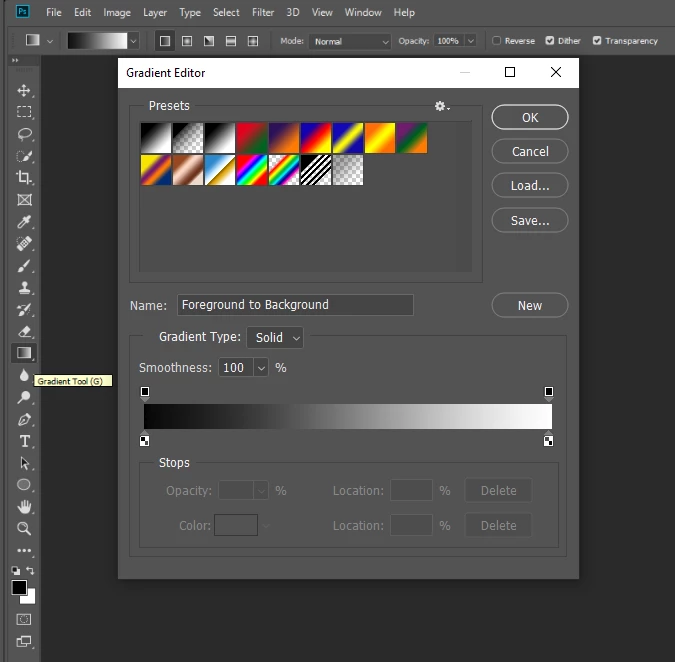
Photoshop has a gradient tool and a gradient editor,  You can fill areas and shapes with gradients. And add a gradient layer style effect

https://www.google.com/search?q=photoshop+gradient+editor&oq=Photoshop+Gradient+editor&aqs=chrome.0.0l6.10999j1j7&source…

1 reply

JJMack
JJMackCorrect answer
Community Expert
October 30, 2018

Photoshop has a gradient tool and a gradient editor,  You can fill areas and shapes with gradients. And add a gradient layer style effect

https://www.google.com/search?q=photoshop+gradient+editor&oq=Photoshop+Gradient+editor&aqs=chrome.0.0l6.10999j1j7&source…

JJMack