Participating Frequently
October 21, 2019
Answered

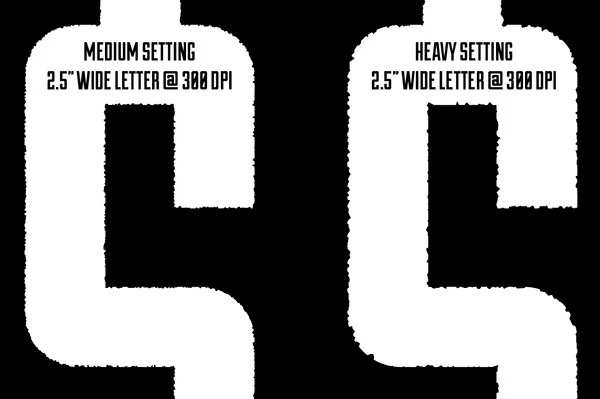
How to create a rough edge like this in Ps?
  • October 21, 2019
  • 2 replies
  • 23121 views

I'd like to know how to create a rough edge like this in Ps?

    This topic has been closed for replies.
    Correct answer Bojan Živković11378569

    You already have great and correct answer, hovewer I will add my two cents: depend on situation I am usually using layer mask and Filter > Filter Gallery to apply some of the filters to layer mask. The reason is because I can remove/modify mask and create new one easily while the original lettering/artwork/text etc. will remain untouched. Another option is to convert text/artwork to smart object layer then to apply filter as smart filter which can be modified and changed at any time.

    2 replies

    Bojan Živković11378569
    Community Expert
    Community Expert
    October 21, 2019

    You already have great and correct answer, hovewer I will add my two cents: depend on situation I am usually using layer mask and Filter > Filter Gallery to apply some of the filters to layer mask. The reason is because I can remove/modify mask and create new one easily while the original lettering/artwork/text etc. will remain untouched. Another option is to convert text/artwork to smart object layer then to apply filter as smart filter which can be modified and changed at any time.

    Stephen Marsh
    Community Expert
    Community Expert
    October 21, 2019

    I used Filter > Pixelate > Crystalize and then a threshold of 128 to remove grey tones:


    By applying other filters that affected the clean edges before running the filter, you could have variations on the theme.