glamorous_observer5CF0
Participating Frequently
November 14, 2021
Answered

How to create a smart object that fills in more than one object?

  • November 14, 2021
  • 1 reply
  • 969 views

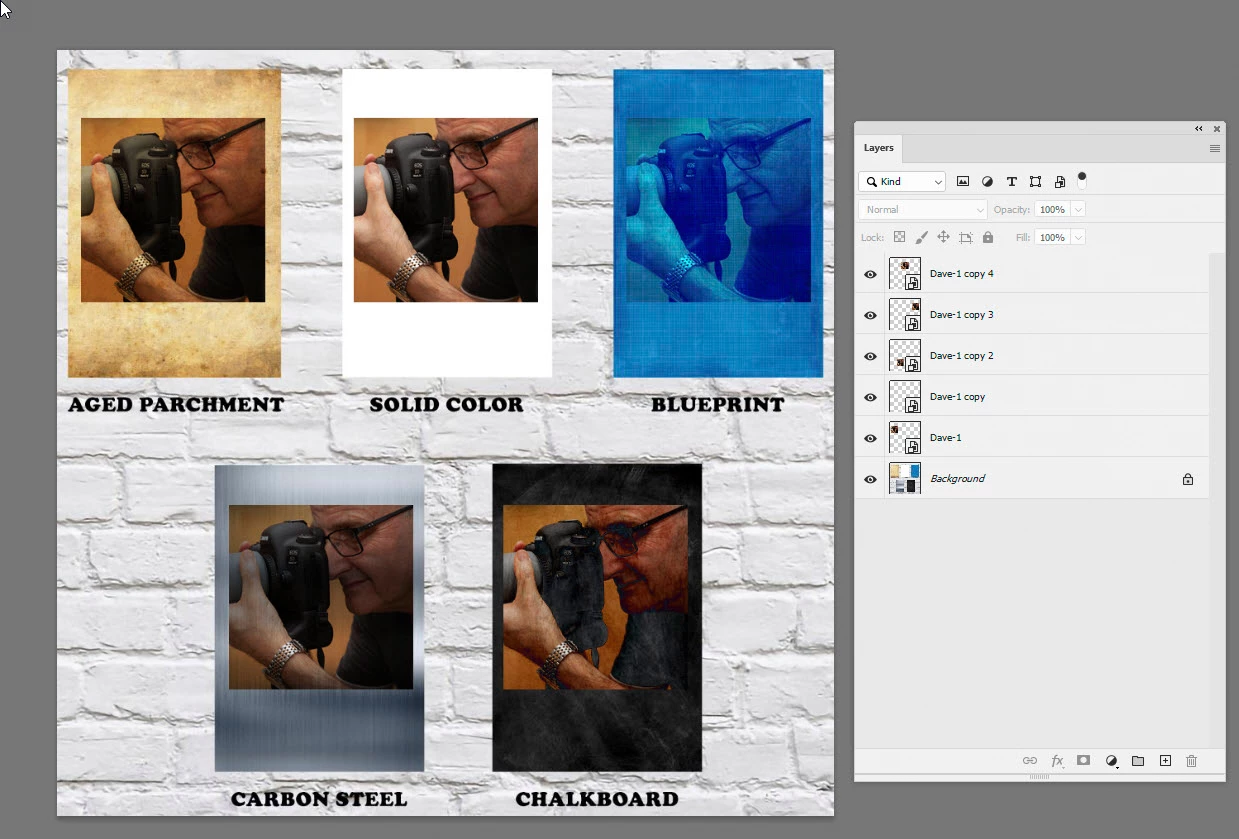
I am trying to create a mockup that shows multipe background options for a picture and I have create a PSD file that has five different photo frames and right now I have to click on each frame to insert the same image. Is it possible to create a smart object that populates all five photo frames with the same image?


Thx
This topic has been closed for replies.
Correct answer davescm

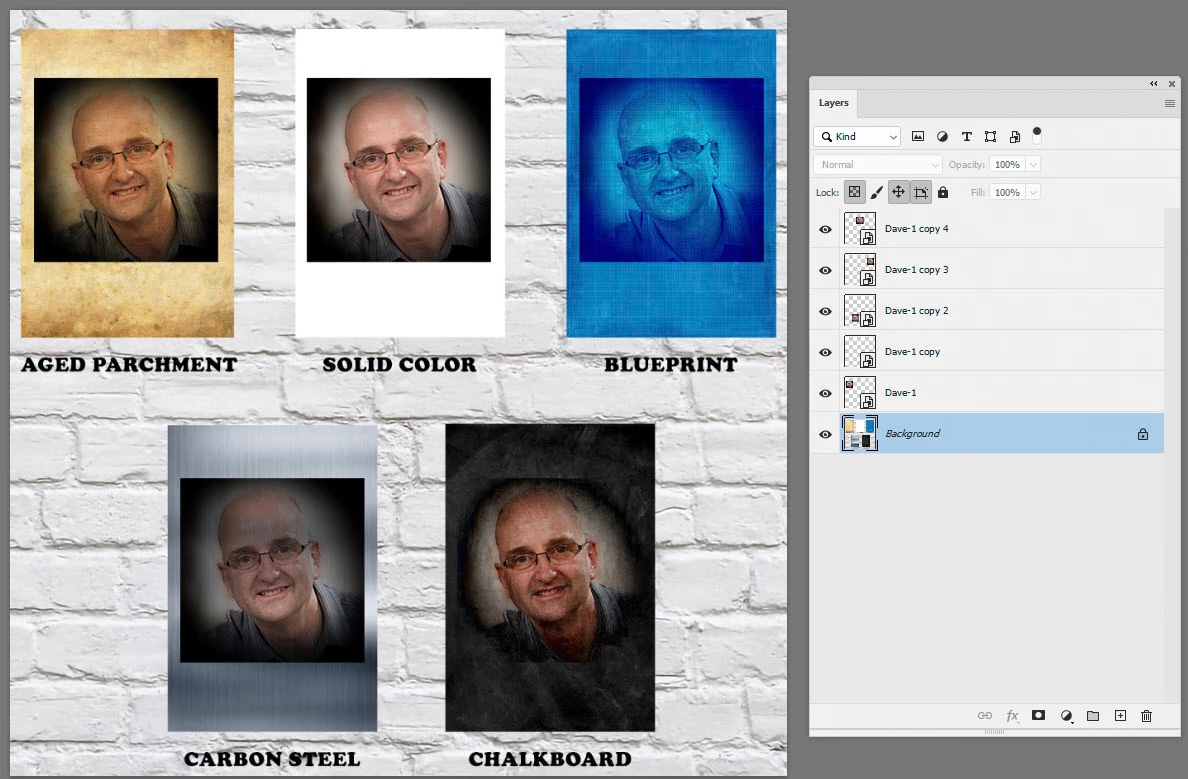
To demo, I created one smart object with an image and then copied it four times, positioning each over a different place on your background image. I also changed the blend modes so that they blended with each background.


Opening and editing the content of any of those smart object changes all of them, but the blend modes and position remain the same:

Dave

1 reply

davescm
Community Expert
Community Expert
November 14, 2021

If you duplicate a smart object (Ctrl+J) it will do exactly that. Change the content of one and the others will change.


Dave

glamorous_observer5CF0
Participating Frequently
November 14, 2021

Here is my setup with the different background which I want to add the same image to each one and perhaps I asked the wrong question re: smart objects?


JJMack
Community Expert
Community Expert
November 15, 2021

To demo, I created one smart object with an image and then copied it four times, positioning each over a different place on your background image. I also changed the blend modes so that they blended with each background.


Opening and editing the content of any of those smart object changes all of them, but the blend modes and position remain the same:

Dave


A mockup template could also have independent Smart object layers  so  you can have a different image is each frame.   Ctrl+J will duplicate a smart object layer   you  will have multiple smart object  Layers that share a single object. Each layer object transform scale positions and waraps the shared object for its use in the mockup's composite image. Ether way the images in the frames are  different layer that can be scaled warped and position independently

JJMack