Participant
February 21, 2024
Answered

How to create products image?

  • February 21, 2024
  • 3 replies
  • 785 views

Hi,


Can anyone tell me how to make a product image look 'smooth' like the following example image using Photoshop? Also, what term should I use to describe what I mean? Is it 'product retouching'?


I'm not sure how to do it because I've just started learning Photoshop.


<removed link>

This topic has been closed for replies.
Correct answer didiermazier

Just a hint…

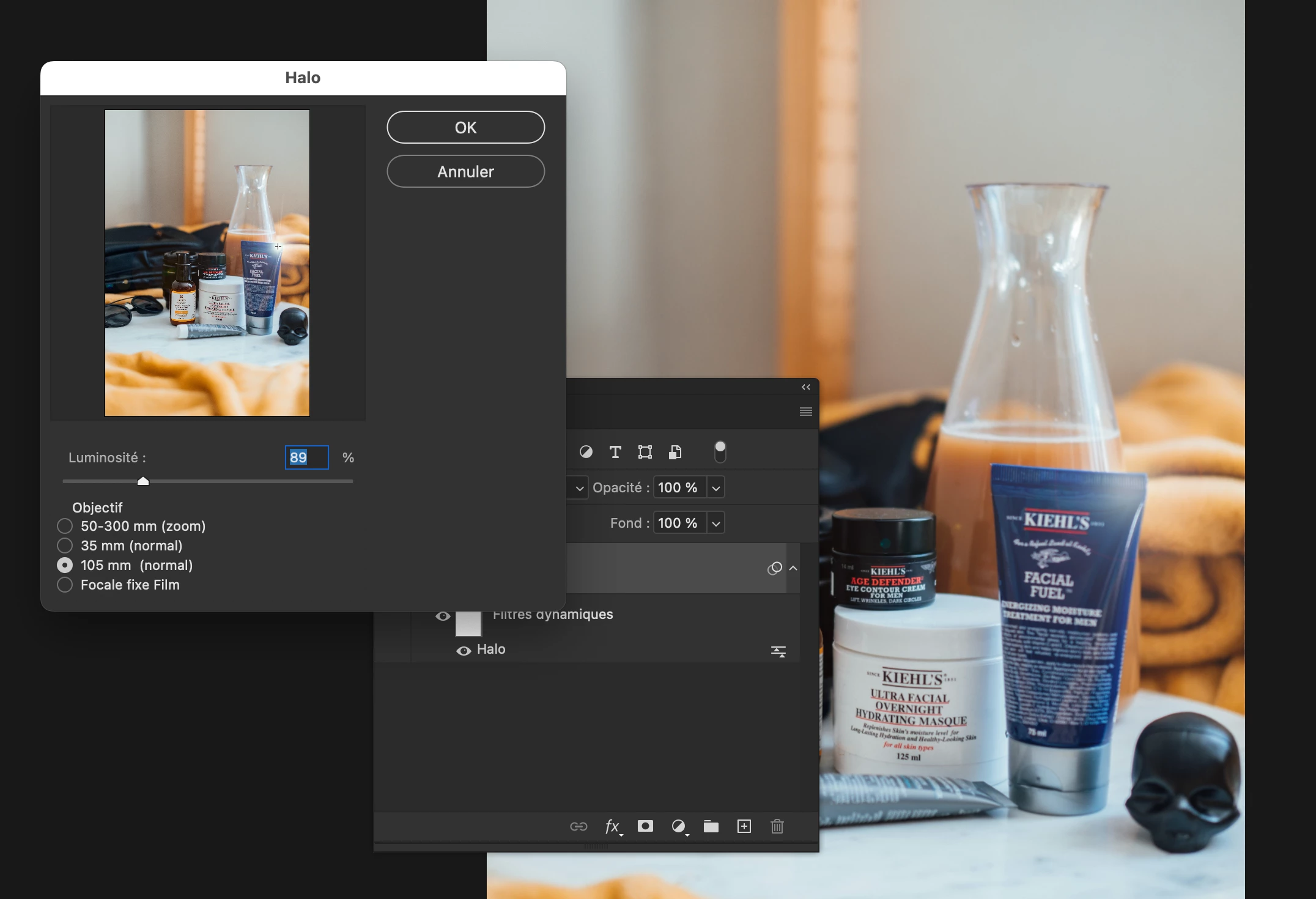
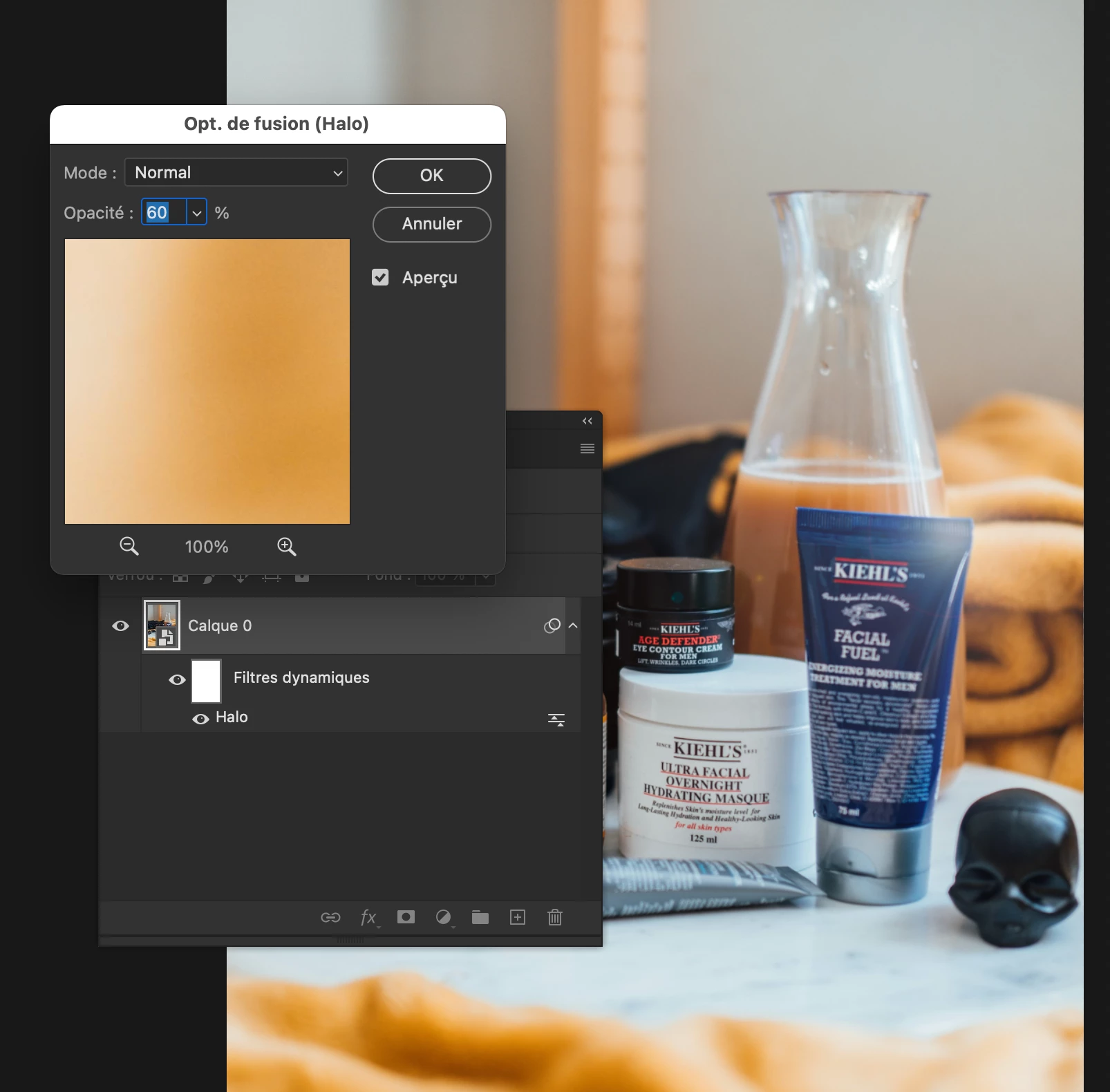
If you look closely you notice a light halo on each object.

You could achieve that on a smart object with the Halo filter that can be setup in a non destructive mode playing with the opacity of  the filter blending mode 

3 replies

Trevor.Dennis
Community Expert
Community Expert
February 23, 2024

Did you take the example image in your post, or are you asking how to achieve the look?  Just asking because that not a look you should aspire to.  Are asking how to photograph products, or how to post process the photographs?

Legend
February 22, 2024

It starts with good lighting and photography, and then yeah adding a halo or glow. I don't really like the effect but for a paying client you make the art director happy.

Participant
February 23, 2024

What makes you dislike that effect?

I'm asking because I'm curious and eager to learn what kind of product appearance might make it look better.


Thank you if you're willing to answer

D Fosse
Community Expert
Community Expert
February 23, 2024

It's pretty messy overall, with things seemingly floating in mid-air. What happened? Did it explode?


And I'm not too keen on the highlight halos. I think you'd get the point much better across with a more delicate high-key lighting setup and a lighter background.


This is done with lighting. It's not done in Photoshop! If the lighting is bad, you can spend two days in Photoshop and it will never look good.

didiermazier
Community Expert
didiermazierCommunity ExpertCorrect answer
Community Expert
February 21, 2024

Just a hint…

If you look closely you notice a light halo on each object.

You could achieve that on a smart object with the Halo filter that can be setup in a non destructive mode playing with the opacity of  the filter blending mode 

Participant
February 22, 2024

Hi @didiermazier Thanks for helping me.

It helped me a lot. I will practice it and learn photoshop again.


once again thank you very much 🙂

didiermazier
Community Expert
Community Expert
February 23, 2024

You are welcome. Here you will always find users ready to help…

Also you can mark my answer as correct if it is so.