Known Participant
July 2, 2025
Pregunta

How to create realistic pencil and charcoal brushes?

  • July 2, 2025
  • 3 respuestas
  • 1709 visualizaciones

Hi there.


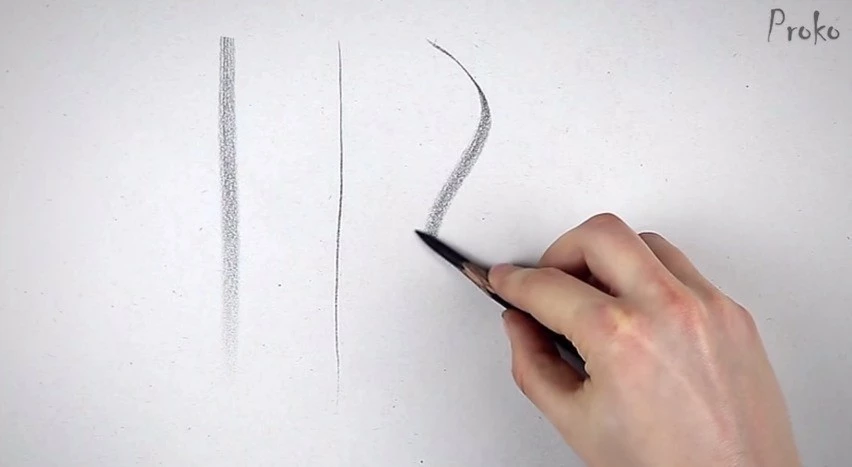
I’m new to using brushes with Photoshop, and have been researching brush creation. How can I create a brush that has a look and feel to realistic pencils and charcoal? What I am specifically trying to achieve is strong thin lines when the pen is held upright, and soft creamy wide shading ability when the pen is on its side. Shading should be able to build up smooth and softly. 


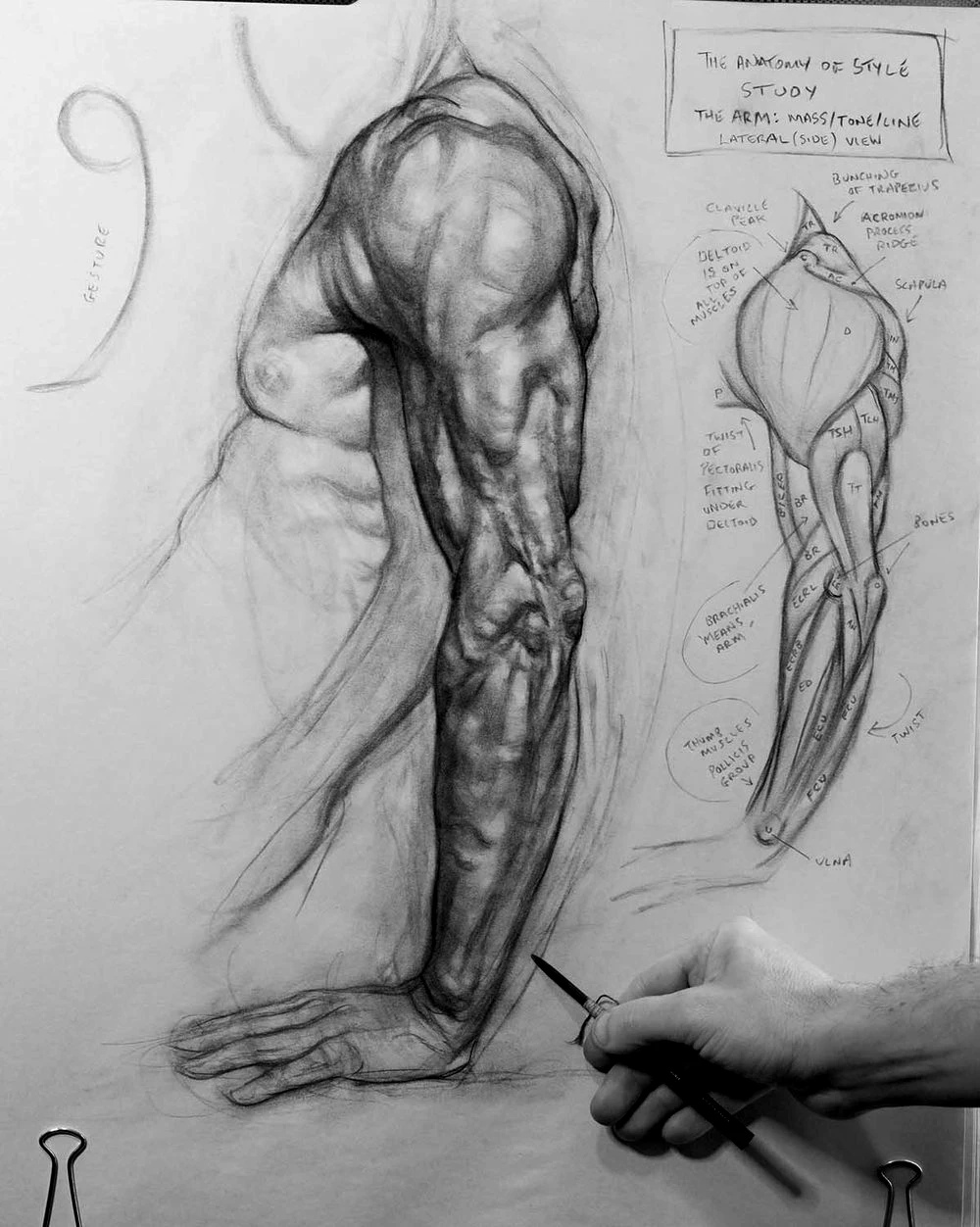
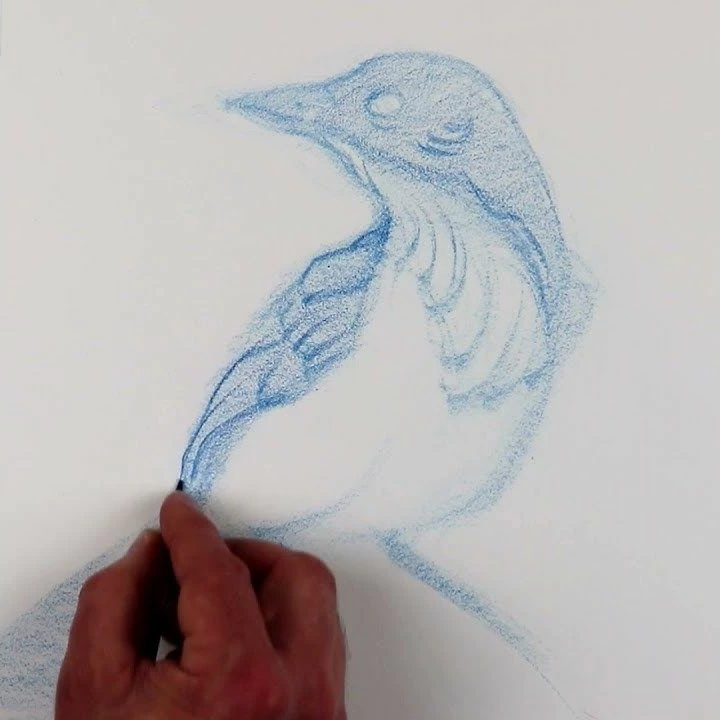
Example images from Brent Eviston, Proko, and Patrick Jones are attached. If anyone can please assist with the technicalities of setting this up, that would be greatly appreciated.


Thank you.


3 respuestas

Participant
November 3, 2025

Hi there, I hope you’re doing well!
I’ve been experimenting in Photoshop for a while, trying to capture that realistic graphite and charcoal feel. I know exactly what you mean — those fine, firm lines when the pencil is upright, and that smooth, creamy shading when it’s tilted.

After a lot of testing with brush dynamics and textures, I created a brush set designed specifically for that natural drawing experience. It includes graded graphite pencils (from 2H to 8B), charcoal brushes, and soft blending tools. You can check it out here:
creativemarket.com/erdidurmaz/291925595-E.D-Drawing-Box%E2%80%93Graphite-Set-for-PS

Semaphoric
Community Expert
Community Expert
July 2, 2025

Are you using a graphics tablet?

jonoiiiAutor
Known Participant
July 2, 2025

Yes, a Wacom Cintiq Pro.

jonoiiiAutor
Known Participant
July 5, 2025

I'd been playing with this for an hour or so before I asked about the charcoal_KA pencil brush, so well over two hours in total.  That includes watching the video you linked to of Ramon Miranda' amazing sketch of actress Jean Simmons using Krita.

A lot of that time was with the brush engine, which so far seems more complex than Photoshop's


So far I have not been able to create a Photoshop preset that comes close to Krita's CVharcoal_KA.  Presets that I thought might cut it suddenly leave me embarrassed to compare, and that includes several pencil sketch preset ideas I found on YouTube.


About the closest I have come is starting with this preset from the Dry Media group from the Default brushes.


As it comes it has no control of opacity, and looks like this regardless.

Changing size jitter to tilt has minimal effect with wither of my Wacom pens, but setting Flow Jitter to pen pressure got me to here.  It still doesn't feel as nice to use as the Krita Charcoal_KA preset though, and my gut tells me might never match it.

This is the Krita stroke.  It's opacity remains constant whereas all of the Photoshop pencil brush ideas I found have a regular dark/light/dark/light pattern.  The Krita stroke is definitely smoother. 

I don't know if we have been any help at all, but it has been an interesting learning experience for me.  I was using an Intous 5 Touch for the above, but I have an XenceLabs Pen Display that I'll plug in later to see if it works any better.


Please let us know how you get on with this, and share any presets or settings that work for you.

Good luck.


Hi @Trevor.Dennis ! Thank you very much for your reply, and taking the time to investigate this. Unfortunately, I think you are right that we will not abe able to get any better functionality out of Photoshop. What you have discovered is what I researched and attempted prior to writing this post. It's the reason I created it. I thought that because Fresco on iPad, and it's default Pencil works similarly to the Krita Charcoal, that it would be possible to develop my own set of brushes within Photoshop. This doesn't appear to be the case. I think at this point, since Krita works out of the box, I will just move forward with Krita as an option. If you want to see other painting applications that mimic realistic tools, check out Rebelle. It simulates realistic media and each stroke interacts with the grain of the paper/canvas. Unfortunately, there is no iPad option at this time. Hence my pursuit of brush creation with Photoshop. Again, thank you very much for your assistance. 

creative explorer
Community Expert
Community Expert
July 2, 2025

@jonoiii Honestly, for the time being, I would download some free pencil brushes see what works, and then create some of the settings on your own. https://helpx.adobe.com/ca/photoshop/using/creating-modifying-brushes.html 

m
jonoiiiAutor
Known Participant
July 2, 2025

Hi there. Thank you for your reply. I've tested many brushes so far and none really behave the way I'm looking for. The one brush that works out of box is the default Pencil in Fresco for iPad, but I don't believe I can extract it. This is why I would like to try building one from scratch.