
hladdha123
Participating Frequently
March 20, 2018
Answered

How to customize the linking file path in recorded photoshop actions.

  • March 20, 2018
  • 1 reply
  • 2625 views

Hi,

I have  a linked layer in a photoshop document in which I wanted to replace the file link associated with the layer.
I saw such an option to relink, export, unembed linked graphics in InDesign but haven't found anything similar to it in photoshop.

So, what I am trying to do is  -
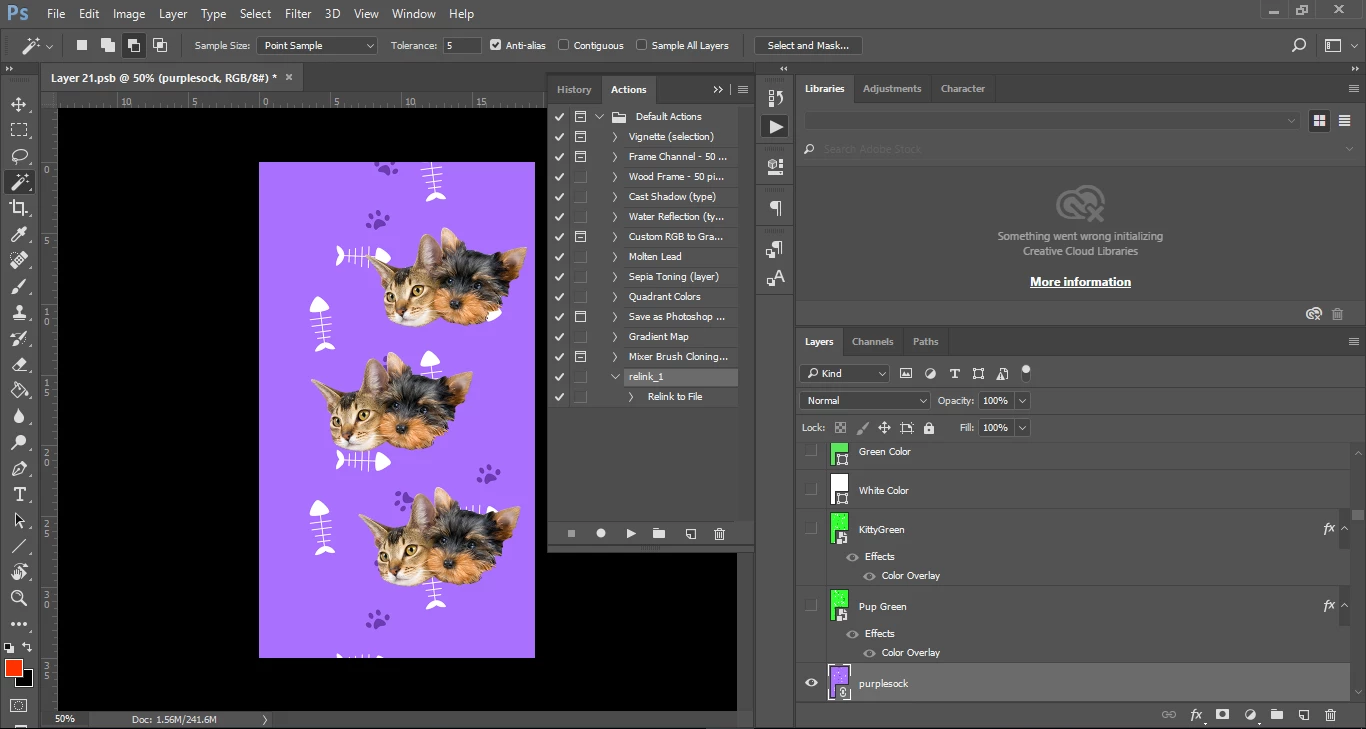
run this recorded action with

app.doAction("relink_1", "Default Actions");

now I want to customize this relink to file with a different filename, is there a way I can modify / duplicate this action & pass custom parameters to it &

start it with doAction again with photoshop javascript / applescript.

Or, is there a way to do this without the use of actions [replacing the link in the linked graphic with javascript / applescript]

This topic has been closed for replies.
Correct answer Tom Winkelmann

Very helpful post. Thanks for the share. One question though in the snippet I think he is grabbing the current selected layer & then replacing its contents. Can we do a select layer by name first & then replace / relink the file in the same way as suggested in the blog post.


var idslct = charIDToTypeID( "slct" );

    var desc18 = new ActionDescriptor();

    var idnull = charIDToTypeID( "null" );

        var ref15 = new ActionReference();

        var idLyr = charIDToTypeID( "Lyr " );

        ref15.putName( idLyr, "purplesock" );  // edit layer name

    desc18.putReference( idnull, ref15 );

    var idMkVs = charIDToTypeID( "MkVs" );

    desc18.putBoolean( idMkVs, false );

executeAction( idslct, desc18, DialogModes.NO );

or something like this...

Test whether a layer with a specific name exists?

1 reply

Tom Winkelmann
Inspiring
March 20, 2018

What about right click on the layer with the linked image & replace content...?

hladdha123
Participating Frequently
March 20, 2018

Yes, we can do that, but I want to do it with a script so that I can process bulk-files open, replace/relink & export altogether.

Tom Winkelmann
Inspiring
March 20, 2018