

davidc1815
Legend
September 23, 2020
Answered

How to delete patterns in PS 21.2.3?

  • September 23, 2020
  • 2 replies
  • 1389 views

Can anyone tell me please how to delete patterns in PS 21.2.3?  "Delete Pattern" is greyed out and there is no trash can to drag patterns to.  I cannot see a way to do it.  Here is the fly out patterns menu:
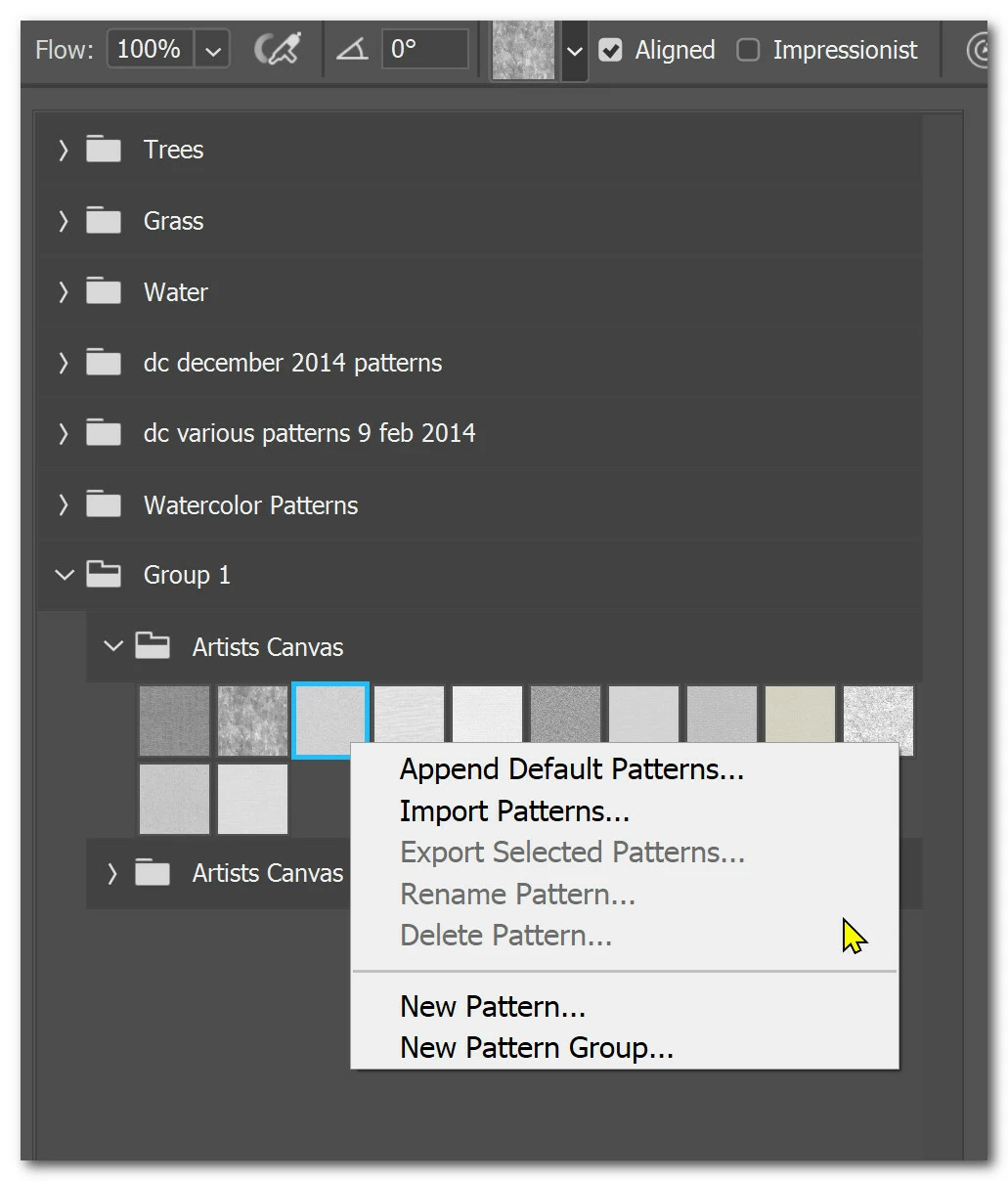


I'm stumped...


Windows 10 Pro.

This topic has been closed for replies.
Correct answer Myra Ferguson

If you have the Pattern Stamp Tool selected and use the options bar to access the patterns, you won't be able to delete a pattern from there. Instead, go to Window > Patterns to open the Patterns panel. Then you can select a pattern and Delete Pattern will be an available option.

2 replies

Legend
September 27, 2020
This is a bug that should be fixed. If nothing is selected in "new" panels such as Patterns or Shapes, then these tool submenus are not available.


Myra Ferguson
Community Expert
Myra FergusonCommunity ExpertCorrect answer
Community Expert
September 27, 2020

If you have the Pattern Stamp Tool selected and use the options bar to access the patterns, you won't be able to delete a pattern from there. Instead, go to Window > Patterns to open the Patterns panel. Then you can select a pattern and Delete Pattern will be an available option.

davidc1815
Legend
September 27, 2020

Thank you, Myra!  I was pulling out what's left of my hair.  Great advice.


David