
Participant
May 11, 2022
Question

How to: Distortion

  • May 11, 2022
  • 2 replies
  • 405 views

Hey all.


I was wondering how to distort an image like this:
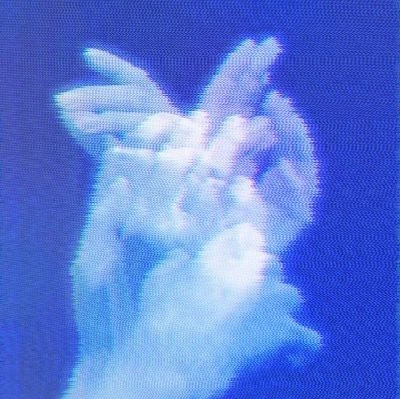


I've tried to replicate the distortion effect using Waves, but so far I've been unsuccessful. 


If anyone could help me out, I'd be massively grateful. 


Thanks in advance.

This topic has been closed for replies.

2 replies

c.pfaffenbichler
Community Expert
Community Expert
May 11, 2022

Regarding the Displace Filter also keep in mind that one can use an RGB-image as Displacement Map and the R-Channel will be used for horizontal, the G-Channel for vertical offsetting. 

c.pfaffenbichler
Community Expert
Community Expert
May 11, 2022

Create a Noise Gradient and save it as a psd, then apply Filter > Distort > Displace (as a Smart Filter naturally) to the image with that gradient as Displacement Map. 


Please post the image you want to edit thusly. 


Edit: 

Participant
May 11, 2022

Wow, amazing! Exactly what I was looking for, thank you.


I didn't intend to edit any one specific image, I just wanted to know how this type of distortion worked.


Thanks again.

c.pfaffenbichler
Community Expert
Community Expert
May 11, 2022

If the »shatter« needs to be finer you could also use the Noise Filter (with a high value) and lift one column of pixels from that anduse that as a Displacement Map.