
Answered
How to edit 4-band imagery using layers?
RE: PS CS6 64-bit
This discussion is regarding geospatial 4-band imagery where the alpha channel (4th band) is near infrared.
During work session, all 4 channels are active with only RGB visible.
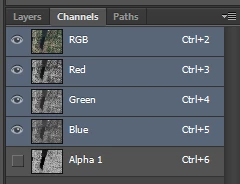
Edits made to the flattened (i.e., no layers, background), such as cloning operations appear to include the active, but not visible 4th band. However, there arises the issue of when using layers, edits are made and then the document is flattened, only the RGB channels reflect the edits with the 4th band unchanged.
How can one edit all 4 bands using layers?
 AdChoices