
kavindas88641397
Known Participant
October 1, 2018
Question

How to exclude transparent canvas from picture

  • October 1, 2018
  • 2 replies
  • 978 views

Hello,

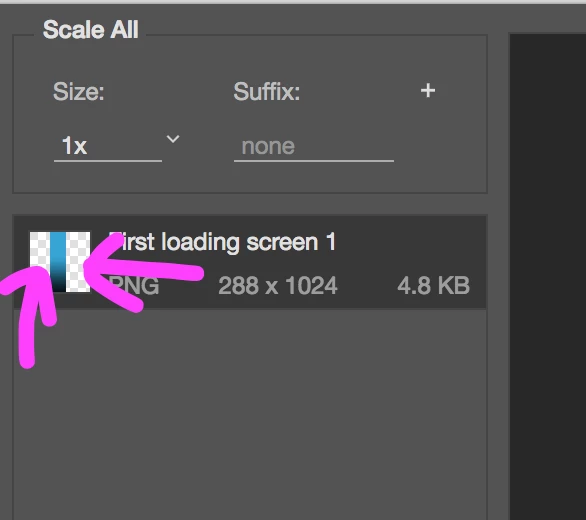
So I cropped a part of an image and saved it as a PNG. The issues is that when I save it, the transparent canvas shows in the save preview and then it gets included in photo and adds unnecessary extra space to it. I also have removed the background layer from the layers.

The purple arrows indicate the transparent canvas.
This is what the image looks like as a result of that transparent canvas:

This topic has been closed for replies.

2 replies

Chuck Uebele
Community Expert
Community Expert
October 1, 2018

Did you try using the trim command to crop to visible pixels?

kavindas88641397
Known Participant
October 1, 2018

Yes I did and it's still there. In my normal view, the transparent canvas doesn't show. Only when I try make it a PNG

ScooterD76
Legend
October 1, 2018

I think what you are needing to do is crop to the edges of this rectangle ...

kavindas88641397
Known Participant
October 1, 2018

I did crop the triangle out actually

Participating Frequently
October 1, 2018

Since you "cropped", depending on what version of PS that you have, do you have "Delete Cropped Pixels" turned on?