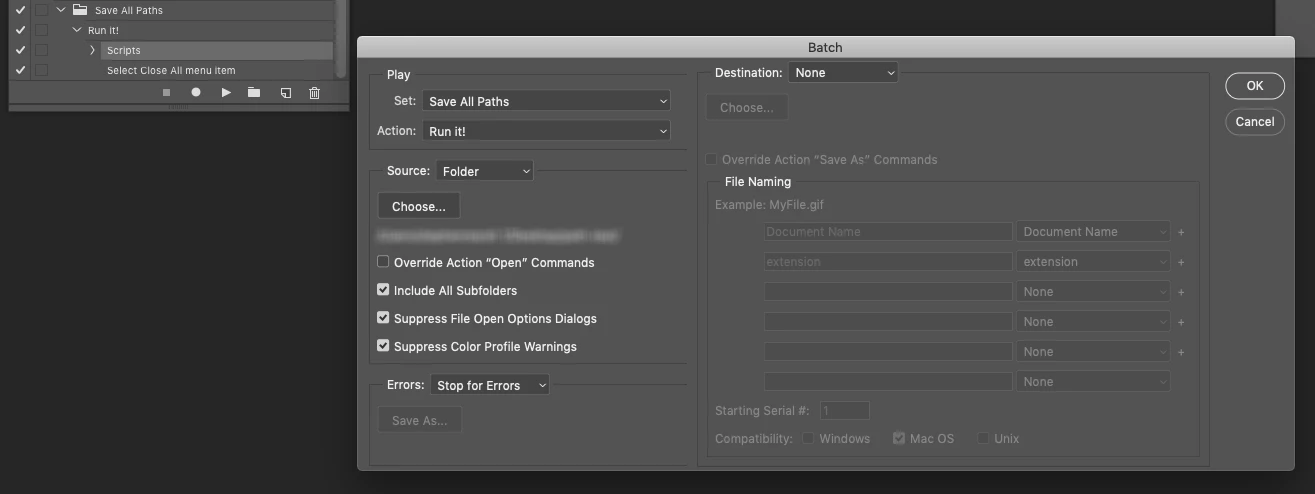
Try this script. It can be recorded as an action step and then used in File > Automate > Batch command. Files must be saved, exported files will be saved in the same folder as the original file using the same variable document name with suffix of "_Paths" and the ".ai" filename extension.
Such as:
Original Image Name.psd
Original Image Name_Paths.ai
(this suffix is easy to remove from the script if you don't like it)
Downloading and Installing Adobe Scripts
// Export All Paths to Illustrator Using Variable Document Name.jsx

#target photoshop

/*
Export all paths to Illustrator format using the current document name
This script is suitable for use in the File > Automate > Batch command
https://community.adobe.com/t5/photoshop/how-to-export-paths-to-ai-in-action-batch/m-p/11049923
How to export paths to AI in action / batch
*/

/* Start Unsaved Document Error Check - Part A: Try */
unSaved();

function unSaved() {
    try {
        activeDocument.path;
        /* Finish Unsaved Document Error Check - Part A: Try */

        /* Main Code Start */

        /* Based on the following topic thread:
        https://community.adobe.com/t5/photoshop/exporting-all-paths-to-illustrator-error/m-p/8796143 */

        var doc = app.activeDocument;
        var docPath = doc.path;
        var docName = doc.name.replace(/\.[^\.]+$/, '');
        var newFile = File(docPath + '/' + docName + '_Paths' + '.ai');
        var expOptions = new ExportOptionsIllustrator;
        expOptions.path = IllustratorPathType.ALLPATHS;
        doc.exportDocument(newFile, ExportType.ILLUSTRATORPATHS, expOptions);
        // alert('All Photoshop paths have been exported as a single Illustrator file in:' + '\r' + docPath);

        /* Main Code Finish */

        /* Start Unsaved Document Error Check - Part B: Catch */
    } catch (err) {
        alert('An image must be both open and/or saved before running this script!')
    }
}
/* Finish Unsaved Document Error Check - Part B : Catch */

 AdChoices