Participating Frequently
July 4, 2025
解決済み

How to feather edges of layer

  • July 4, 2025
  • 返信数 2.
  • 637 ビュー

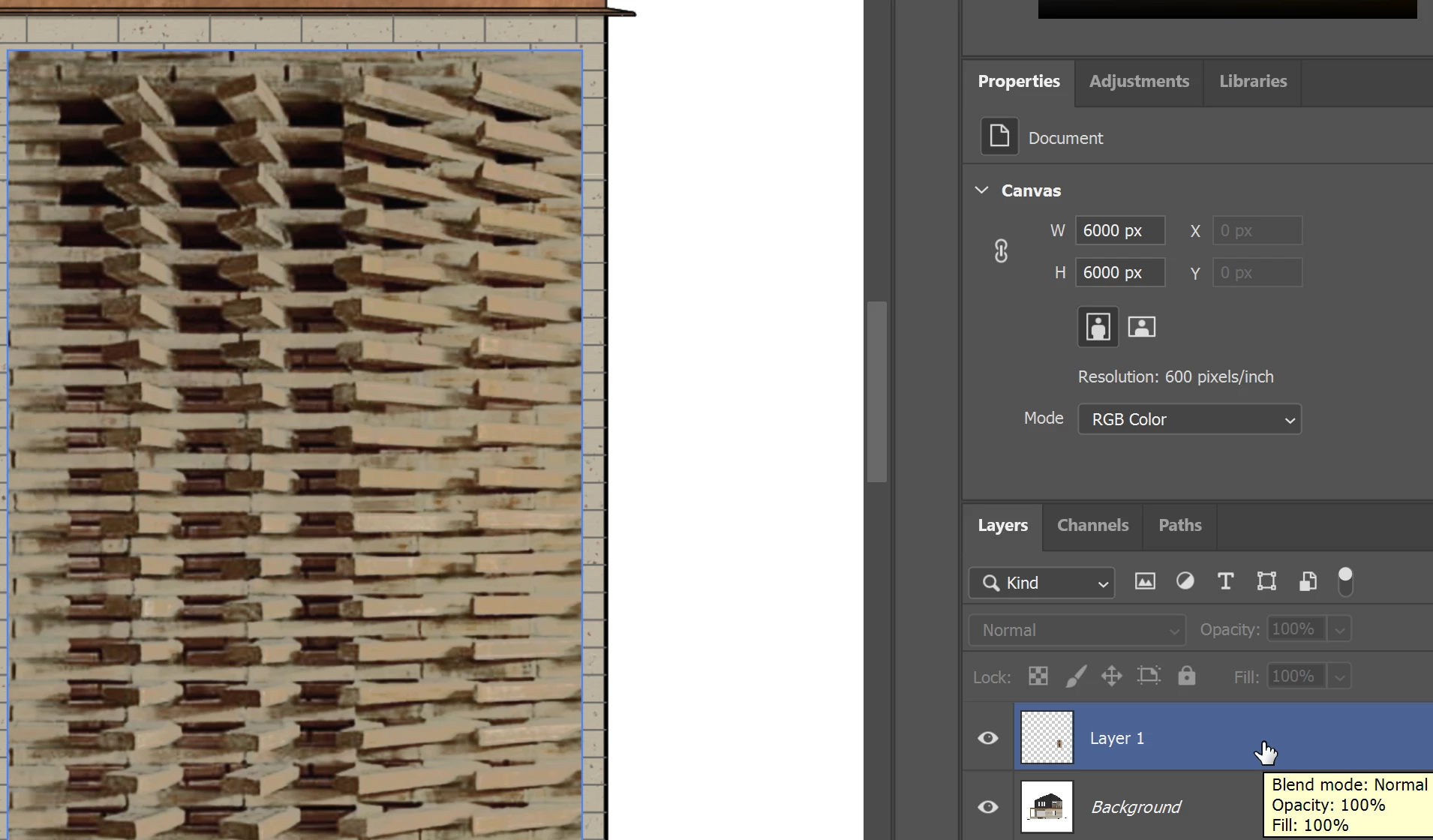
Hi, I am trying to feather the edges of the image in layer 1.

Thanks.
 

解決に役立った回答 Trevor.Dennis

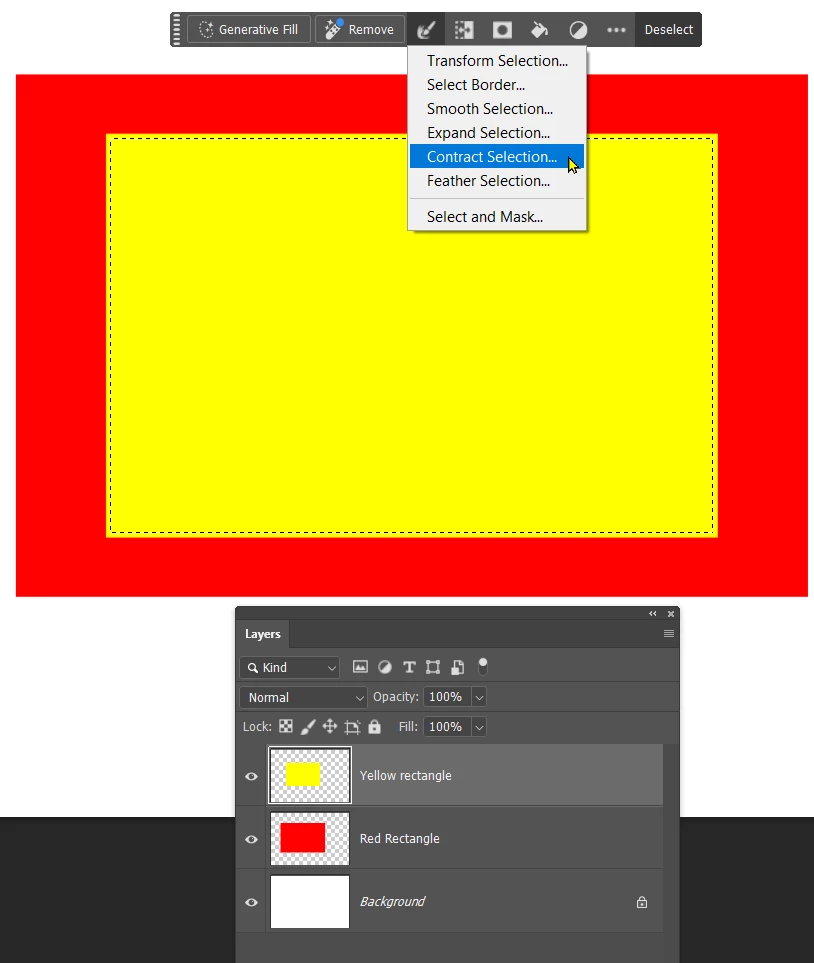
Using a layer mask works best if you make the mask a little bit smaller than the object.

So Ctrl/Cmd click the object to load it as a selection, and Contract.  The Conextual Task Bar is very handy for this.
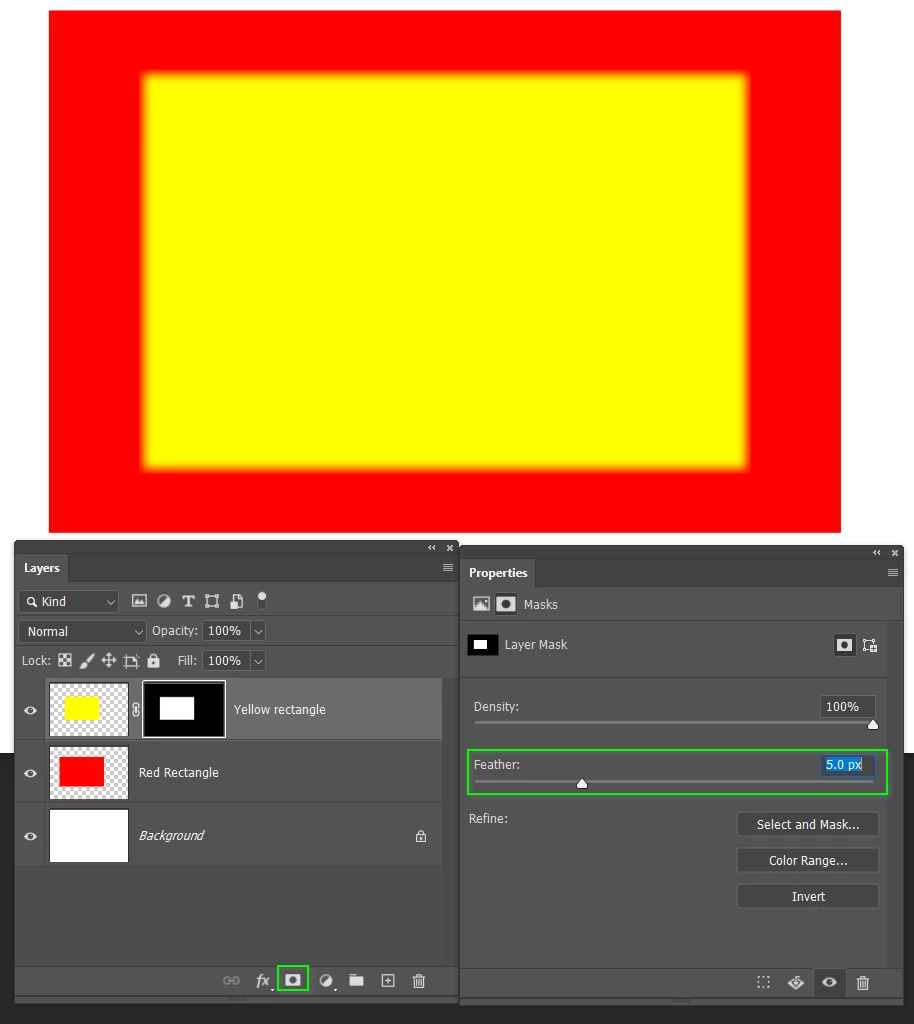
Click on the Layer Mask icon and add feather fropm Mask Properties.
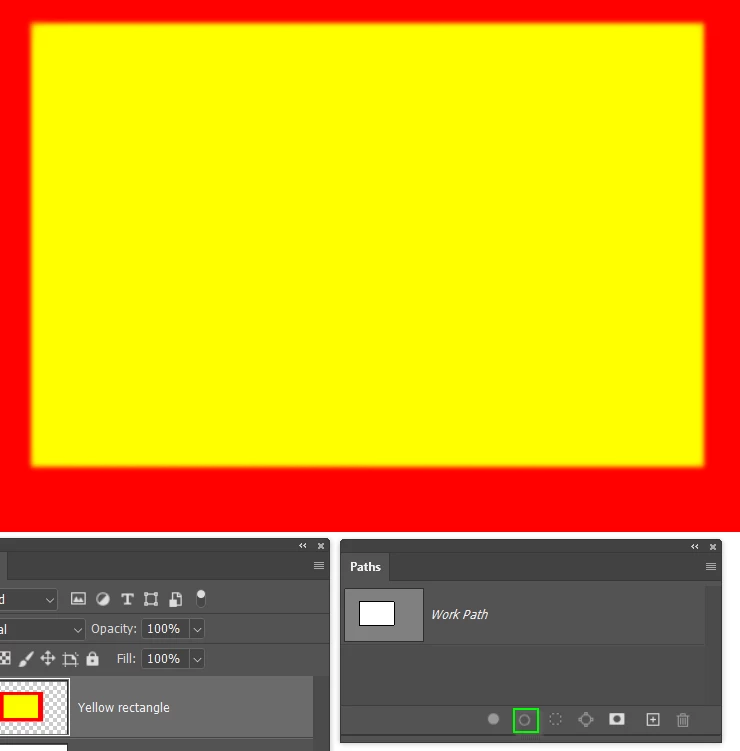
If the layers are combined, then create a workpath that follows the edges you want to blur, and right click the path and choose Blur.  You need to set up the blur tool cursor size and strength before dsoing this.
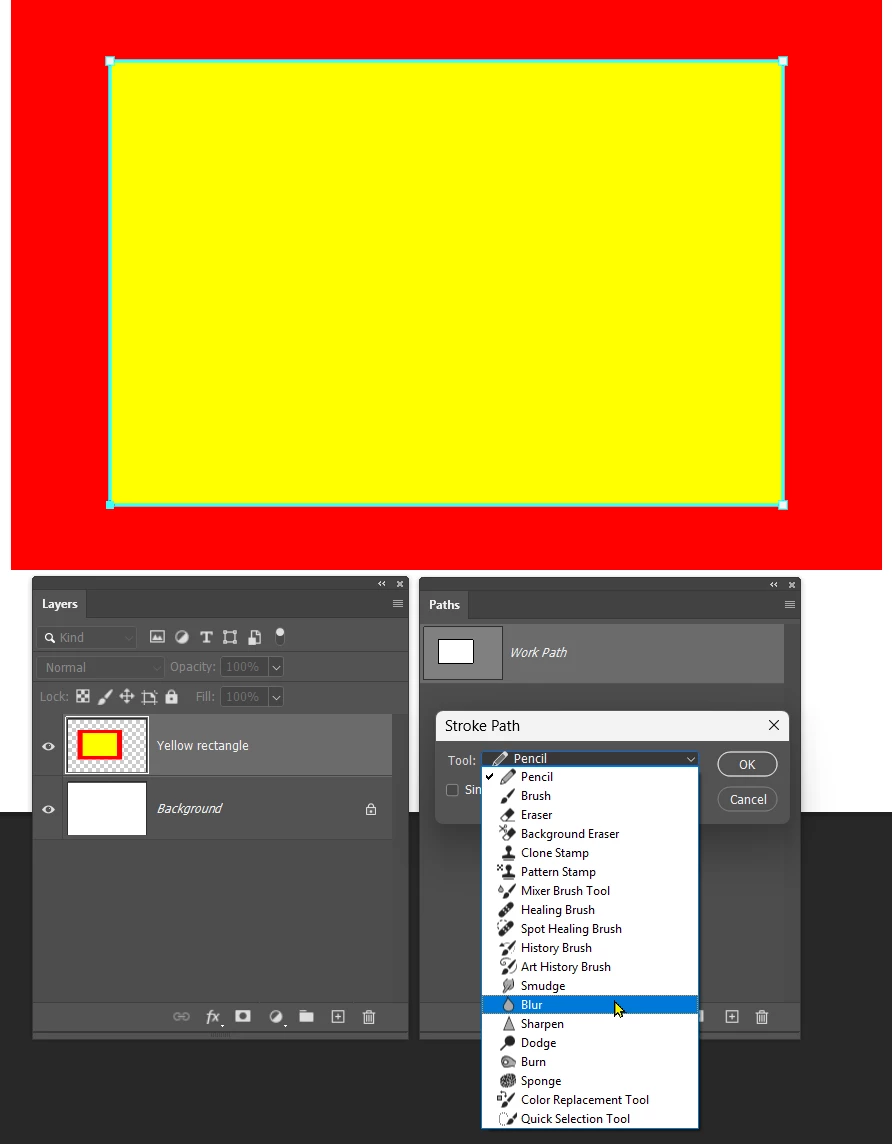
The effect will be a lot more subtle than a feathered mask, but having stroked the path once, you can click on the Stroke Path icon several more times to to increase the feather.
 

返信数 2

Trevor.Dennis
Community Expert
Trevor.DennisCommunity Expert解決!
Community Expert
July 5, 2025

Using a layer mask works best if you make the mask a little bit smaller than the object.

So Ctrl/Cmd click the object to load it as a selection, and Contract.  The Conextual Task Bar is very handy for this.

Click on the Layer Mask icon and add feather fropm Mask Properties.

If the layers are combined, then create a workpath that follows the edges you want to blur, and right click the path and choose Blur.  You need to set up the blur tool cursor size and strength before dsoing this.

The effect will be a lot more subtle than a feathered mask, but having stroked the path once, you can click on the Stroke Path icon several more times to to increase the feather.


Participating Frequently
July 4, 2025

the selct modify feather tool is not available


D Fosse
Community Expert
Community Expert
July 4, 2025

Feather is only available when you have an active selection, which you don't.


In this case I'd probably make a mask on that layer, and blur the mask edges using Select and Mask. This way you can also contract the mask edge a bit, which will likely be needed to conceal the hard edge you have now.


To mask the exact area of the pixel content, ctrl-click the layer thumbnail in the Layers panel. This gives you a selection which you turn into a mask by clicking the mask icon.
