
Participant
January 20, 2021
Question

How to feather/fade one edge of a transparent image?

  • January 20, 2021
  • 3 replies
  • 4636 views

So I've manually cut out 3 characters using a layer mask and added an outer glow in fx but I wanted the bottom of these images to feather/fade from transparency into the rest of the image so there isn't such a stark, flat edge. I have tried using the gradient tool but doesn't seem to give me the effect that I want. Does anyone have any idea how to do this efficently?
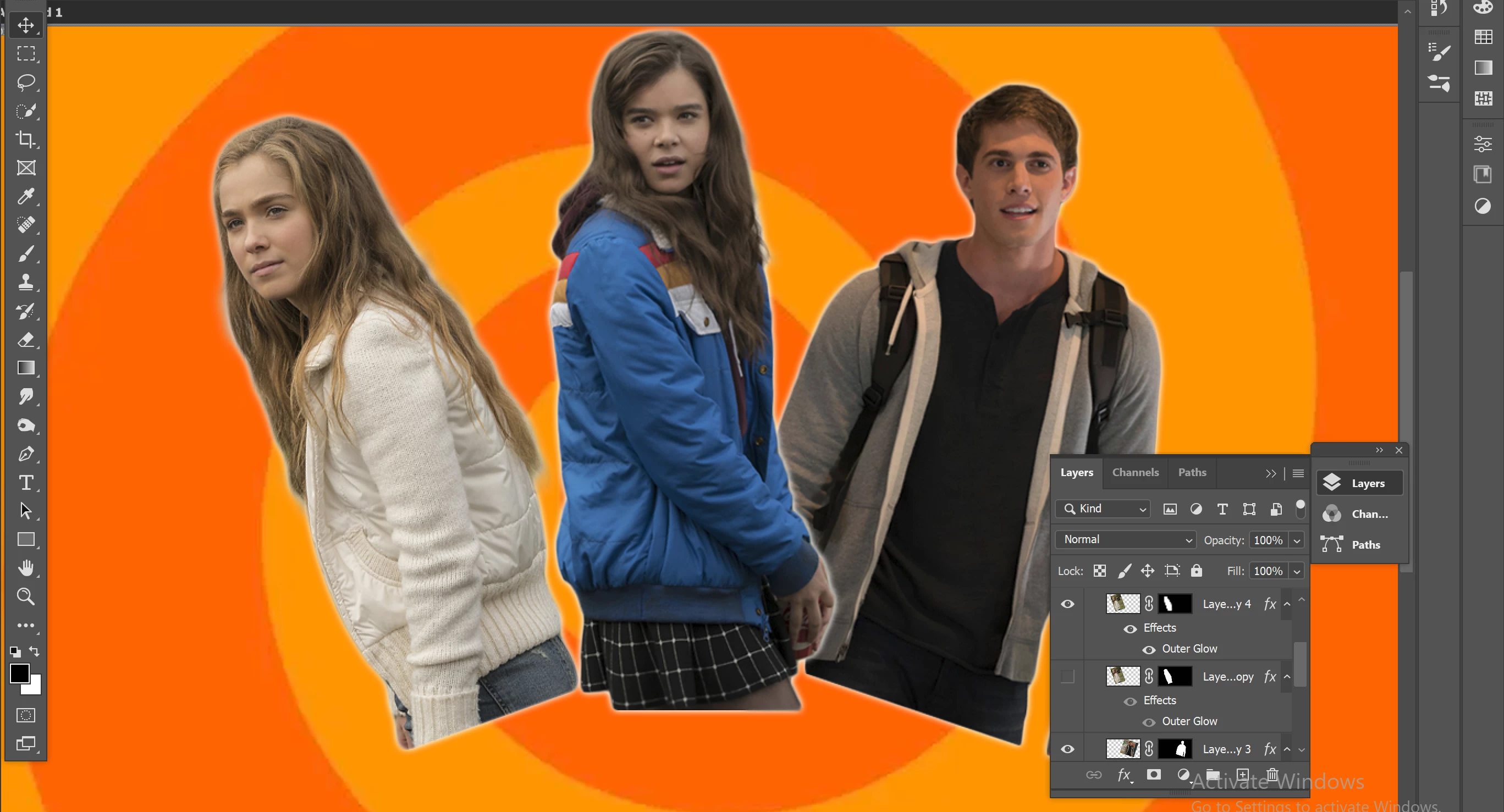
This topic has been closed for replies.

3 replies

@mj
Community Expert
Community Expert
January 20, 2021

Hi @Austin5C87 ,


Dead easy. 

  1. Choose your grdaient tool
  2. Set your foreground color to black
  3. Choose Foreground to transparent from the the Options bar.
  4. Click and drag in the direction you wish starting off the bottom of the images.
  5. You can apply the gradient multiple times as you are using FG to transparent.


Good luck

mj

barbara_a7746676
Community Expert
Community Expert
January 20, 2021

Instead of using a gradient on the edge that you want to feather, try painting with black in the layer mask with a soft brush. Set the opacity of the brush to less than 100% so that you can build up slowly and more subtly.

Bojan Živković11378569
Community Expert
Community Expert
January 20, 2021

What is problem with gradient? Perhaps you need to put all three layers with figures in single Layer group, then add layer mask and use gradient (maybe radial will work for you) for layer mask to fade gradualy to transparency. 

Otherwise you can use soft brush, for example on layer mask.