Participant
July 29, 2021
Question

How to fix diacritical marks (accent marks) of Arabic font

  • July 29, 2021
  • 2 replies
  • 1095 views

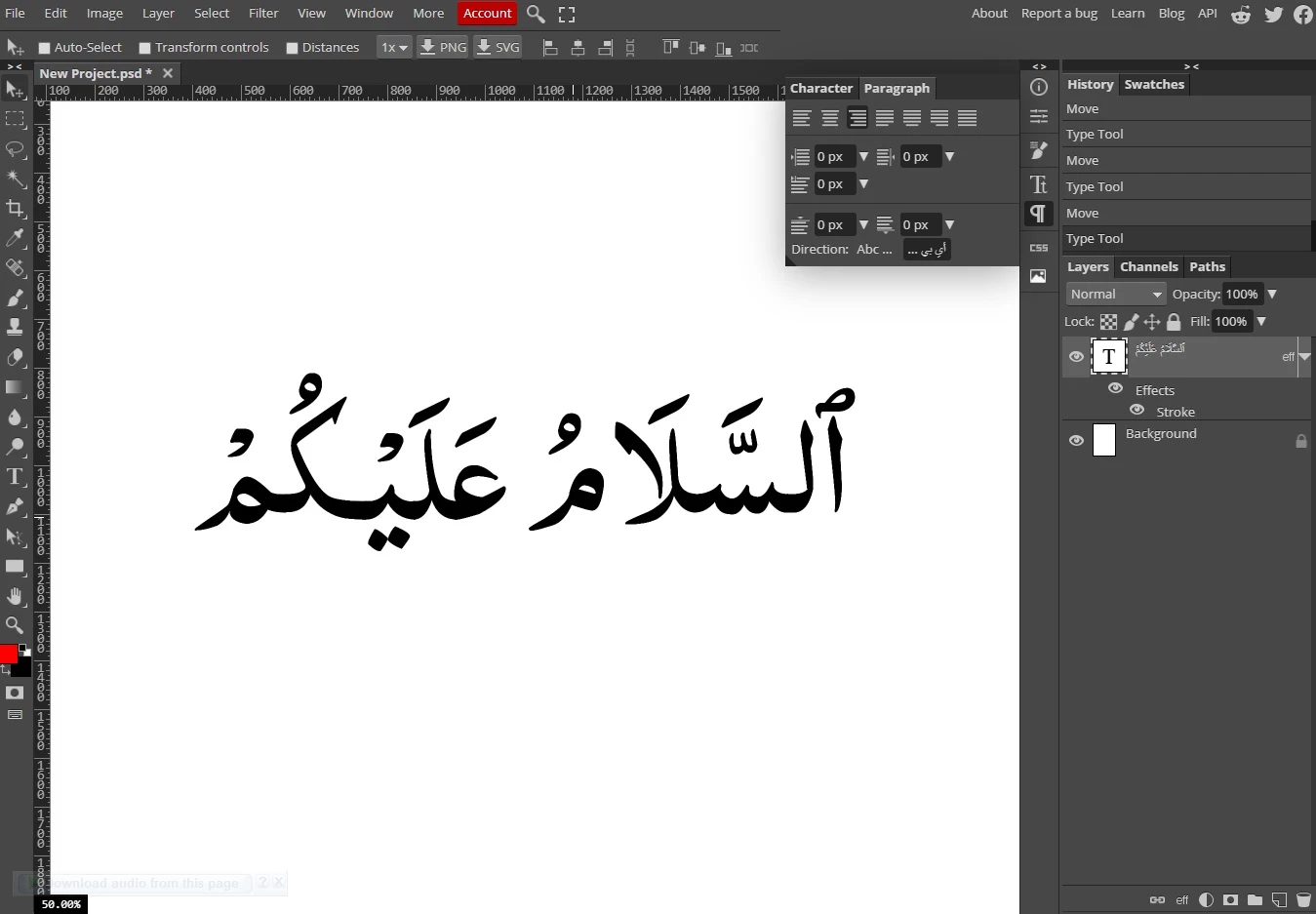
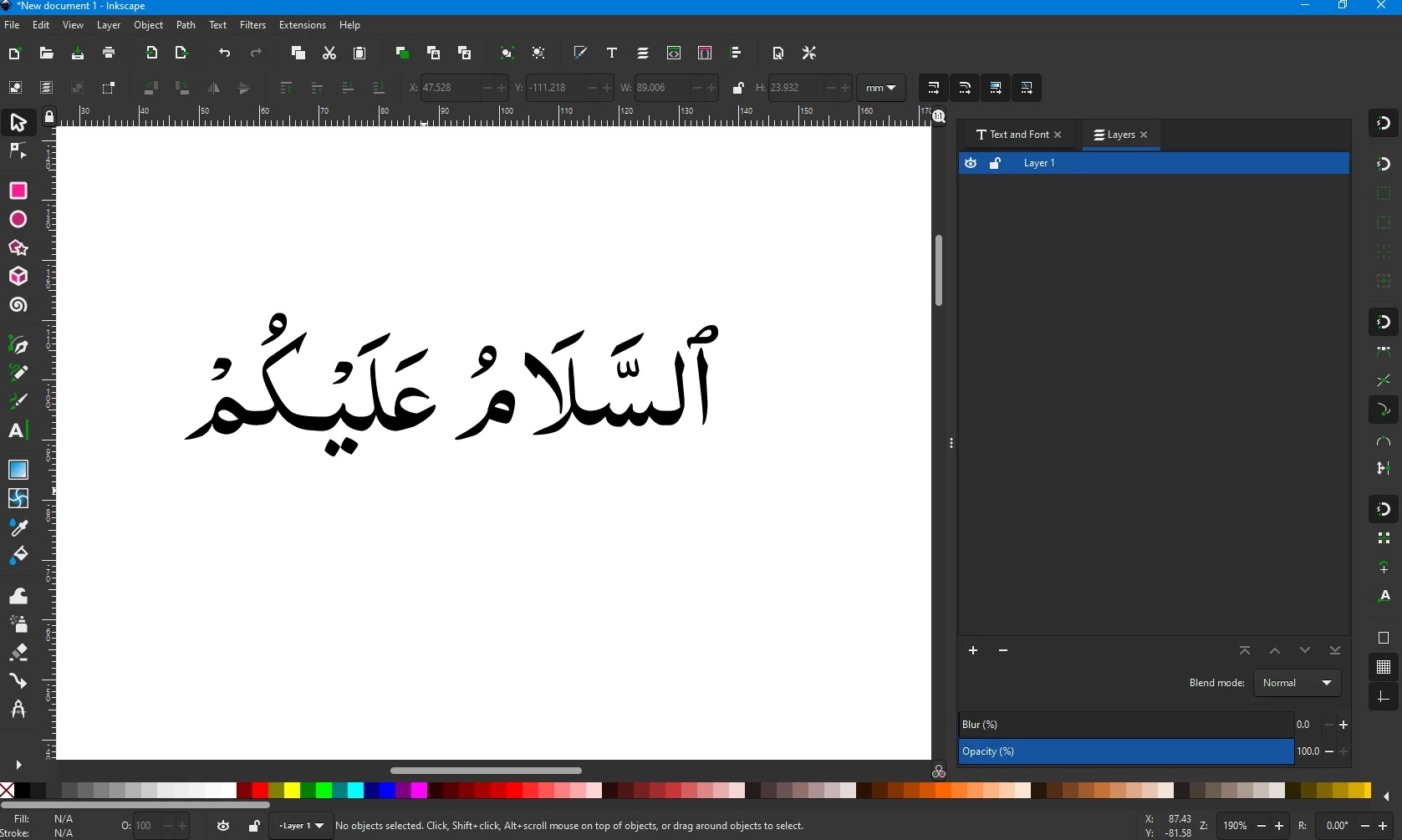
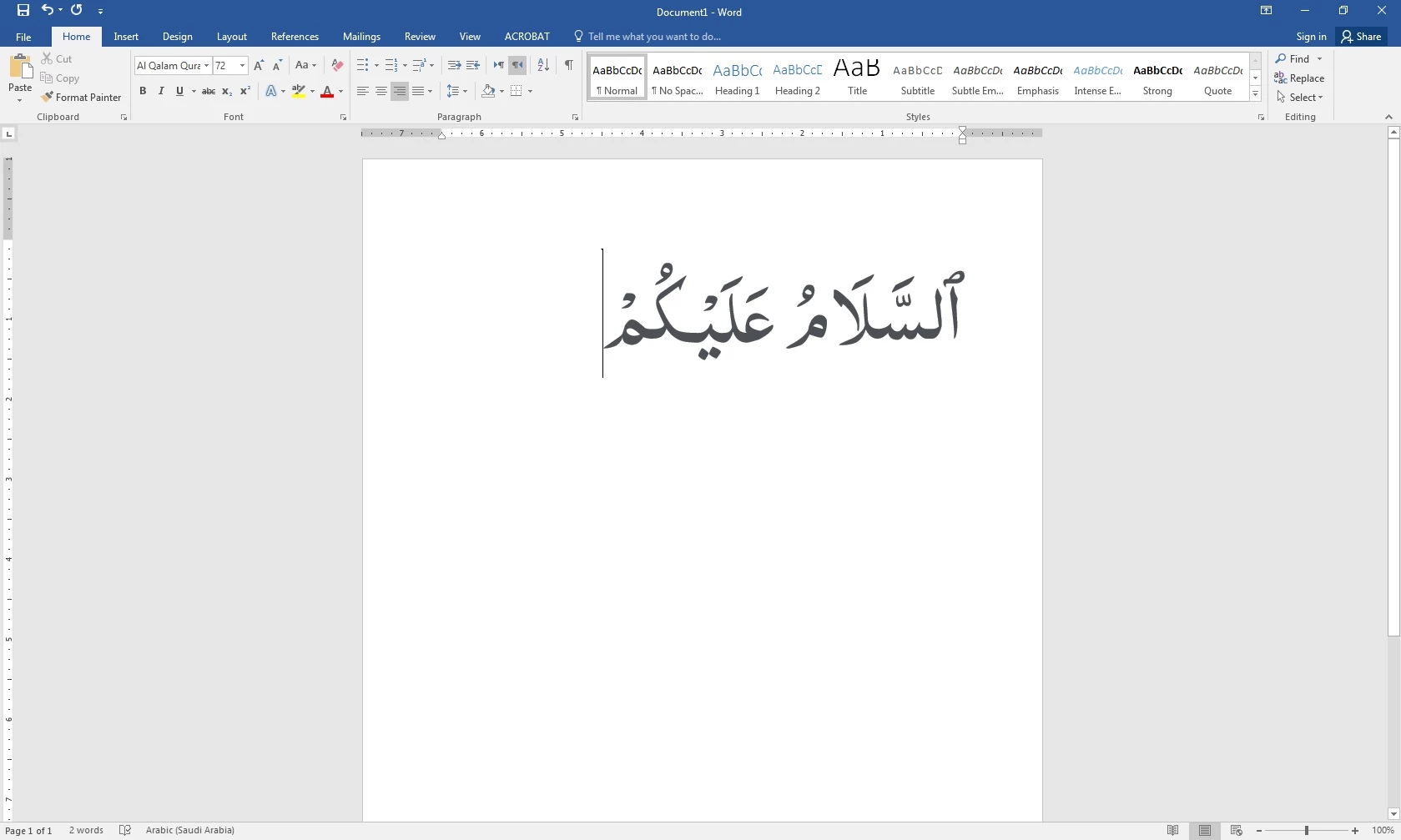
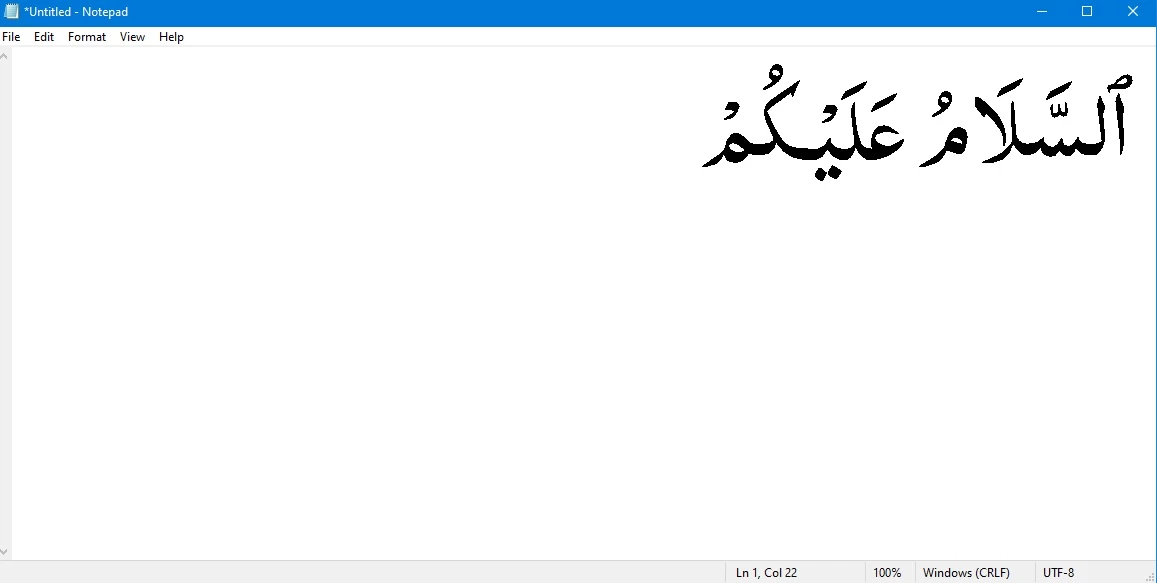
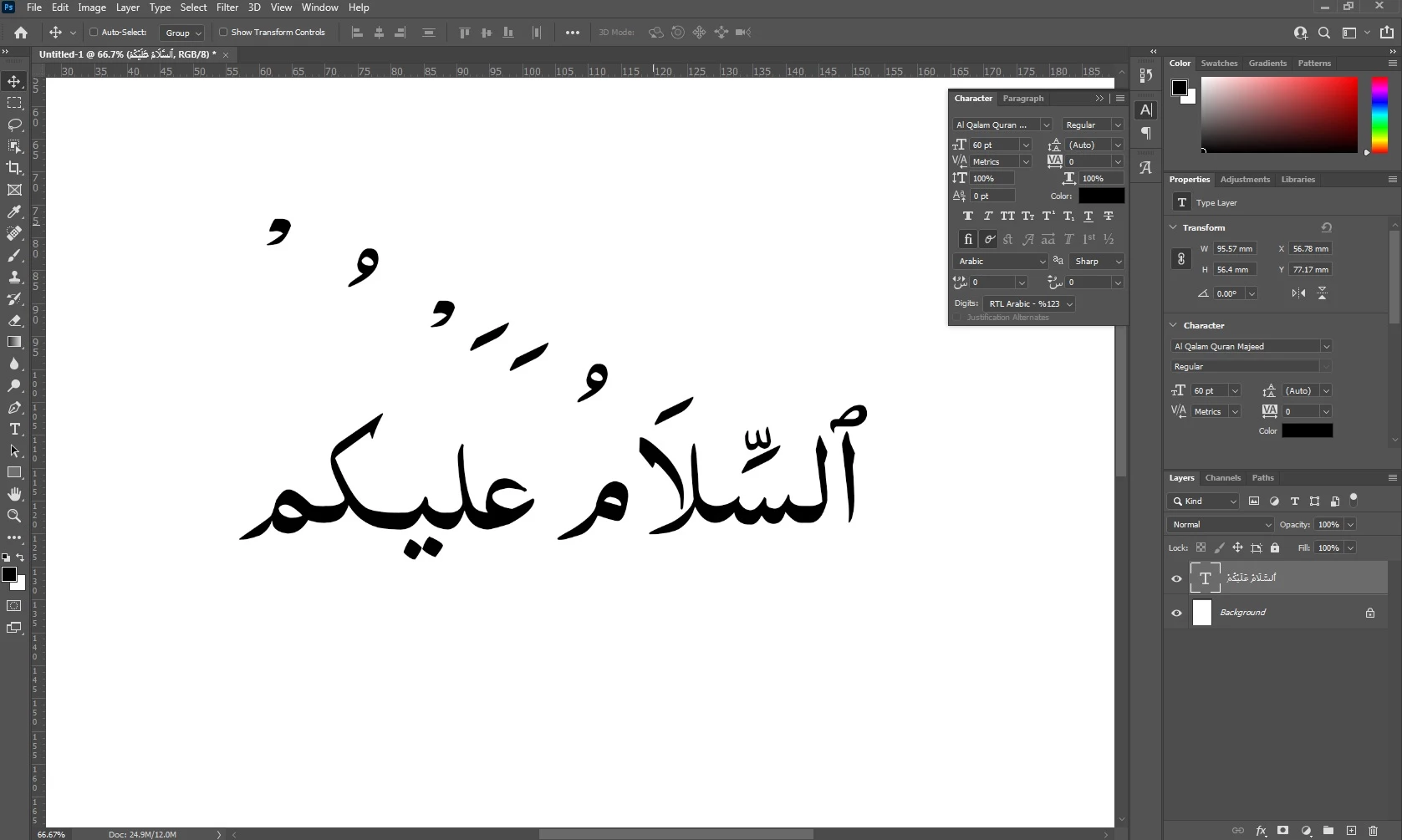
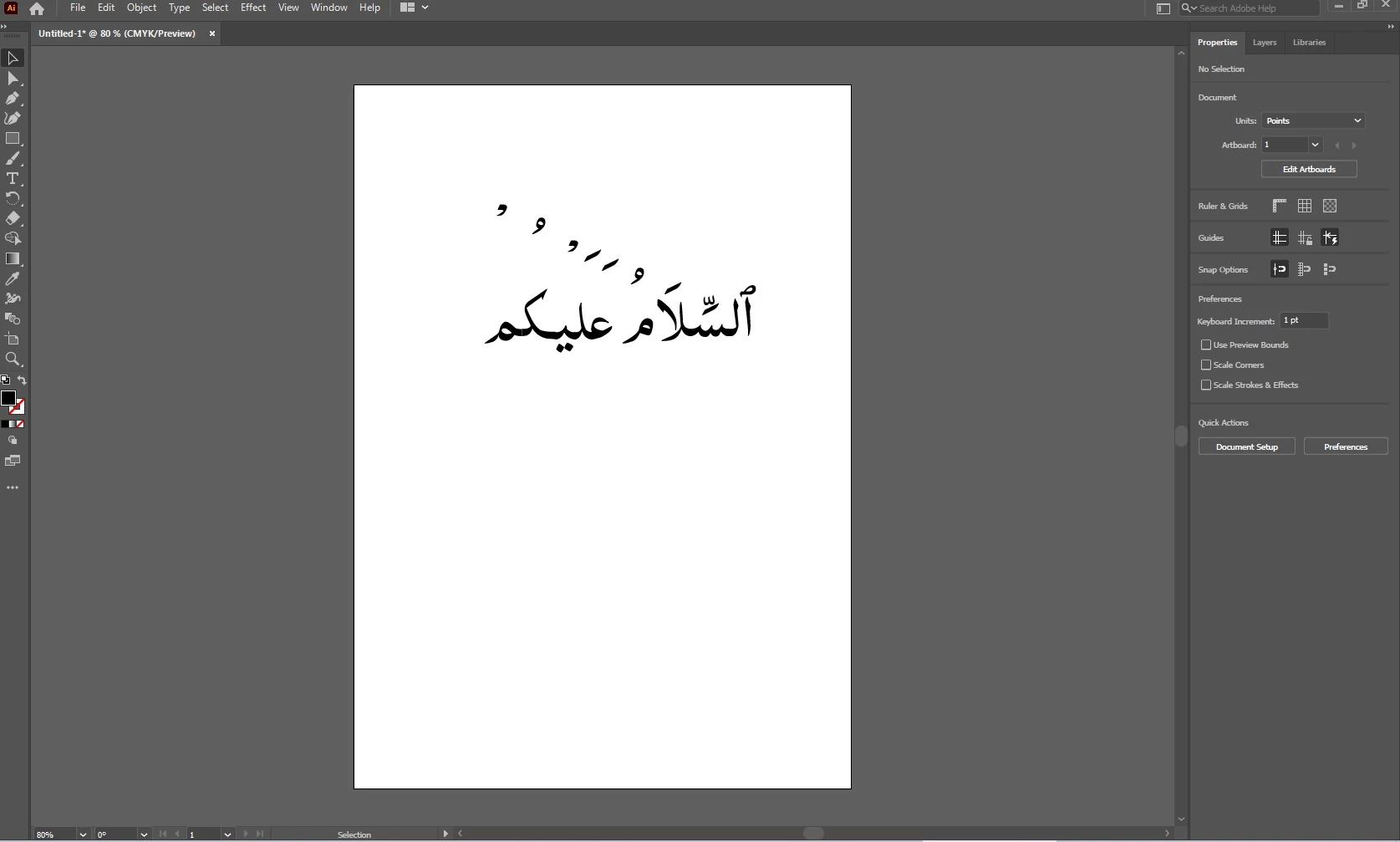
Hi, I'm facing some issues with my Arabic font, diacritical marks of my font are not working properly in photoshop and illustrator but on the other hand font is working fine in other software

please help me to fix this issue. Thanks


Arabic Text

ٱلسَّلَامُ عَلَيْكُمْ


Font Download Link
http://quran.mursil.com/Web-Print-Publishing-Quran-Text-Graphics-Fonts-and-Downloads/fonts-optimized-for-quran/Al-Qalam-Quran-Majeed-1.zip


This topic has been closed for replies.

2 replies

Zaid Al Hilali
Community Expert
Community Expert
August 1, 2021

Salam Naveed, it is obvious that Al Qalam font is not well supported in modern OS and/or Adobe applications. The developer of this font [jazah Allah Khair] did a good job, but apparently didn't test it on all software nor updated it.


I advise you of buying a Mus-hafi font from a reputable vendor that can give you proper support.


Note. I tested the font on Mac OS Big Sur, Photoshop 2021, InDesign 2021, Illustrator 2021, the result was alright with the basic test of the sentence السلام عليكم but the diacritics were pushed far up just like in your screenshots.

Myra Ferguson
Community Expert
Community Expert
July 30, 2021

Here is some information on accessing Arabic features in Photoshop that might help:

Arabic and Hebrew type