Participant
August 12, 2020
Question

how to fix the unwanted auto selection in pen tool

  • August 12, 2020
  • 3 replies
  • 201 views

I know the title's little confusing... Anyways
I was using magnetic lasso tool till now until someone told me that pen tool was a better option..
I saw videos of it and I found it really good.
But when i used it... it showed some wierd behaviour.
For example.. I want to select a toilet paper..
I clicked it once.. dragged..made that curve.. after that...Repeat.. and then you know what.
It should make a straight line after that, right ?
But it automatically ruins the selection... using shift+click doesn't help too...
Maybe this screenshot will help you understand the problem...
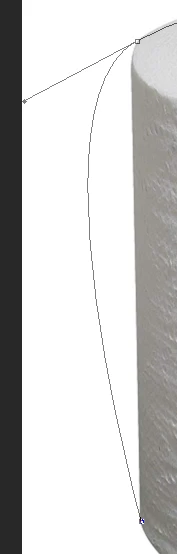
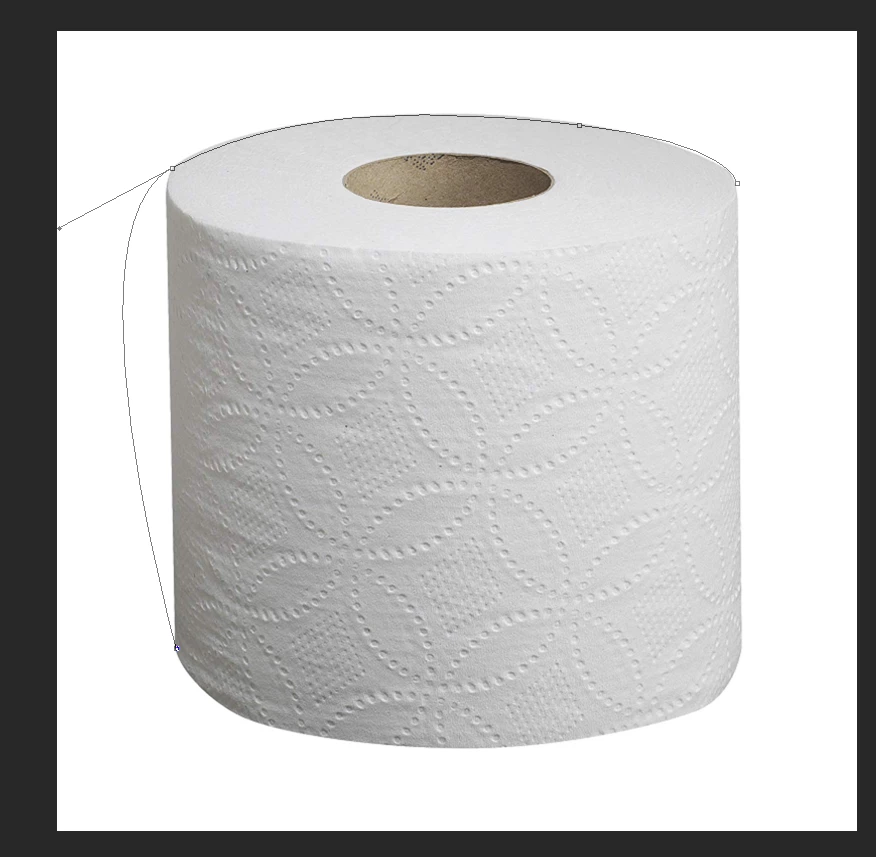


Are u seeing the problem here... the moment when it should have been a straight line.. IT DOESN"T DO IT !!

and sometimes.. it just takes like a sharp turn
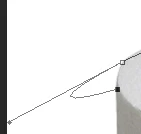


pls help..
tell me what to do..

This topic has been closed for replies.

3 replies

c.pfaffenbichler
Community Expert
Community Expert
August 12, 2020

Some pointers: 

• Try to use as few points as possible 

• If a curve has a vertical or horizontal tangent on can utilise that and set a Path Point there and fix the Bezier handles to run vertical or horizontal by pressing the shift-key when dragging them out

• If a curve flattens out into a straight part one should not create an unnecessary corner there but align the corresponding handle of a Curve Point with that straight stretch 

c.pfaffenbichler
Community Expert
Community Expert
August 12, 2020

Bezier Handles determine the shape of the line connecting two path points, if you don’t want the point to have a forward handle you can eliminate it by alt-clicking the point before creating the next one. 

But quite frankly it seems you might need more provtice to fully understand how to make meaningful Paths and avoid nonsensical corners. 


Please post the image itself. 

davescm
Community Expert
Community Expert
August 12, 2020

Hi

It looks like you need  to learn to use the pen tool, in particular how to control the bezier handles to make curves and how to use the modifier keys to make sharp turns


See here:

https://helpx.adobe.com/photoshop/using/drawing-pen-tools.html


Dave