Adobe Illustrator has a trace feature Photoshop does not. I have use a Free application Potrace to trace BW image in a Photoshop Script to Define a Photoshop Custom shape for the traced BW image. Photoshop Script Black and White Raster to Vector
You would need a cleaner Image than you posted for a tracer to do a good job.
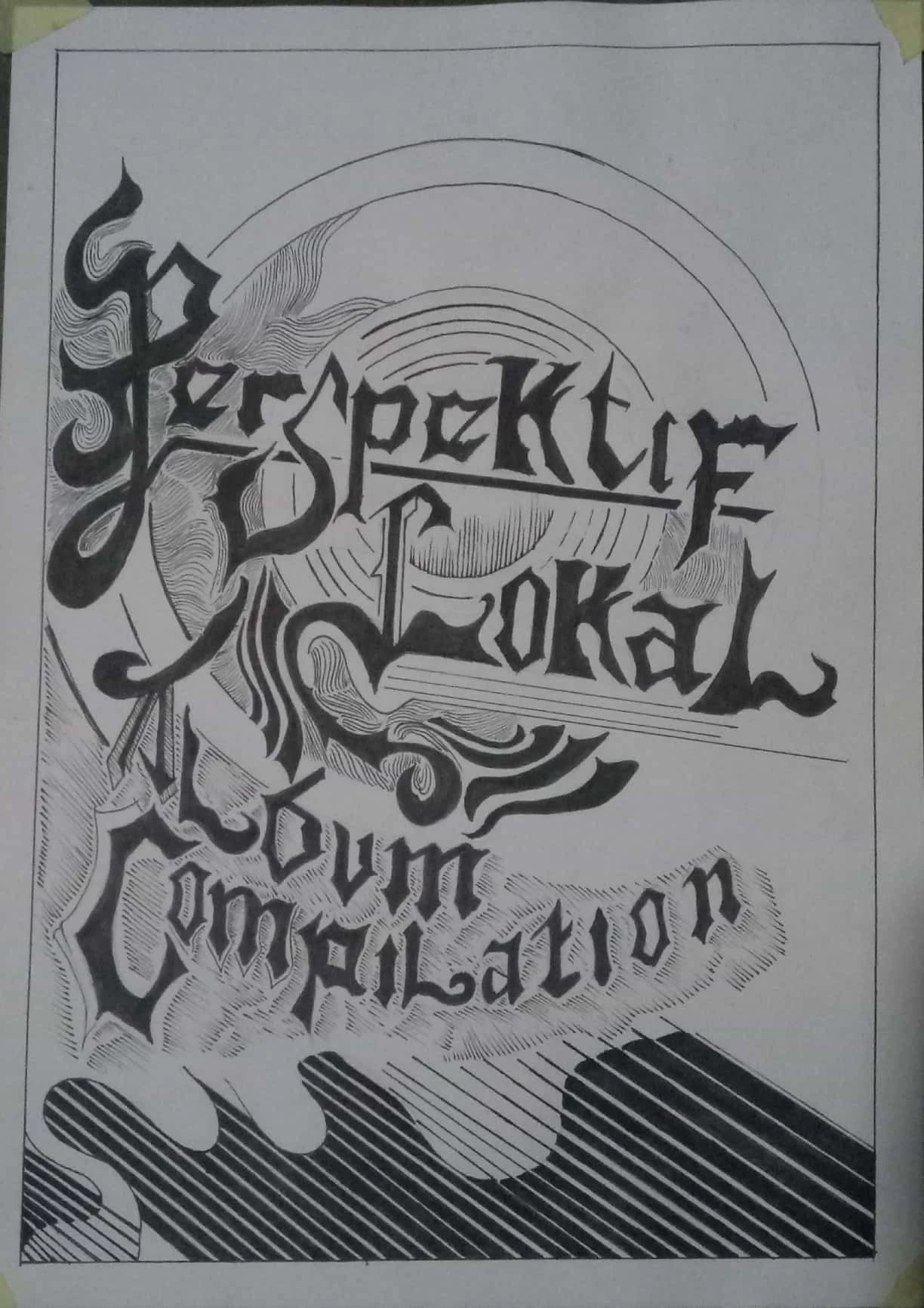
I am not certain of your inquiry but I suspect you want to eliminate the gray background in the illustration. If that is the case:
1. Add a layer below the object layer and fill with white.
2. Double click on the object layer to bring up Layer Style. In the Blend if section move the top right slider to about 137.
3. Note that the bottom section with diagonal lines at the bottom of the illustration is plugged.
(If you want it on a transparent background change the white layer to transparent.)
4. Merge down and save the file as a psd
Repeat the procedure -- Steps 1 through 4 -- this time moving the slider to about 97 to create a more accurate record of the bottom part of the illustration.
Merge down and save the file as a psd
Make a composite of the best part of each file: all except the bottom of the first file, and only the bottom part of the second file.
(The reason for starting with a white bottom layer is that the effect of the Blend If is easier to see.)


 AdChoices