MahaB82A
February 28, 2024
Answered

How to get inside color black

  • February 28, 2024
  • 3 replies
  • 716 views

This is a closed path. I want to get inside color black but outside color black comes. How to fix it? video also attached & uploaded.
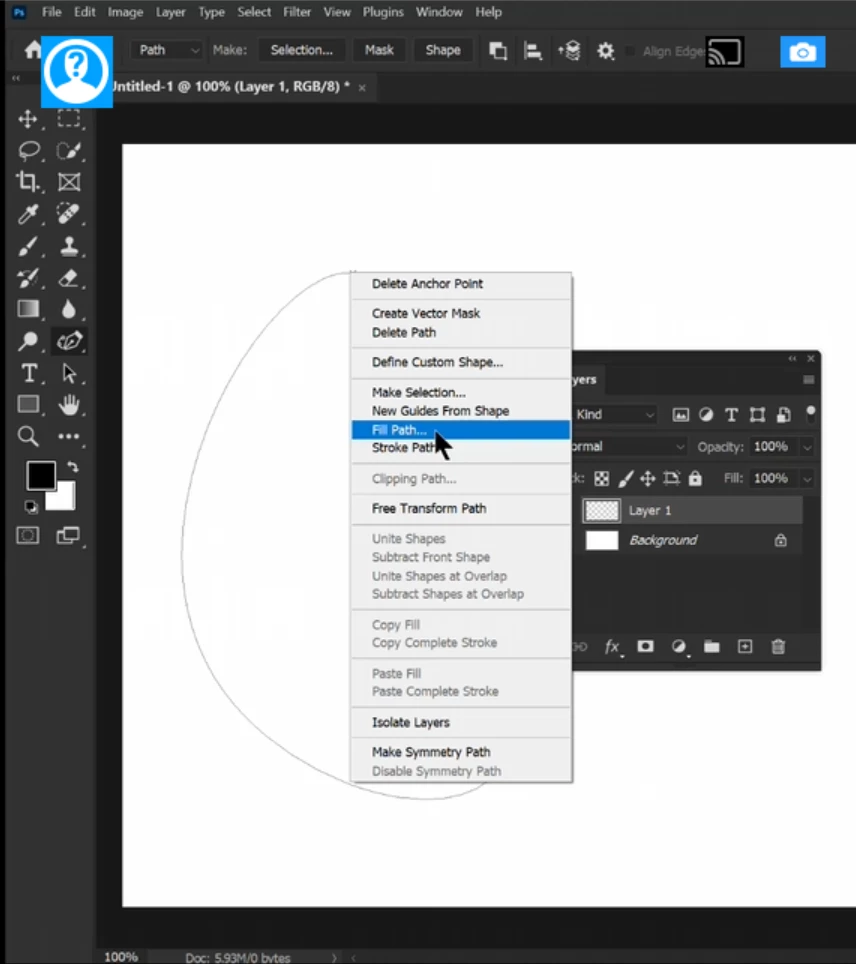

Path Color


This topic has been closed for replies.
Correct answer Jeff Arola


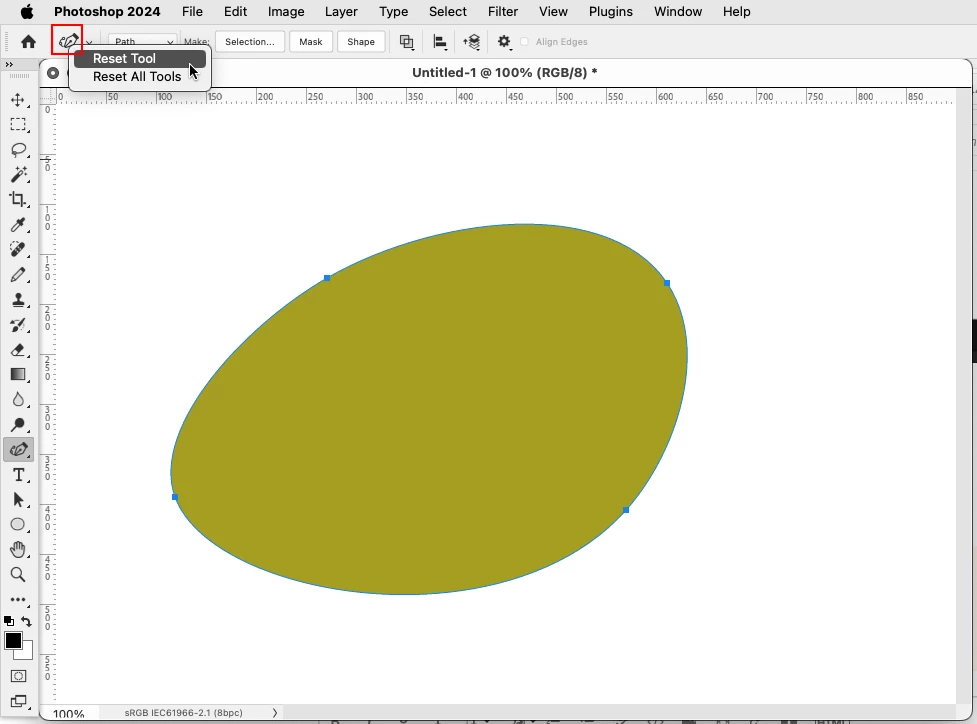
Try resetting the Curvature Pen Tool by right clicking on the Curvature Pen Tool icon and clicking Reset Tool, then draw your path and see fill path works right.
 

3 replies

Jeff Arola
Community Expert
Jeff ArolaCommunity ExpertCorrect answer
Community Expert
February 28, 2024


Try resetting the Curvature Pen Tool by right clicking on the Curvature Pen Tool icon and clicking Reset Tool, then draw your path and see fill path works right.


MahaB82A
MahaB82AAuthor
February 28, 2024

Thanks for the help. What is the reason behind Reset Tool and All Reset Tools.


Jeff Arola
Community Expert
Community Expert
February 29, 2024

So when things go awry the user can reset the settings of a particular tool or all tools to the defaults as when photoshop was installed. Just applies to to Tools in the Tools panel.


Something to keep in mind is to try a Reset Tool or Reset Tools before resetting the photoshop preferences if there is an issue with one of the tools.

Jeff Arola
Community Expert
Community Expert
February 28, 2024

My mistake i should have written change the Path operations to Combine Shapes

MahaB82A
MahaB82AAuthor
February 28, 2024

I have tried all options but to no avail. 

Jeff Arola
Community Expert
Community Expert
February 28, 2024

Change the Path operations to Exclude Overlapping Shapes


MahaB82A
MahaB82AAuthor
February 28, 2024

It does not come. Video is attached.