Inspiring
July 20, 2022
Answered

How to get same background on both the images?

  • July 20, 2022
  • 4 replies
  • 1896 views

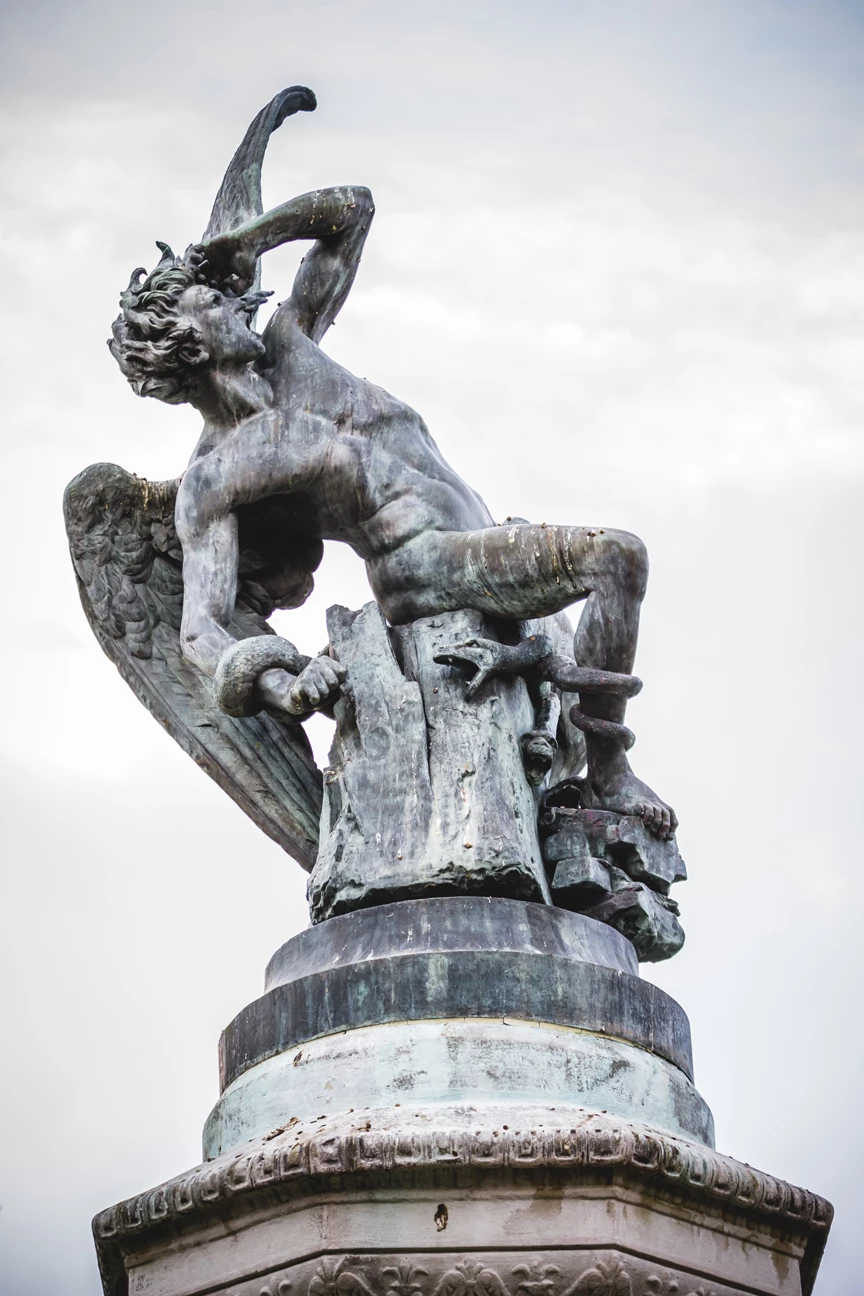
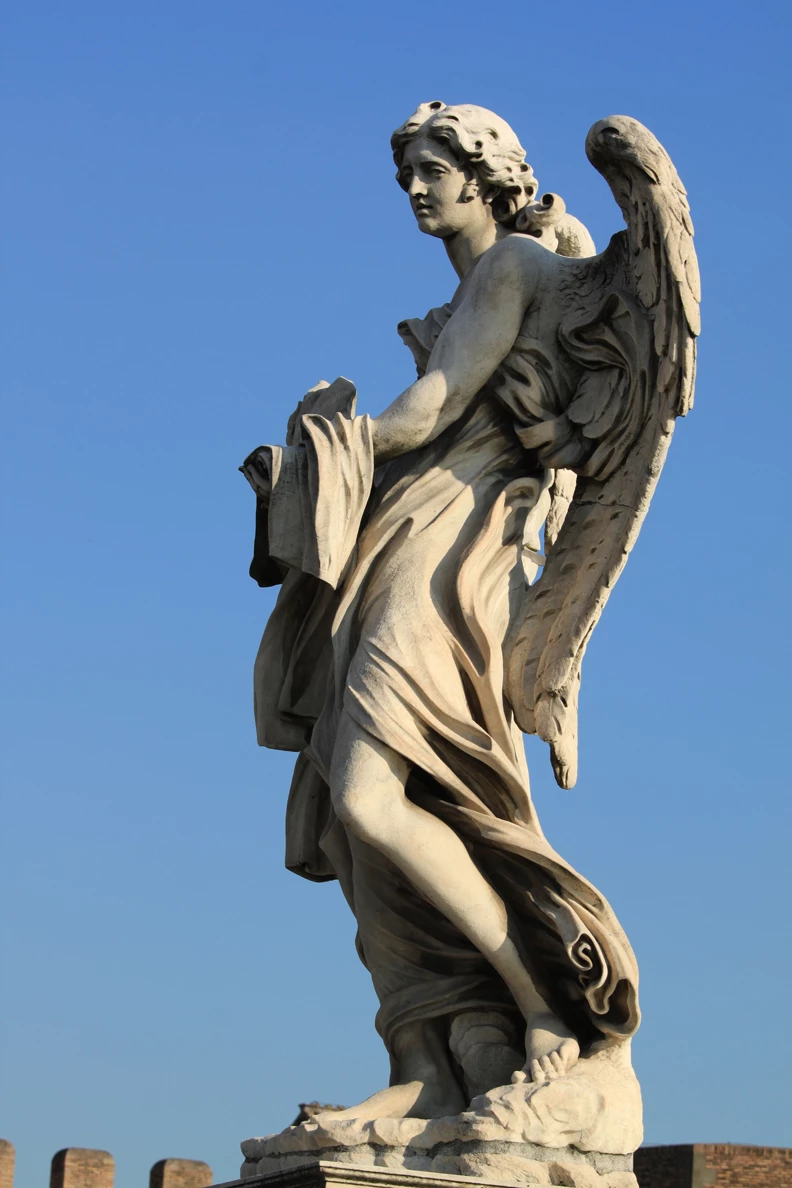
Hello. I´m working on a project with two photos with two different statues. I would like ex_2.jpg to have the same weathering as ex_1.jpg so they are matching. Colour matching and all that is no problem. I´d like to have the same stains on ex_2.jpg as in ex_1.jpg. Does anyone have a way to do this?
 

This topic has been closed for replies.
Correct answer Michael Bullo

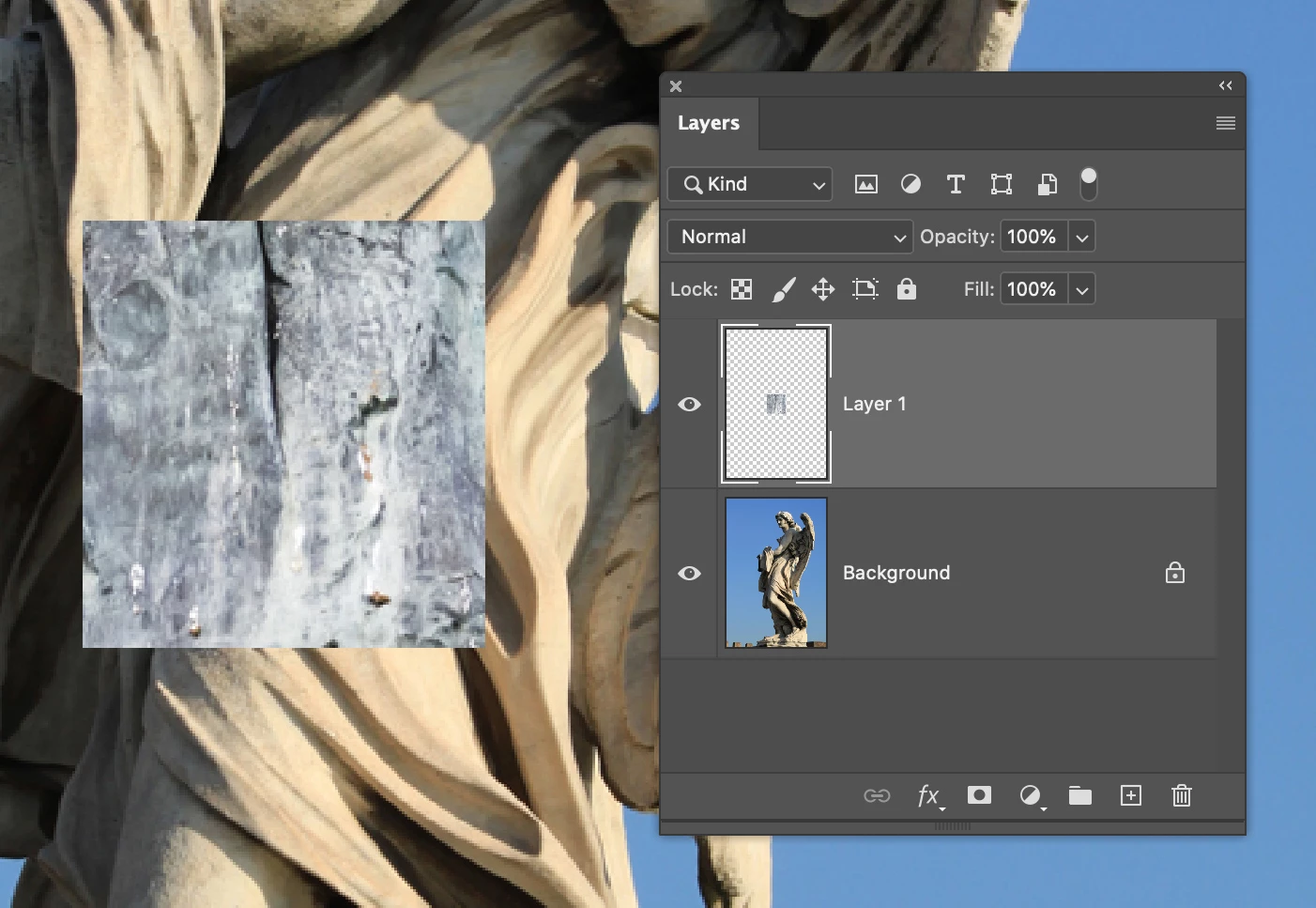
Copy various pieces of the demon and paste them on to the angel.


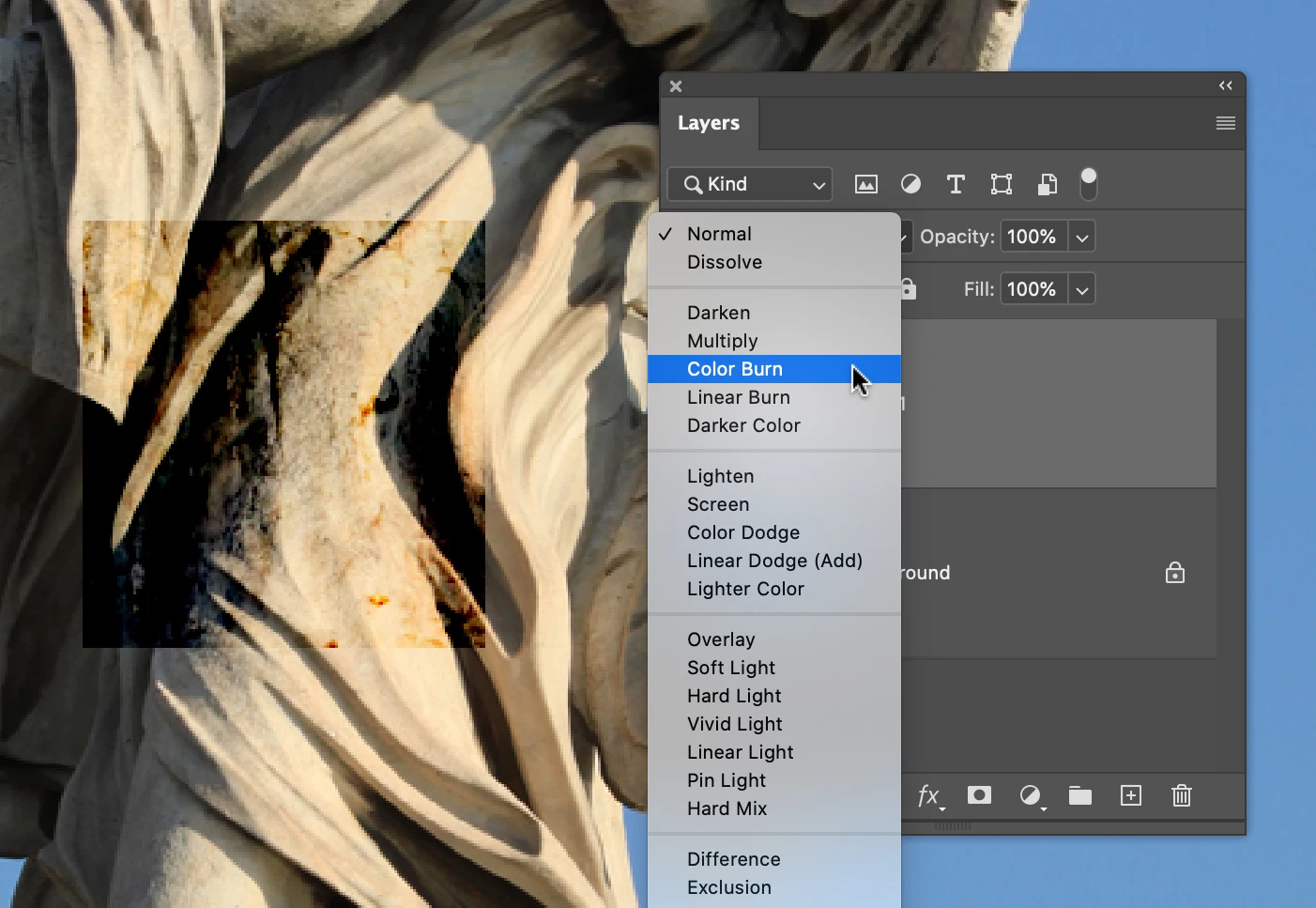
Change the blending mode of the pasted pieces to create the desired look.


You will need to feather the edges of the pasted in pieces. You could do this crudely using the Eraser tool. You would be better off doing this non destructively by applying a mask and then painting over the edges in black with a soft brush.

4 replies

Michael Bullo
Community Expert
Michael BulloCommunity ExpertCorrect answer
Community Expert
July 22, 2022

Copy various pieces of the demon and paste them on to the angel.


Change the blending mode of the pasted pieces to create the desired look.


You will need to feather the edges of the pasted in pieces. You could do this crudely using the Eraser tool. You would be better off doing this non destructively by applying a mask and then painting over the edges in black with a soft brush.

RexRonAuthor
Inspiring
July 23, 2022

Thank you! I concidered that but hoped there an was easier way that I didn´t know about.

Anyway, thank you so much!! 

Michael Bullo
Community Expert
Community Expert
July 23, 2022

Thank you. Happy to have helped. Best of luck with the project.

RexRonAuthor
Inspiring
July 22, 2022

Thanks for your replies! Peru Bob is righ. Below are couple of pics of where I am in the prosess. I´d like the angel to be as crappy looking as the demon 🙂 

By the way, I have the latest version of Photoshop.


Michael Bullo
Community Expert
Community Expert
July 21, 2022

The following isn't a solution but rather another factor to consider in your retouching.


The clouds in the first image provided a diffused source of light which produced soft shadows. The absence of clouds in the second image resulted in a harsh source of light which produced strongly defined shadows.

Ranjisha Sengupta
Legend
July 20, 2022

Hi there,


Thanks for reaching out. We're here to help.

Which version of Photoshop are you using? From what I understand, you want the same type of sky/ background on both images.

You can try out swapping the skies. Here's the tutorial on how you can do it: https://www.youtube.com/watch?v=bYwY5pIyEMs

You can also check this: https://helpx.adobe.com/photoshop/using/replace-sky.html.

Let us know if it helps.


Thanks.

Ranjisha

Peru Bob
Community Expert
Community Expert
July 20, 2022
quote

From what I understand, you want the same type of sky/ background on both images.


By @Ranjisha Sengupta


That is not what RexRon wants to do.

RexRon wants the statue in the second picture to look old like the statue in the first picture.

RexRonAuthor
Inspiring
July 22, 2022

Thanks. That´s correct.