Participant
September 18, 2017
Answered

How to get these sparkles in photos

  • September 18, 2017
  • 8 replies
  • 58922 views

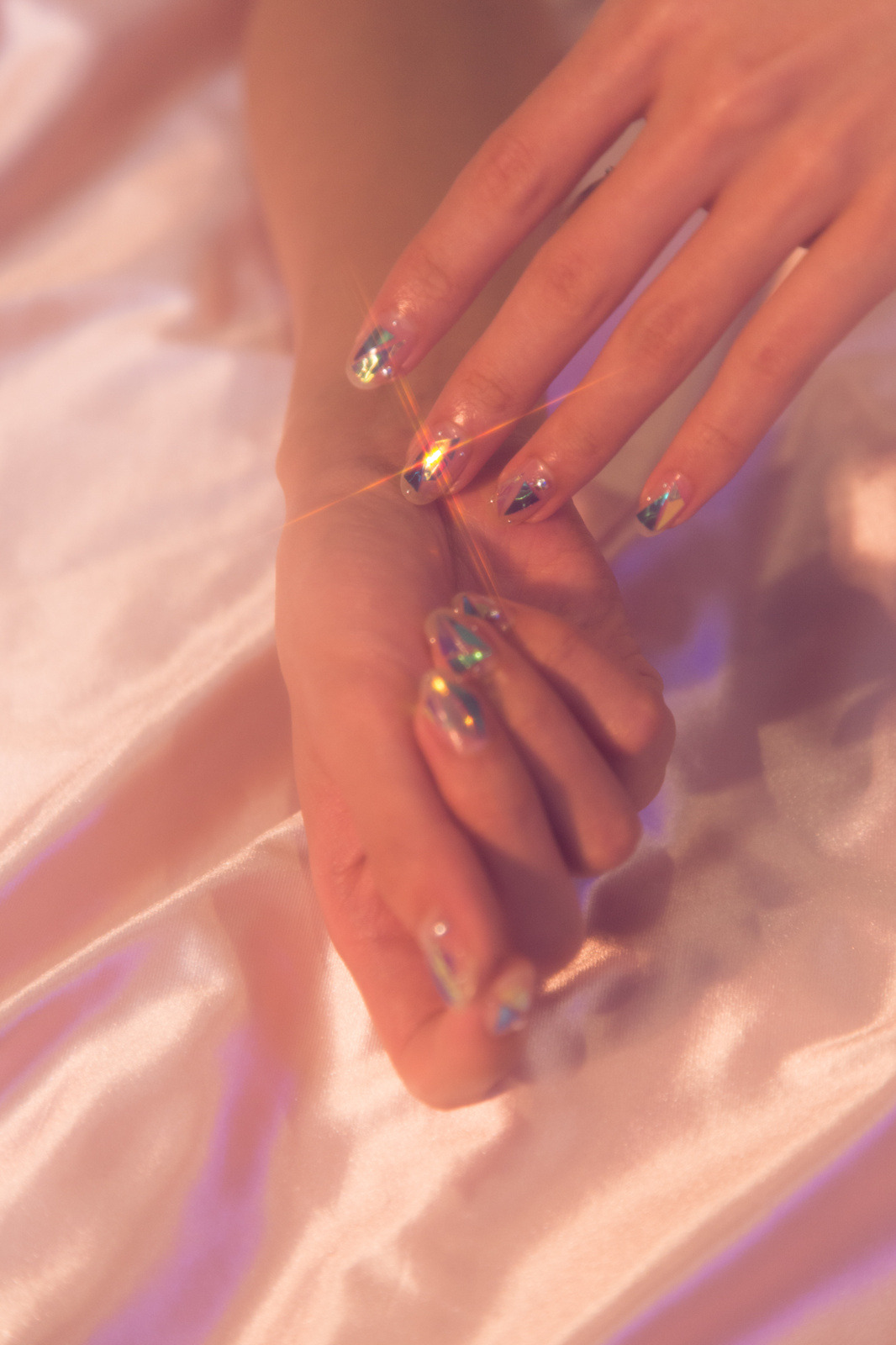
Hi everyone, recently I've become obsessed with these types of sparkles in photos and wanted to get some in my own photos but I'm not sure how. Does anyone know these are achievable without the need of photoshop, and if not how to edit them so they look realistic? I've tried brushes but they all look super fake. Any help would me much appreciated!

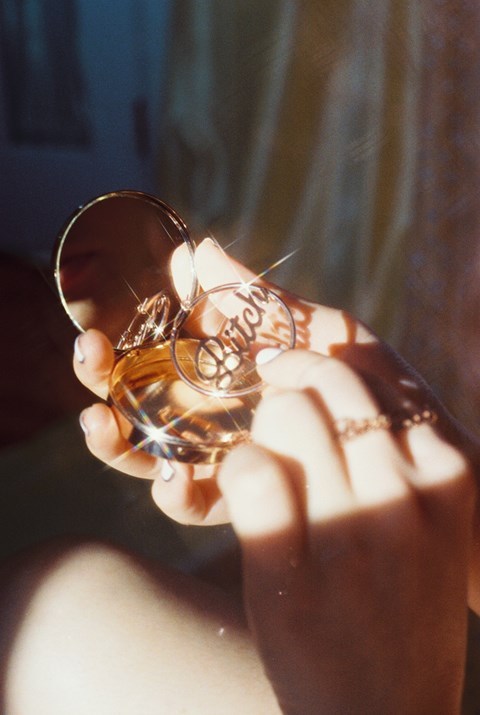
14736237_331459520565718_7407530254324989952_n.jpg

tumblr_nzfhe5GFBy1up1f6oo1_500.jpg

tumblr_orlejah5kj1sjp753o3_1280.jpg

yarabypetracollins-5.jpg

This topic has been closed for replies.
Correct answer cmgap

This tutorial from Colin Smith at Photoshop Cafe should get you going:

Creating Starburst glints of light in Photoshop Photoshop Tutorial

http://photoshopcafe.com/tutorials/glints/glint.htm

Here is a nice effect that looks like the sun glinting off a metallic or shiny surface. This starburst effect even includes a little lens flare. A tasteful replacement for the sometimes over used lens flare filter. (A shout-out to Mrs Wanack and class at Humble High School who requested this.)

8 replies

joanH
Inspiring
December 7, 2018

Hi, I am a lifetime illustrator using the early deadly paints moving on to clean and fast digital methods. When I first started my Adobe products I saw magic and so just began inventing my own uses for every tool. I now have more shortcuts just because I did not know I couldn't do it.  I make straight thin lines using my trusty square-rectangle or sticky line selection tool. I pick the spot needed and set the tool there making it as thin as it will go then as long as I want it and I fill it with paint bucket inside the selected space. I use color shade and extra lights with a lens flare the layer in use. I  have even created thin lines filled with the Gradient Tool. Once a line is done I copy and paste it as often as needed, then I use curves and + or - saturation for variations or even curves to get some magical luminescence. There, I have bequeathed you all one of my favorite secrets. Go - make magical things! Best wishes, JH

Known Participant
December 7, 2018

If you're a photographer, the best way is almost always to capture about 50 percent of the effect you want in the camera and then enhance in Photoshop. That's because if you do it 100 percent photoshop, it will inevitably look fake. But that may be the look you're going for. 

Star filters are pretty cheap and much cheaper if you buy them used and they come in a variety of flavors, 4, 6, 8 point are the usuals. But you can do all kinds of other craziness in front of your lens using clear filters and courage. 

Chuck Uebele
Community Expert
Community Expert
December 7, 2018

As Dag mentioned, Noel's plugin is great for this! It has so many options for creating different types of star effects. Much easier than trying to do it manually.

adrians13923265
Participant
December 7, 2018

There is a brilliant way to do this without using brushes and working from the natural highlights that appear in the image. You will also have more control over the flare of the light, the direction and the intensity enabling you to create a more 'natural' feel to the finished result. Check out the following tutorial: https://photoshopstar.com/how-to-duplicate-professional-camera-filter-in-photoshop/

ScooterD76
Legend
August 22, 2018

Repeating myself, but for effects like this a google image search will return some good elements most of the time

..' Now THIS is a photoshopped smile!

also just discovered the liquify tool now recognizes faces ?!?!? WHA?

Participant
August 22, 2018

Sorry - Been there - no brush downloads for Mac. Also, contacted Adobe - no response. I'm looking for the sparkle brushes. They exist. I need the source.

davescm
Community Expert
Community Expert
September 18, 2017

Hi

Part of your question was - "Does anyone know these are achievable without the need of photoshop".  Yes , using a starbust filter on the camera lens which is what we used to do with film long before Photoshop.

Selective Star Set - Part of the LEE Camera Filter Range

The answers above give you the methods for Photoshop. In addition there is the simple way of drawing lines with a brush set to "fade" for both opacity and shape.

Dave

cmgap
Community Expert
Community Expert
September 18, 2017

Nice smile Dave ; )

D Fosse
Community Expert
Community Expert
September 18, 2017

Nah, it's just photoshopped...

D Fosse
Community Expert
Community Expert
September 18, 2017

I usually don't plug plugins, but there is one I really like, and that's Noel Carboni's StarFilter. It does all of these things, brilliantly, for $37:

http://prodigitalsoftware.com/StarFilterPro4.html

Noel used to post here, but got fed up with the forum software at one point and just left. I should say, as a matter of full disclosure, that he gave me a license in exchange for beta testing. So far I haven't found anything that didn't work perfectly out of the box.

This isn't a plugin that use a lot, but when I need it, I really need it, for exactly that purpose: to add some sparkle, fizzle and pop.

Participant
August 22, 2018

That works on PC's only. My set of sparkle brushes was deleted from CSS5 on my iMac. Anyone know where I can find these? It used to be simple but now it's not. Thank you.

cmgap
Community Expert
cmgapCommunity ExpertCorrect answer
Community Expert
September 18, 2017

This tutorial from Colin Smith at Photoshop Cafe should get you going:

Creating Starburst glints of light in Photoshop Photoshop Tutorial

http://photoshopcafe.com/tutorials/glints/glint.htm

Here is a nice effect that looks like the sun glinting off a metallic or shiny surface. This starburst effect even includes a little lens flare. A tasteful replacement for the sometimes over used lens flare filter. (A shout-out to Mrs Wanack and class at Humble High School who requested this.)