bigdogmurphy
Known Participant
March 16, 2020
Question

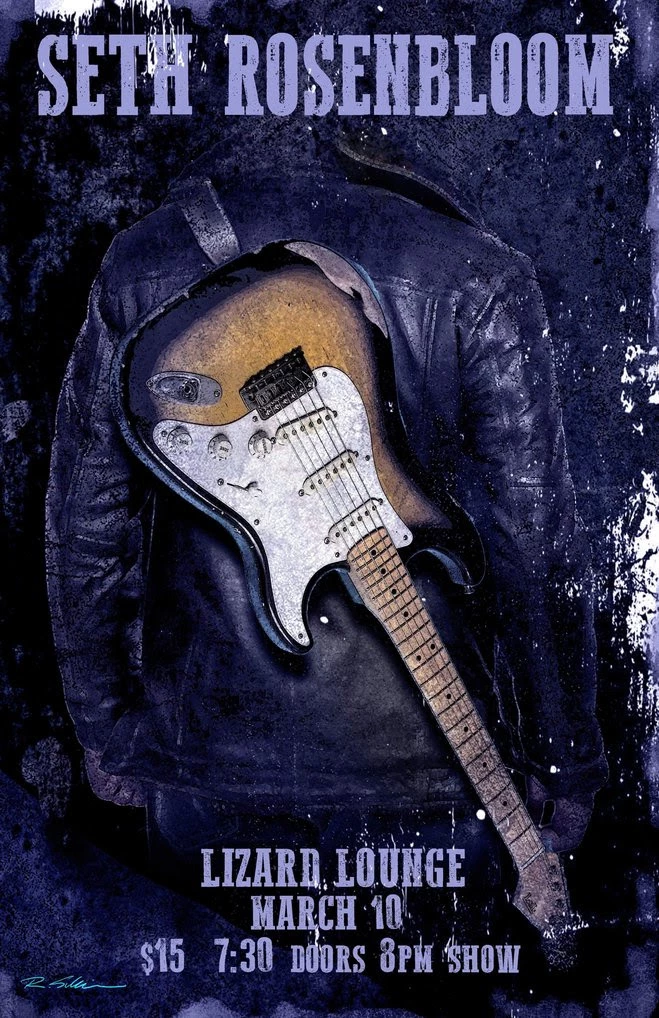
How To? [Grunge effects]

  • March 16, 2020
  • 2 replies
  • 479 views

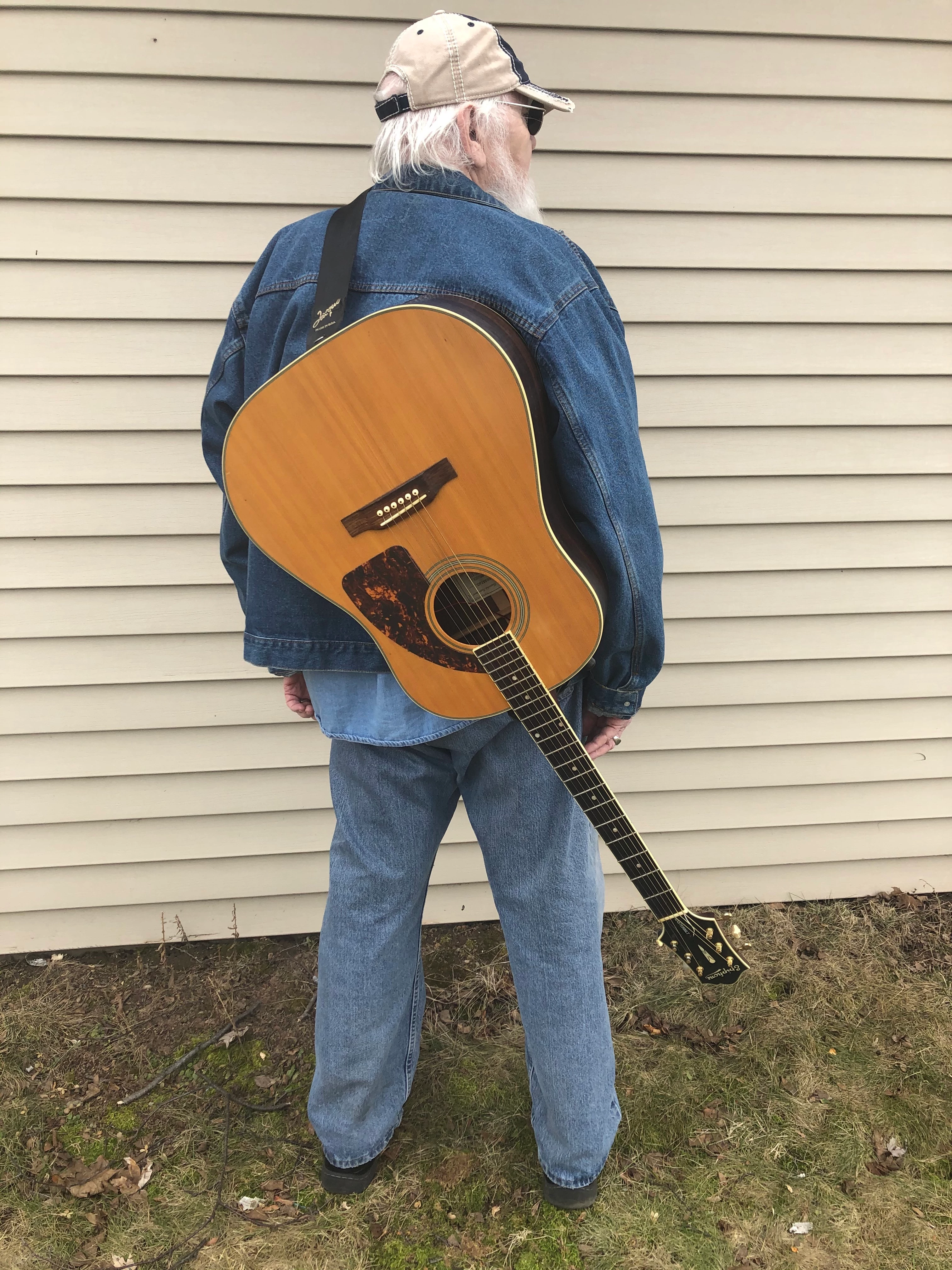
Does anyone know how I can make the "garage main image" look like the poster? 

This topic has been closed for replies.

2 replies

Nancy OShea
Community Expert
Community Expert
March 16, 2020

Depending on your skills and software, a "grunge effect" could be applied in a number of different ways with layers, blend modes and filters in Photoshop or other image editing software.  Google "Grunge effect tutorials."  I'm sure you'll find plenty on YouTube, etc...


Nancy O'Shea— Product User & Community Expert
bigdogmurphy
Known Participant
March 17, 2020

Thank you, Ms. O'Shea.  While Photoshop tutorials are indeed plentiful on YouTube, and for the most part very helpful, "grunge effect" tuts are a bit less plentiful.  But I will continue searching.  And, thank you for realizing I am not a graphics pro!!  I'm just an old blues cat who enjoys making my band's posters and other print promo.


Michael Murphy

John T Smith
Community Expert
Community Expert
March 16, 2020

Adobe currently has 23 programs included in a full Cloud subscription
Please post the name of the Adobe program you use so a Moderator may move this message to that forum