
Participant
May 22, 2018
Question

How to have a cursor stay the same size regardless of brush size?

  • May 22, 2018
  • 3 replies
  • 595 views

Hello everybody,

I'll try to explain myself a little better. I've been watching some tutorial videos from Gumroad, and I've noticed that a lot of pros have an interesting setting for their brush cursor: no matter how big the painted area is (and therefore the actual brush size) the cursor's size stays the same. For ex:
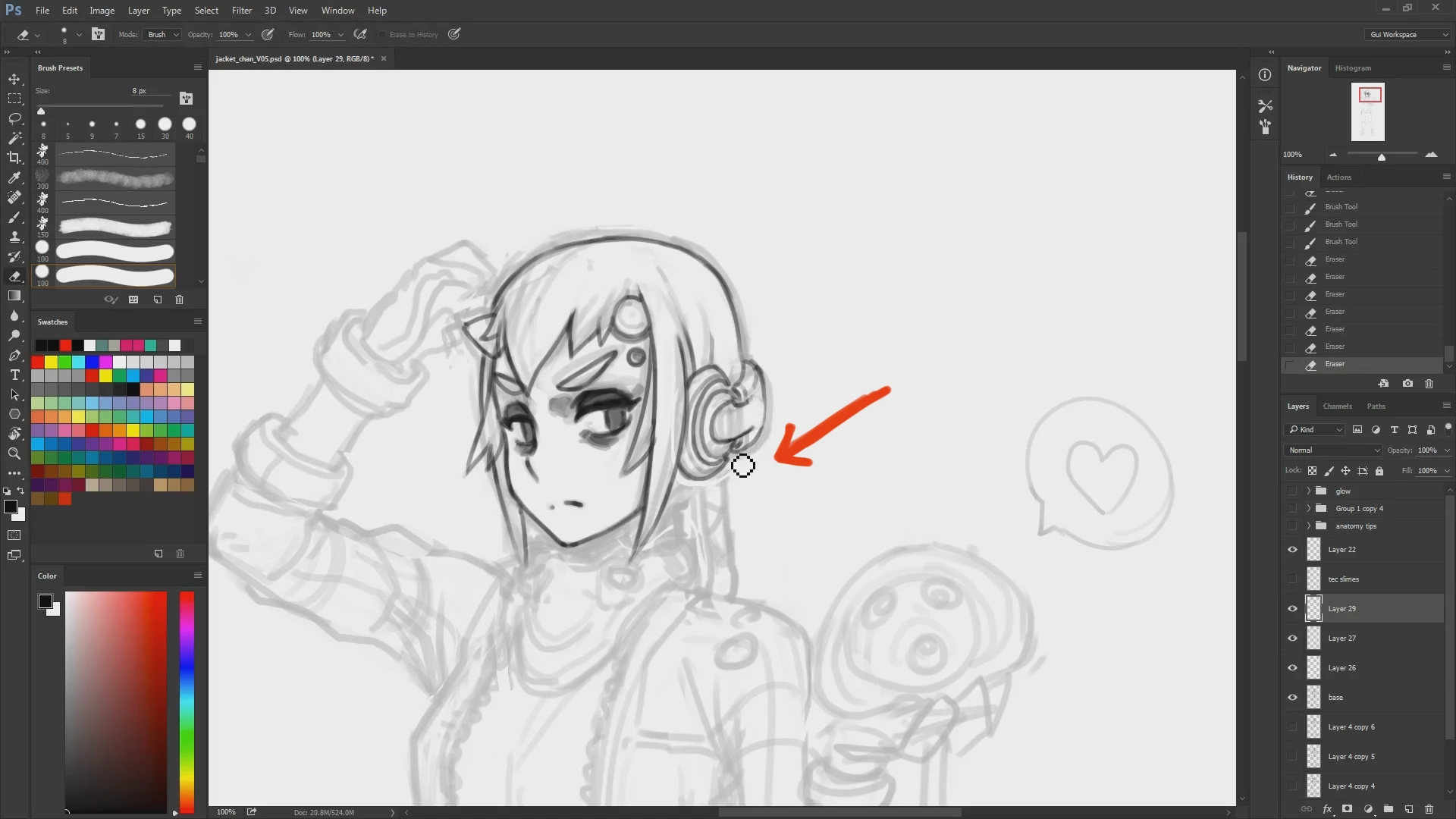
you can see in this tutorial from gui guimaraes that his line is actually pretty thin (8 pxls) while is brush cursor remains big, but also becoming pixelated to show how it would actually look if it was that size. It's an interesting setting and I've been wondering how to get that.

Am I making sense? Let me know if you need additional info.

Thanks!

This topic has been closed for replies.

3 replies

baadtaste
Participating Frequently
May 22, 2018

- or it could be a feature of the screen capture software used to create the videos...

baadtaste
Participating Frequently
May 22, 2018

You could try to turn on shift lock - it will give you a cross hair marking the centre of the brush.

davescm
Community Expert
Community Expert
May 22, 2018

Hi

Try Preferences >Cursors>Painting Cursors>Full Size Brush Tip

Dave

Participant
May 22, 2018

Already tried that, doesn't work.

I should probably mention that my photoshop is in italian, so I used what I assumed to be the same option, meaning: "Punta pennello a grandezza naturale".

Should be the same, right?

davescm
Community Expert
Community Expert
May 22, 2018

This one :

Dave